28
EN
Playing Discs in Various Modes
(Continued)
Limiting Playback by Children
(Parental Control) Z
Playing some DVDs can be limited depending on the
age of users. The “Parental Control” function allows
you to set a playback limitation level.
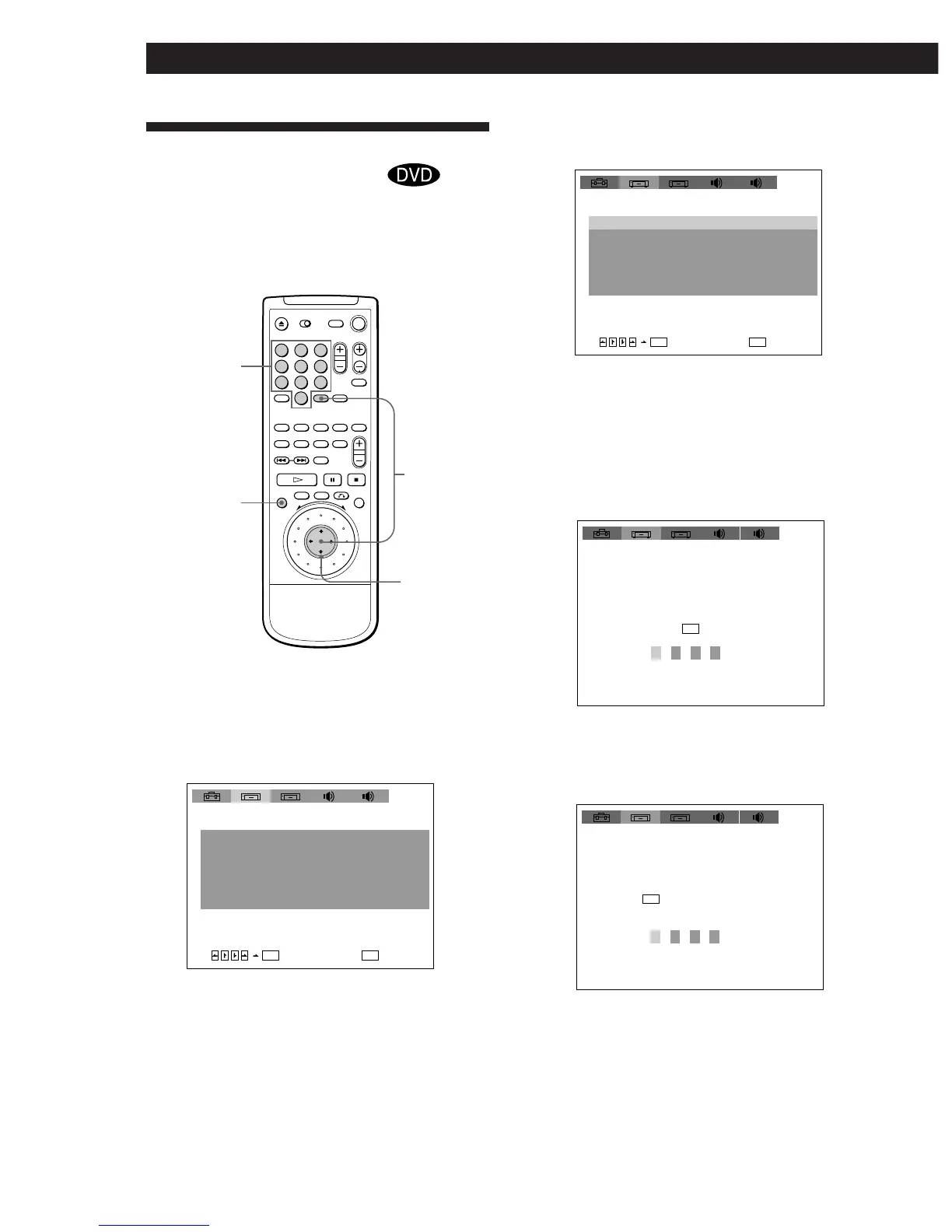
1 Press SET UP to display the setup display on the
TV screen before playing.
ENTER
SET UP
?/>/.//
123
456
789
0
2
INITIAL SETUP 1
TV TYPE: LETTER BOX
OFFAUTO PLAY:
DIMMER:
BACKGROUND:
BRIGHT
BLUE
ENTER
QUIT
SETUP
12
4:3
SCREEN SAVER: ON
PARENTAL CONTROL
1
2
INITIAL SETUP 1
TV TYPE: LETTER BOX
OFFAUTO PLAY:
DIMMER:
BACKGROUND:
BRIGHT
BLUE
ENTER
QUIT
SETUP
12
4:3
SCREEN SAVER: ON
PARENTAL CONTROL
1
1 2
INITIAL SETUP 1
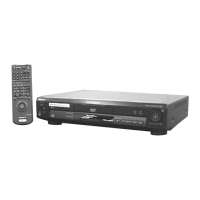
Enter password, then
12
PARENTAL CONTROL
press .
ENTER
1 2
INITIAL SETUP 1
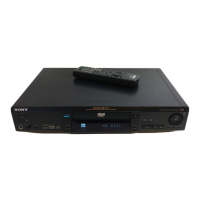
Entry password. Enter
12
PARENTAL CONTROL
a number in 4 figures,
then press .
ENTER
Number
buttons
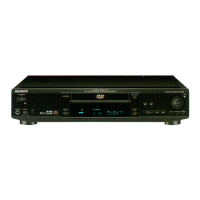
2 Select “INITIAL SETUP 1” using ?//, then
press . or ENTER.
3 Select “PARENTAL CONTROL” using >/., then
press ENTER.
pWhen you have not entered a password yet
The display for entering a password appears.
pWhen you have already entered a password
The display for confirming the password appears.
Skip Step 4.




 To Next Page