EasyManua.ls Logo

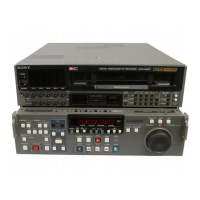
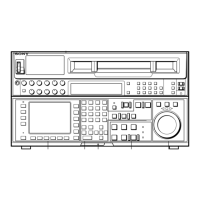
Sony DVW-A500 - User Manual

Sony DVW-A500
150 pages
Print Icon
To Next Page IconTo Next Page
Loading...
(661) 294-3999 QSR Systems (323) 200-2155
Post Production Rentals, Sales, Service

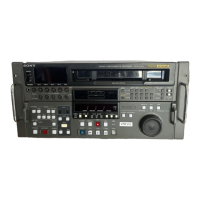
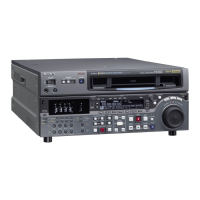
Other manuals for Sony DVW-A500

Question and Answer IconNeed help?

Do you have a question about the Sony DVW-A500 and is the answer not in the manual?

Summary

About This Manual

Purpose and audience of this manual

Explains the manual's purpose, target audience, and recommended reading approach.

Organization of this manual

Provides a brief summary of the chapters and appendixes covered in the manual.

Conventions used

Operating procedures

Details the formats used for operating procedures, including illustrations and cross-references.

References

Operation Manual Part 1

Lists the primary operation manual provided with the VTR.

Maintenance Manual Part 2

Lists the maintenance manual, available upon request for detailed service.

Chapter 1 Overview

1-1. Outline of the DVW-A500 series and DVW-500 series

Provides an overview of the DVW-A500/500P digital videocassette recorder's features and capabilities.

1-2. Features

Details the key features of the DVW-A500/500P, including its format and advanced functions.

1-3. Optional Accessories

Lists and describes optional accessories available for use with the VTR.

Chapter 2 Location and Functions of Parts and Controls

2-1. Control Panel

Describes the sections and functions of the VTR's control panel.

2-1-1. Upper Control Panel

Details the location and function of controls on the VTR's upper control panel.

2-1-2. Lower Control Panel (Editing Section)

Explains the controls on the lower control panel related to editing functions.

2-1-3. Lower Control Panel (Tape Operation Section)

Details the tape operation controls located on the VTR's lower control panel.

2-1-4. Lower Control Panel (Search Operation Section)

Describes the search operation controls on the VTR's lower control panel.

2-1-5. Lower Control Panel (Time Code Section)

Explains the time code related controls on the VTR's lower control panel.

2-2. Sub Control Panel

Describes the location and functions of the VTR's sub control panel.

2-3. System Set-Up Panel

Details the controls and functions of the VTR's system set-up panel.

2-4. Connector Panel

Explains the various input and output connectors on the VTR's panel.

Chapter 3 Setting Up the VTR

3-1. Connecting External Equipment

Guides on connecting external equipment to the VTR for operation.

3-1-1. Connecting Digital Signals

Provides instructions for connecting digital video and audio signals.

3-1-2. Connecting Analog Signals

Details how to connect analog video and audio signals to the VTR.

3-2. Reference Signals for Video Output and Servo System

Explains how to use reference signals for video output and the servo system.

3-2-1. External Sync Signal for the Internal Reference Video Signal Generator

Describes how to use external sync signals with the internal reference video generator.

3-2-2. Reference Signal for the Servo System

Details how the VTR automatically selects reference signals for the servo system.

3-2-3. Connecting Reference Signals

Illustrates reference signal connections for recording and playback.

3-3. Setup Menu

Explains the setup menu and its various settings.

3-3-1. Items in the Main Menu

Lists and describes the items available in the VTR's main setup menu.

3-3-2. Changing Menu Settings

Provides instructions on how to change factory preset values for each menu setting.

3-4. Superimposed Characters

Explains how to adjust the position, size, and type of superimposed characters.

3-5. Handling Cassettes

Provides guidance on handling video cassettes, including recommended types.

3-5-1. Recommended Cassettes

Lists recommended digital Betacam cassettes for the DVW-A500/500P series.

3-5-2. Inserting and Ejecting Cassettes

Details the procedure for inserting and ejecting video cassettes from the VTR.

3-5-3. Preventing Accidental Erasure

Explains how to prevent accidental erasure of recorded material on tapes.

Chapter 4 Recording

4-1. Preparing for Recording

Covers preparations necessary before starting a recording session.

4-1-1. Setting Switches

Details the switch settings required for preparing to record.

4-1-2. Selecting Audio Signals

Guides on selecting audio input signals and outputs for recording.

4-1-3. Adjusting the Audio Recording Level

Explains how to adjust audio recording levels for optimal sound quality.

4-1-4. Monitoring Simultaneous Playback Video and Audio As They Are Recorded

Describes how to monitor video and audio signals during recording.

4-1-5. Setting for the Input Analog Audio Recording

Details settings for analog audio recording with emphasis.

4-2. Recording Time Codes and Users Bits

Covers the process of recording time codes and user's bits.

4-2-1. Recording Time Codes Generated by the Internal Time Code Generator

Explains how to set and record time codes using the VTR's internal generator.

4-2-2. Recording Time Codes and Users Bits

Covers setting user's bits and real time codes for recording.

4-2-2. Synchronizing the Internal Time Code Generator with External Time Code Generator

Guides on synchronizing the VTR's internal time code generator with an external source.

4-2-3. Recording External Time Codes without Change

Explains how to record external time codes without altering them.

4-3. Recording

Details the final steps and procedures for recording.

Chapter 5 Playback

5-1. Preparing for Playback

Outlines the necessary preparations before playing back recorded material.

5-1-1. Setting Switches

Details the switch settings required for playback operations.

5-1-2. Selecting Time Data to be Displayed

Explains how to select and display time data during playback.

5-1-3. Adjusting Audio Playback Level

Guides on adjusting the audio playback levels for the VTR.

5-2. Playback

Covers the various playback modes and procedures.

5-2-1. Normal Speed Playback

Details the procedure for playing back tapes at normal speed.

5-2-2. Variable-Speed Playback in Jog;Shuttle;Variable Modes

Explains variable-speed playback in jog, shuttle, and variable modes.

5-2-3. Capstan Override Playback

Covers the capstan override function for playback adjustments.

5-2-4. Dynamic Motion Control (DMC) Playback

Details the procedure for dynamic motion control (DMC) playback.

Chapter 6 Editing

6-1. Basic Automatic Editing

Explains the steps involved in basic automatic editing procedures.

6-1-1. Overview of Automatic Editing

Provides an overview of automatic edit modes and procedures.

6-1-2. Setting Switches

Details the switch settings required for performing editing.

6-1-3. Selecting Edit Mode

Guides on selecting either assemble or insert edit modes.

6-1-4. Setting Edit Points

Explains how to set IN and OUT edit points for editing.

6-1-5. Confirming Edit Points

Details how to confirm time data for edit points.

6-1-6. Cue and Preroll

Explains how to cue and preroll the tape before editing.

6-1-7. Preview

Guides on using the preview function to check edit points.

6-1-8. Correcting Edit Points

Explains how to delete or modify incorrect edit points.

6-1-9. Executing Automatic Editing

Details the procedure for executing automatic editing after setting points.

6-2. Advanced Editing

Covers advanced editing methods like DMC, quick, continuous, and preread editing.

6-2-1. Executing DMC Editing

Explains how to perform Dynamic Motion Control (DMC) editing.

6-2-2. Executing Quick Editing

Guides on executing quick editing for time savings.

6-2-3. Executing Continuous Editing

Details how to perform continuous editing between edits.

6-2-4. Executing Preread Editing

Explains how to execute preread editing for specific scenarios.

6-3. Manual Editing

Covers the process of performing manual editing procedures.

Chapter 7 Maintenance

7-1. Removing the Cassette When the Tape is Slack

Provides instructions for removing a slack tape from the cassette.

7-2. Head Cleaning

Details the procedure for cleaning the VTR's heads using a cleaning cassette.

7-3. Moisture Condensation

Explains how to handle moisture condensation issues and error indicators.

7-4. Reading Hours Meter

Guides on how to read the VTR's hours meter for operational history.

Appendixes

Specifications

Lists the technical specifications for the DVW-A500/500P VTR.

Glossary

Provides definitions for technical terms and abbreviations used in the manual.

Summary

About This Manual

Purpose and audience of this manual

Explains the manual's purpose, target audience, and recommended reading approach.

Organization of this manual

Provides a brief summary of the chapters and appendixes covered in the manual.

Conventions used

Operating procedures

Details the formats used for operating procedures, including illustrations and cross-references.

References

Operation Manual Part 1

Lists the primary operation manual provided with the VTR.

Maintenance Manual Part 2

Lists the maintenance manual, available upon request for detailed service.

Chapter 1 Overview

1-1. Outline of the DVW-A500 series and DVW-500 series

Provides an overview of the DVW-A500/500P digital videocassette recorder's features and capabilities.

1-2. Features

Details the key features of the DVW-A500/500P, including its format and advanced functions.

1-3. Optional Accessories

Lists and describes optional accessories available for use with the VTR.

Chapter 2 Location and Functions of Parts and Controls

2-1. Control Panel

Describes the sections and functions of the VTR's control panel.

2-1-1. Upper Control Panel

Details the location and function of controls on the VTR's upper control panel.

2-1-2. Lower Control Panel (Editing Section)

Explains the controls on the lower control panel related to editing functions.

2-1-3. Lower Control Panel (Tape Operation Section)

Details the tape operation controls located on the VTR's lower control panel.

2-1-4. Lower Control Panel (Search Operation Section)

Describes the search operation controls on the VTR's lower control panel.

2-1-5. Lower Control Panel (Time Code Section)

Explains the time code related controls on the VTR's lower control panel.

2-2. Sub Control Panel

Describes the location and functions of the VTR's sub control panel.

2-3. System Set-Up Panel

Details the controls and functions of the VTR's system set-up panel.

2-4. Connector Panel

Explains the various input and output connectors on the VTR's panel.

Chapter 3 Setting Up the VTR

3-1. Connecting External Equipment

Guides on connecting external equipment to the VTR for operation.

3-1-1. Connecting Digital Signals

Provides instructions for connecting digital video and audio signals.

3-1-2. Connecting Analog Signals

Details how to connect analog video and audio signals to the VTR.

3-2. Reference Signals for Video Output and Servo System

Explains how to use reference signals for video output and the servo system.

3-2-1. External Sync Signal for the Internal Reference Video Signal Generator

Describes how to use external sync signals with the internal reference video generator.

3-2-2. Reference Signal for the Servo System

Details how the VTR automatically selects reference signals for the servo system.

3-2-3. Connecting Reference Signals

Illustrates reference signal connections for recording and playback.

3-3. Setup Menu

Explains the setup menu and its various settings.

3-3-1. Items in the Main Menu

Lists and describes the items available in the VTR's main setup menu.

3-3-2. Changing Menu Settings

Provides instructions on how to change factory preset values for each menu setting.

3-4. Superimposed Characters

Explains how to adjust the position, size, and type of superimposed characters.

3-5. Handling Cassettes

Provides guidance on handling video cassettes, including recommended types.

3-5-1. Recommended Cassettes

Lists recommended digital Betacam cassettes for the DVW-A500/500P series.

3-5-2. Inserting and Ejecting Cassettes

Details the procedure for inserting and ejecting video cassettes from the VTR.

3-5-3. Preventing Accidental Erasure

Explains how to prevent accidental erasure of recorded material on tapes.

Chapter 4 Recording

4-1. Preparing for Recording

Covers preparations necessary before starting a recording session.

4-1-1. Setting Switches

Details the switch settings required for preparing to record.

4-1-2. Selecting Audio Signals

Guides on selecting audio input signals and outputs for recording.

4-1-3. Adjusting the Audio Recording Level

Explains how to adjust audio recording levels for optimal sound quality.

4-1-4. Monitoring Simultaneous Playback Video and Audio As They Are Recorded

Describes how to monitor video and audio signals during recording.

4-1-5. Setting for the Input Analog Audio Recording

Details settings for analog audio recording with emphasis.

4-2. Recording Time Codes and Users Bits

Covers the process of recording time codes and user's bits.

4-2-1. Recording Time Codes Generated by the Internal Time Code Generator

Explains how to set and record time codes using the VTR's internal generator.

4-2-2. Recording Time Codes and Users Bits

Covers setting user's bits and real time codes for recording.

4-2-2. Synchronizing the Internal Time Code Generator with External Time Code Generator

Guides on synchronizing the VTR's internal time code generator with an external source.

4-2-3. Recording External Time Codes without Change

Explains how to record external time codes without altering them.

4-3. Recording

Details the final steps and procedures for recording.

Chapter 5 Playback

5-1. Preparing for Playback

Outlines the necessary preparations before playing back recorded material.

5-1-1. Setting Switches

Details the switch settings required for playback operations.

5-1-2. Selecting Time Data to be Displayed

Explains how to select and display time data during playback.

5-1-3. Adjusting Audio Playback Level

Guides on adjusting the audio playback levels for the VTR.

5-2. Playback

Covers the various playback modes and procedures.

5-2-1. Normal Speed Playback

Details the procedure for playing back tapes at normal speed.

5-2-2. Variable-Speed Playback in Jog;Shuttle;Variable Modes

Explains variable-speed playback in jog, shuttle, and variable modes.

5-2-3. Capstan Override Playback

Covers the capstan override function for playback adjustments.

5-2-4. Dynamic Motion Control (DMC) Playback

Details the procedure for dynamic motion control (DMC) playback.

Chapter 6 Editing

6-1. Basic Automatic Editing

Explains the steps involved in basic automatic editing procedures.

6-1-1. Overview of Automatic Editing

Provides an overview of automatic edit modes and procedures.

6-1-2. Setting Switches

Details the switch settings required for performing editing.

6-1-3. Selecting Edit Mode

Guides on selecting either assemble or insert edit modes.

6-1-4. Setting Edit Points

Explains how to set IN and OUT edit points for editing.

6-1-5. Confirming Edit Points

Details how to confirm time data for edit points.

6-1-6. Cue and Preroll

Explains how to cue and preroll the tape before editing.

6-1-7. Preview

Guides on using the preview function to check edit points.

6-1-8. Correcting Edit Points

Explains how to delete or modify incorrect edit points.

6-1-9. Executing Automatic Editing

Details the procedure for executing automatic editing after setting points.

6-2. Advanced Editing

Covers advanced editing methods like DMC, quick, continuous, and preread editing.

6-2-1. Executing DMC Editing

Explains how to perform Dynamic Motion Control (DMC) editing.

6-2-2. Executing Quick Editing

Guides on executing quick editing for time savings.

6-2-3. Executing Continuous Editing

Details how to perform continuous editing between edits.

6-2-4. Executing Preread Editing

Explains how to execute preread editing for specific scenarios.

6-3. Manual Editing

Covers the process of performing manual editing procedures.

Chapter 7 Maintenance

7-1. Removing the Cassette When the Tape is Slack

Provides instructions for removing a slack tape from the cassette.

7-2. Head Cleaning

Details the procedure for cleaning the VTR's heads using a cleaning cassette.

7-3. Moisture Condensation

Explains how to handle moisture condensation issues and error indicators.

7-4. Reading Hours Meter

Guides on how to read the VTR's hours meter for operational history.

Appendixes

Specifications

Lists the technical specifications for the DVW-A500/500P VTR.

Glossary

Provides definitions for technical terms and abbreviations used in the manual.

Sony DVW-A500 Specifications

General IconGeneral
BrandSony
ModelDVW-A500
CategoryVCR
LanguageEnglish

Related product manuals