EasyManua.ls Logo

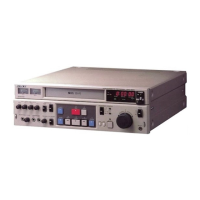
Sony SVP-DC1 - User Manual

Sony SVP-DC1
16 pages
Print Icon
To Next Page IconTo Next Page
Loading...
1
1997 by Sony Corporation
SVP-DC1
Operating Instructions
3-194-445-02 (3)
Video Cassette
Player

Questions and Answers

  • P
    Peter RiveraAug 11, 2025
    How to fix a blurry playback picture on my Sony SVP-DC1?
    • A
      Anthony RussellAug 11, 2025
      If the playback picture does not appear clearly on your Sony VCR, you can try adjusting the tracking with the TRACKING +/– buttons. Also, the video heads may be dirty. Clean them using the Sony V-25CL video head cleaning cassette. If this cleaning cassette is not available, have the heads cleaned at your nearest Sony service facility. Do not use a commercially available wet-type cleaning cassette, as it may damage the video heads. In some cases, the video heads may need replacement, so consult your local Sony service facility.
  • H
    hmosleyAug 16, 2025
    Why is my Sony SVP-DC1 VCR remote not working?
    • B
      Bradley ThompsonAug 17, 2025
      If the remote commander for your Sony VCR is not functioning, ensure that you are pointing it at the remote sensor on the VCP. If that doesn't work, try replacing all the batteries in the remote commander with new ones if they are weak. Also, make sure the TV / VIDEO remote control switch is set correctly.
  • R
    Robin RoyAug 23, 2025
    What to do if I can't insert a tape into my Sony VCR?
    • E
      Eugene SchmidtAug 23, 2025
      If you are unable to insert a tape into your Sony VCR, it might be because a tape is already in the cassette compartment. Check if the CASSETTE indicator lights up in green, indicating that a tape is already inside.
  • J
    joneskennethAug 28, 2025
    Why does my Sony VCR picture have no sound?
    • G
      George Martin PhDAug 28, 2025
      If the picture on your Sony VCR playback has no sound, ensure that the TV is set to video input.
  • E
    Erica GilbertSep 4, 2025
    How to fix vertical rolling during picture search on my Sony SVP-DC1?
    • T
      Tara PriceSep 4, 2025
      If the picture rolls vertically during picture search on your Sony VCR, adjust the vertical hold control on the TV or monitor.

Sony SVP-DC1 Specifications

General IconGeneral
BrandSony
ModelSVP-DC1
CategoryVCR
LanguageEnglish

Related product manuals