EasyManua.ls Logo

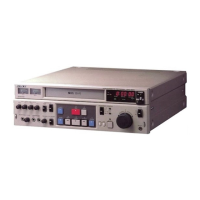
Sony SVT-124P - User Manual

Sony SVT-124P
172 pages
Print Icon
To Next Page IconTo Next Page
Loading...
© 1997 Sony Corporation
Operating Instructions page 2
Before operating the unit, please read this manual
thoroughly, and retain it for future reference.
Mode d’emploi page 36
Avant de faire fonctionner cet appareil, lisez
attentivement le présent mode d’emploi et conservez-le
pour toute référence ultérieure.
Bedienungsanleitung Seite 70
Vor der Inbetriebnahme lesen Sie diese Anleitung
sorgfältig durch und bewahren Sie sie zum späteren
Nachschlagen auf.
Manual de instrucciones página 104
Antes de utilizar la unidad, lea este manual
detenidamente y consérvelo para futuras referencias.
Istruzioni per l’uso pagina 138
Prima di usare l’apparecchio, leggere con attenzione
questo manuale e conservarlo per riferimenti futun.
Videocassette
Recorder
3-194-198-03 (1)
SVT-124P
SVT-124P

Table of Contents

Questions and Answers

  • S
    Scott ClarkAug 15, 2025
    Why does my Sony SVT-124P VCR not respond to any button presses?
    • B
      baxtercherylAug 15, 2025
      Your Sony VCR might not respond due to several reasons: there's no cassette inserted, moisture condensation has occurred, it's in alarm recording, the security lock function is enabled, or it's in timer-recording standby mode or during timer recording. To solve this, insert a cassette, wait until the VCR reaches room temperature, wait for the alarm recording to finish, release the security lock, or press TIMER REC to turn off the indicator.
  • J
    Justin CarrAug 18, 2025
    What to do if the picture on my Sony SVT-124P VCR flickers or blurs during playback?
    • M
      Michelle AdkinsAug 18, 2025
      If the playback picture on your Sony VCR flickers or blurs, the video heads are likely dirty. Clean the video heads to resolve this issue.
  • P
    Paige HardingAug 21, 2025
    How to fix a Sony VCR that won't eject the tape?
    • J
      Jessica CardenasAug 22, 2025
      If your Sony VCR tape won't eject, it might be due to a system malfunction. Try pressing the ALL RESET button or unplug the VCR to reset the system.
  • L
    Laura ThompsonAug 25, 2025
    What to do if my Sony SVT-124P doesn't record and the tape ejects?
    • M
      maria59Aug 26, 2025
      If your Sony VCR isn't recording and the tape ejects automatically, it's likely because the safety tab on the cassette has been removed. Cover the tab hole with plastic tape to enable recording.
  • J
    Jesus EwingAug 28, 2025
    Why does the picture not appear on my Sony SVT-124P monitor screen?
    • D
      Dan WilsonAug 28, 2025
      If the picture doesn't appear on your Sony VCR monitor screen, it could be due to a wrong connection or no power to the video camera or monitor TV. Check the connection and ensure that the power is turned on.
  • J
    Joshua BlevinsAug 31, 2025
    Why isn't my Sony SVT-124P VCR timer recording working?
    • T
      Troy BrooksAug 31, 2025
      If your Sony VCR timer recording didn't work, it could be because the clock setting is incorrect, or TIMER REC was not pressed. Ensure the clock is set correctly and press TIMER REC.
  • E
    Elizabeth FreemanSep 4, 2025
    Why can't I do repeat recording on my Sony SVT-124P VCR?
    • R
      Rebecca HickmanSep 4, 2025
      Repeat recording on your Sony VCR may not work if alarm recording was made during repeat recording or if REPEAT REC is set to OFF. Note that if alarm recording was made during repeat recording, this is normal. Otherwise, set REPEAT REC to ON.
  • Y
    ygomezSep 7, 2025
    Why doesn't my Sony SVT-124P function beyond playing back tapes?
    • D
      dianagambleSep 7, 2025
      If your Sony VCR only plays tapes but doesn't perform other functions, the power of the equipment being used might not be turned on. Turn on the power to resolve this.
  • D
    danieljohnsonSep 12, 2025
    Why didn't my Sony SVT-124P record the time and date?
    • S
      Stephanie RodriguezSep 12, 2025
      If your Sony VCR didn't record the time and date, the time/date display might not be activated. Set the time/date display and ensure ON-SCREEN is set to ON.

Summary

Safety Warnings

Fire and Moisture Hazard

Avoid exposing the unit to rain or moisture to prevent fire or shock hazards.

Electrical Shock Hazard

Do not open the cabinet; refer servicing to qualified personnel only to avoid electrical shock.

Feature Explanation

Understanding Time Lapse Video

Explains how the VCR records in time lapse mode, its benefits for long-term monitoring, and playback speed.

User Precautions

Safe Operation and Installation

Covers essential safety measures for operating and installing the VCR to prevent hazards like overheating and damage.

Maintenance and Handling

Guidelines for cleaning, repacking, transportation, and managing moisture condensation to ensure unit longevity.

VCR Features Overview

Recording Capabilities

Details field recording, audio recording modes, and various recording functions like repeat and timer.

Operational Features

Explains features such as security lock, clock operation backup, and monitoring recording conditions.

Component Identification

Front Panel Controls

Identifies and describes the buttons, switches, and indicators on the VCR's front panel.

Rear Panel Connections

Details the various input/output terminals, jacks, and connectors located on the rear panel of the VCR.

Display Window Indicators

Explains the meaning of symbols and indicators shown in the VCR's display window during operation.

External Connections

Camera, Monitor, and Microphone Setup

Guides on connecting external audio-visual equipment for monitoring the picture and sound.

Connecting a Switcher

Instructions for integrating the VCR with a camera switcher for multi-camera setups.

Alarm Sensor Connection

Reference for connecting an external alarm sensor to trigger specific recording functions.

System Settings

Language Selection

Procedure to select the display language (English, French, German) for the VCR interface.

Time and Date Configuration

Clock Setting Procedure

Step-by-step guide to accurately set the current time and date on the VCR for proper function.

Time and Display Settings

Summer Time Adjustment

Instructions for adjusting the VCR's clock for Daylight Saving Time changes.

Time;Date Display Configuration

How to customize which time and date information is displayed on the monitor screen.

Display Customization

Time;Date Display Positioning

Method to change the on-screen position of the time and date display elements.

Audio Feedback Settings

Buzzer Configuration

Options to turn on or off different types of audible alerts such as alarm, tape end, and key presses.

Cassette Management

Cassette Insertion and Ejection

Procedures for properly inserting and ejecting video cassettes from the VCR.

Cassette Protection and Mode Settings

How to protect tapes from accidental erasure and set the VCR's operation mode upon cassette insertion.

Recording Operations

Recording Setup and Start

Guide to setting recording speed and initiating the recording process.

Recording Control

Instructions for stopping and pausing the recording process.

Advanced Recording Modes

Security Lock for Recording

How to enable and disable the security lock to prevent accidental recording interruptions.

Repeat Recording Function

Setting up the VCR to record repeatedly on the same cassette in different modes (R1, R2).

Recording Continuity and Tape Handling

Recovery from Interruption

How the VCR handles recording after power interruptions or moisture condensation.

Tape End Operation Modes

Configuring the VCR's behavior when the end of the tape is reached during recording.

Recording Status and Maintenance Check

Monitoring Recording Status

How to check the current recording status, especially in time lapse mode.

Used Time Indicator Check

Guide to checking the total usage time of video heads and power on the VCR.

Timer Recording Features

Scheduled Recording Setup

How to program recordings based on day of week, daily schedules, holidays, or external timers.

Timer Operation and Management

Handling timer interruptions, managing settings, and cancelling timer programs.

Alarm Recording System

Alarm Recording Configuration

Setting up alarm triggers, recording speed, duration, and modes for automatic recording.

Alarm Event Review and Reset

How to scan and display recorded alarm events, and procedures for resetting alarm data.

Playback Operations

Basic Playback and Audio

Procedures for playing back recorded tapes and monitoring audio recordings.

Advanced Playback Modes and Adjustments

Adjusting picture quality and using various playback modes like search, still, and field-by-field.

VCR Maintenance Guide

Head Care and Mechanical Maintenance

Instructions for cleaning, checking, and maintaining video heads and mechanical parts.

Periodic Servicing and Replacement

Recommendations for regular servicing and potential head replacement for optimal performance.

Terminal Interfaces

Signal Output Terminals

Details on WARNING OUT, TAPE END OUT, and SW OUT terminals for various signals and control.

Remote Control and Status Output Jack

How to use the REMOTE jack for remote operation and to monitor recording status.

Troubleshooting Guide

Common Issues and Solutions

A table listing common VCR problems and their recommended corrective actions.

Technical Specifications

General and Connector Details

Overview of the VCR's general recording/playback characteristics and connector types.

Operational and Physical Specs

Details on operating temperature, power, dimensions, and mass of the VCR.

Sony SVT-124P Specifications

General IconGeneral
Tape FormatVHS
Number of Heads4
Remote ControlYes
Playback SpeedSP, LP, SLP/EP
TunerYes
TimerYes
Input/OutputRF in/out, audio/video in/out
Dimensions430 x 115 x 365 mm

Related product manuals