4
SONY SVP-DC1 (E) 3-194-445-02 (3)
123
6
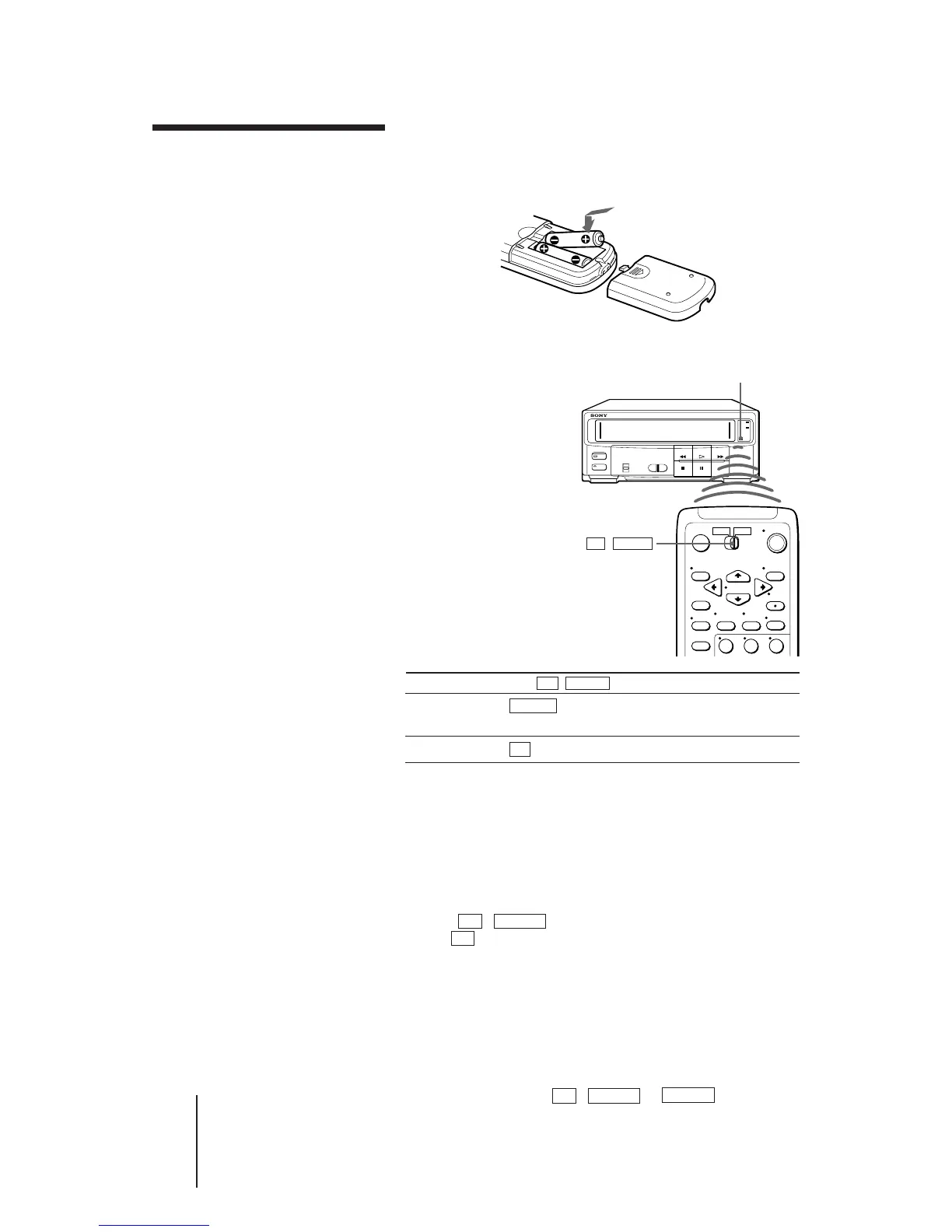
Inserting the batteries
Insert two size AA (R6) batteries by matching the + and – on
the batteries to the diagram inside the battery compartment.
Using the remote commander
You can use this
remote commander to
operate this Video
Cassette Player (VCP)
and a Sony TV. Buttons
on the remote
commander marked
with a dot (•) can be
used to operate your
Sony TV.
To operate Set TV / VIDEO to
the VCP VIDEO and point at the remote sensor on the
VCP
a Sony TV TV and point at the remote sensor on the TV
Controlling other TVs with the remote
commander
The remote commander is preprogramed to control non-
Sony TVs. If your TV is listed in the table on the next page,
set the appropriate manufacturer’s code number.
1 Set TV / VIDEO at the top of the remote commander
to TV .
2 Hold POWER down, and enter your TV’s code
number(s) using the number buttons. Then release
POWER.
Now you can use the POWER, VOL +/–, CH +/–, and TV/
VTR buttons to control your TV. You can also use the
buttons marked with a dot (•) to control a Sony TV. To
control the VCP, reset TV / VIDEO to VIDEO .
Setting up the
remote
commander
Notes
• With normal use, the
batteries should last for
approximately three to six
months.
• If you do not use the remote
commander for an extended
period of time, remove the
batteries to avoid possible
damage from battery
leakage.
• Do not use a new battery
with an old one.
• Do not use different types of
batteries.
Remote sensor
TV / VIDEO
Tips
• If you set your TV’s code
number correctly while the
TV is turned on, the TV
turns off automatically.
• If you set the code number
20 for your TV, you can use
almost all the buttons
marked with a dot (•), and
the TV/CAPTION/TEX,
CAPTION CH1/CH2,
RESET and Q. VIEW
buttons on the remote
commander.



 To Next Page