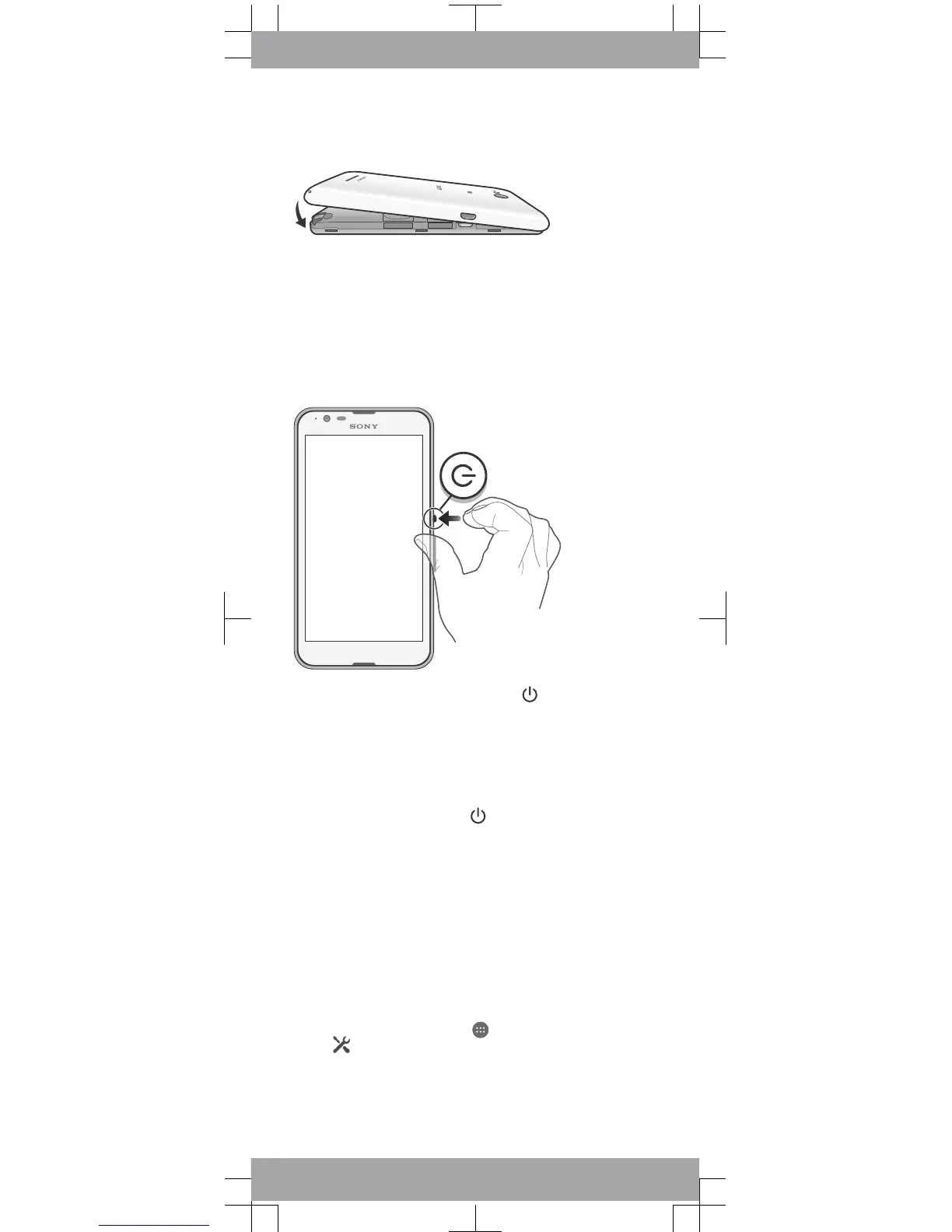
To attach the back cover
Basics
Turning on the device
Make sure that the battery is charged for at least 30 minutes
before you turn on the device for the first time.
To turn on the device
1
Press and hold down the power key until the device
vibrates.
2
Wait a while for the device to start.
Waking up the screen
To activate the screen
•
Briefly press the power key
.
Setting up your device
Setup guide
The first time you start your device, a setup guide opens to
help you configure basic settings, sign in to some accounts
(for example, your Google™ account), and personalise your
device. You can also manually access the setup guide at a
later stage.
To access the setup guide manually
1
From the Home screen, tap
.
2
Tap > Setup guide.
Accessing settings
View and change settings for your device from the Settings
menu. The Settings menu is accessible from both the
Application screen and the Quick settings panel.









 To Next Page