Basic Functions
FCB-EH6300(GB) A-E23-100-13(1)
7
Basic Functions
Overview of Functions
The camera control is performed by VISCA
Commands.
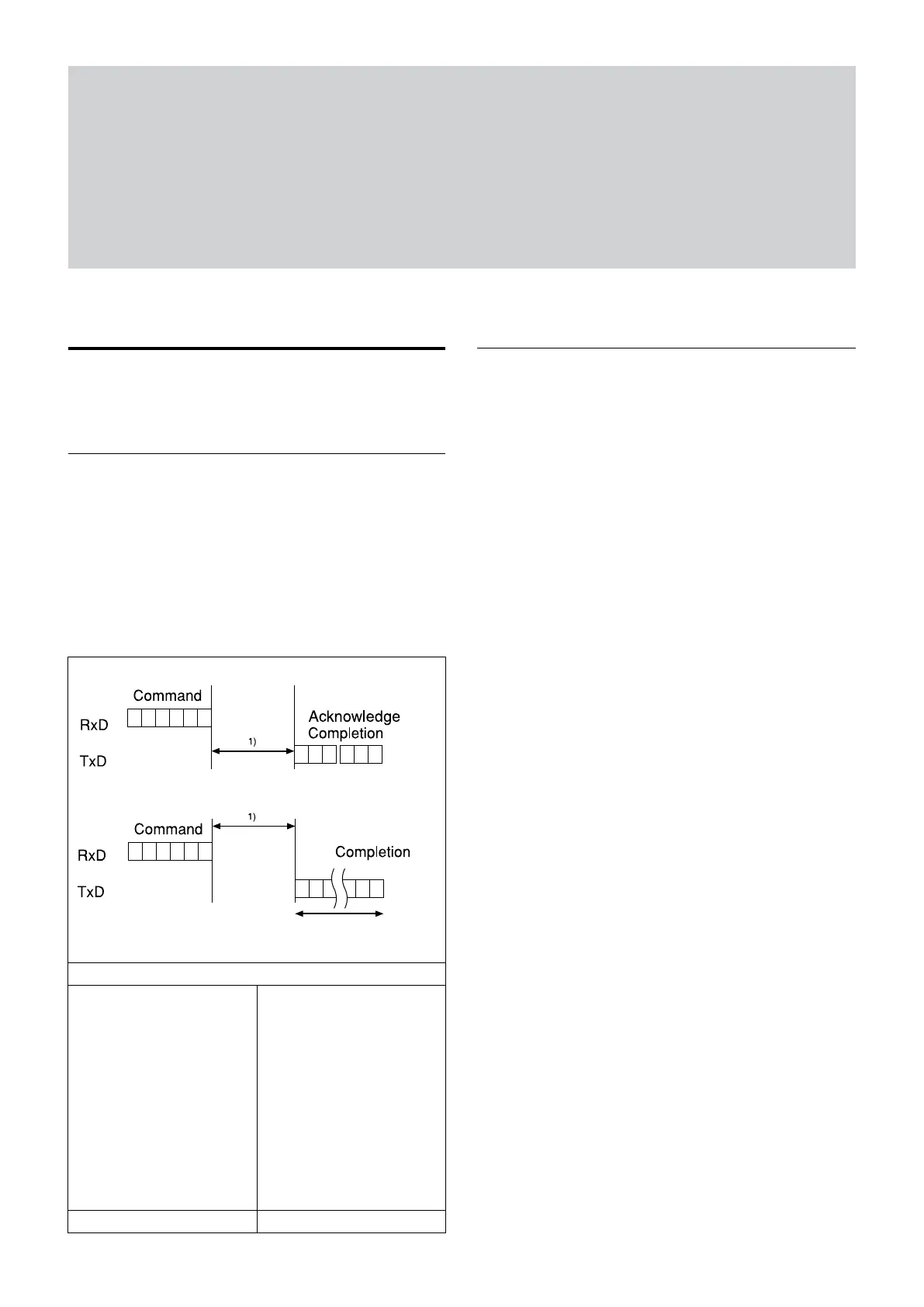
Timing Chart
As VISCA Command processing can only be carried
out one time in a Vertical cycle, it takes the maximum
1V cycle time for an Acknowledge/Completion to be
returned.
If the Command/Acknowledge/Completion
communication time can be less than the 1V cycle
time, then every 1V cycle can receive a Command.
Query Commands
General Commands
16 Byte
1) 1V cycle times on each Monitoring Mode and Shutter Speed.
Monitoring Mode
1080p/60 1080p/50
1080p/59.94 1080p/25
1080p/30 1080i/50
1080p/29.97 720p/50
1080i/60 720p/25
1080i/59.94
720p/60
720p/59.94
720p/30
720p/29.97
1/60 sec 1/50 sec
In general
• Power On/Off
Powers the camera on and off.
When the power is off, the camera is able to accept
the VISCA Commands although the screen is set
non-displayed.
• I/F Clear
Clears the Command buffer of the FCB camera.
• Address Set
VISCA is a protocol, which normally supports a daisy
chain of up to seven connected cameras via RS-232C
interface. In such cases, the address set command can
be used to assign addresses from 1 to 7 to each of the
seven cameras, allowing you to control the seven
cameras with the same personal computer.
Although the FCB camera does not support direct
connection of cameras in a daisy chain, be sure to use
the address set command to set the address whenever
a camera is connected for the first time.
• ID Write
Sets the camera ID.
• Mute
Blanks the screen and sends out a synchronizing
signal.
• Lens Initialize
Initializes the zoom and focus of the lens. Even when
power is turned on, it initializes the zoom and the
focus.



 To Next Page