GB
24
Shooting photos
1
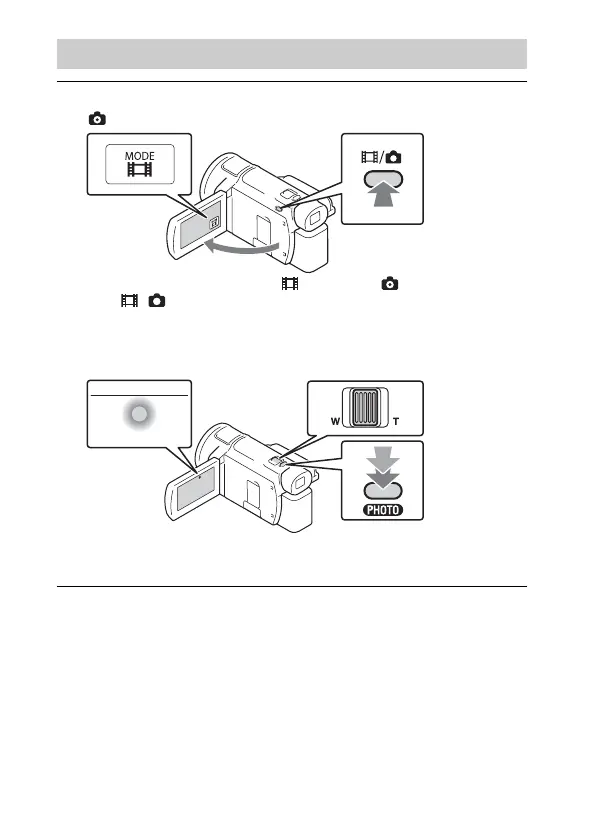
Open the LCD monitor and select [MODE]
(Photo).
• You can also switch between (Movie) and (Photo) by pressing
the / (Shooting Mode) button (FDR-AX53/AX55/AXP55).
2
Press PHOTO lightly to adjust the focus, then press it
fully.
• When the focus is adjusted properly, AE/AF lock indicator appears
on the LCD monitor.


 To Next Page