GB
28
To delete the images
Select [Image Quality/Size] [File Format]
format of images to be deleted.
• The available format varies depending on the [ File Format] setting.
Select [Edit/Copy] [Delete] [Multiple Images] image type
to be deleted.
Touch and display the mark on the images to be deleted, then
select .
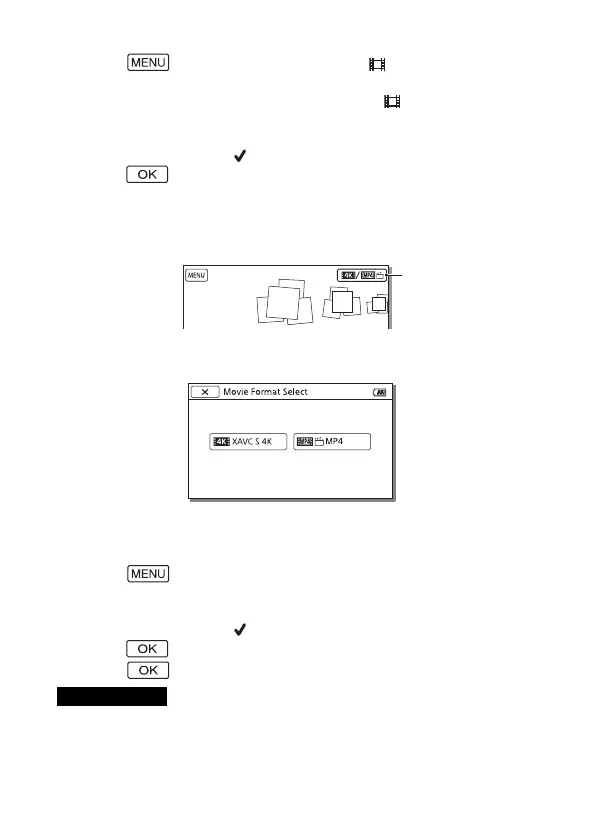
Switching to MP4
Select “Switch Movie Format button.”
• The Movie Format Select screen appears.
Select the format of the movie.
To copy the images from the internal memory to a
memory card (FDR-AX40/AX55/AXP55)
Select [Edit/Copy] [Copy] [Int. Memory
Memory card] [Multiple Images].
Select the image type to be copied.
Touch and display the mark on the images to be copied, then
select .
Select .
• XAVC S movies saved on the internal memory cannot be copied to SDHC
memory cards or external media devices with the FAT file system.
Notes
Switch Movie
Format button


 To Next Page