GB
39
Saving images
2
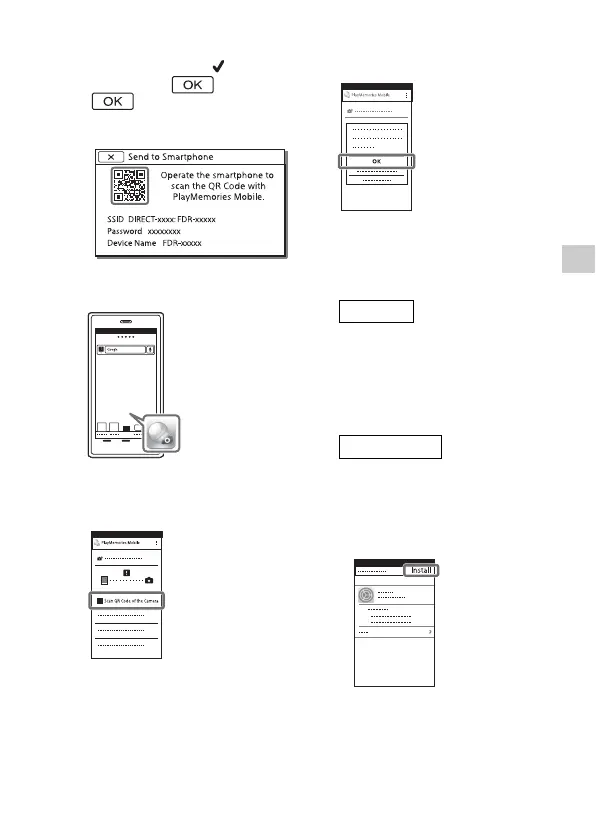
Select the image you want to
transfer, and add , and
then select
.
•
The QR Code, SSID, and
password are displayed.
3
Start up PlayMemories
Mobile.
4
Select [Scan QR Code of the
Camera] from the screen of
PlayMemories Mobile.
5
Select [OK]. (If a message
appears, select [OK] again.)
6
With your smartphone, read
the QR Code displayed on
the LCD monitor of the
camcorder.
Perform the following
operations.
When [Connect with the
camera?] is displayed, select
[Connect].
Perform the following
operations.
Follow the on-screen
instruction and install the
profile (setting information).


 To Next Page