EasyManua.ls Logo

Sony FH-E737CD - Page 55

Sony FH-E737CD
70 pages
Print Icon
To Next Page IconTo Next Page
To Previous Page IconTo Previous Page
Loading...
Timer-Activated
Operation
(continued)
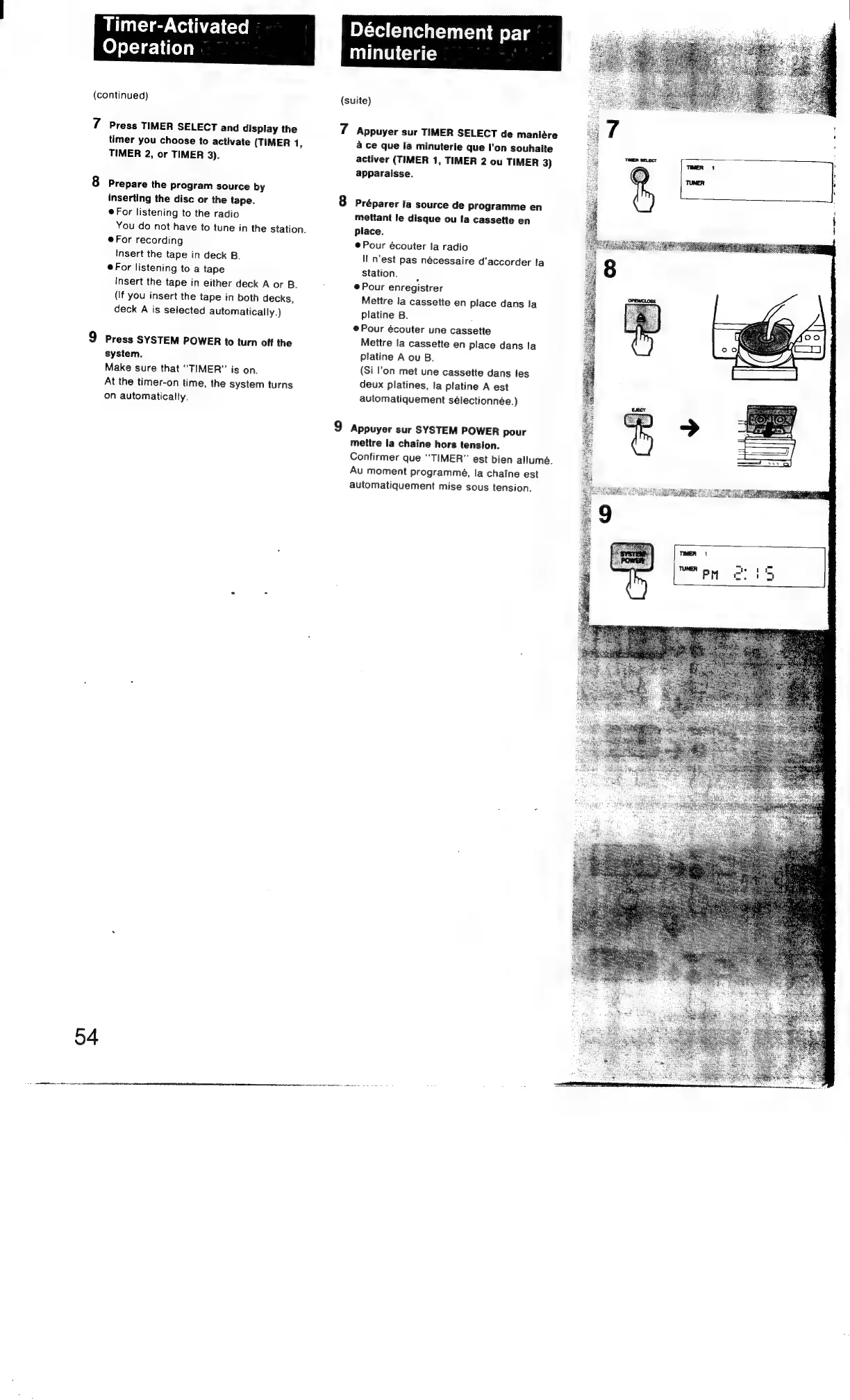
7
Press
TIMER
SELECT
and
display
the
timer
you
choose
to
activate
(TIMER
1,
TIMER
2,
or
TIMER
3).
8
Prepare
the
program
source
by
inserting
the
disc
or
the
tape.
@For
listening
to
the
radio
You
do
not
have
to
tune
in
the
station.
@For
recording
Insert
the
tape
in
deck
B.
©For
listening
to
a
tape
Insert
the
tape
in
either
deck
A
or
B.
(If
you
insert
the
tape
in
both
decks,
deck
A
is
selected
automatically.)
9
Press
SYSTEM
POWER
to
turn
off
the
system.
Make
sure
that
“TIMER”
is
on.
At
the
timer-on
time,
the
system
turns
on
automatically.
04
Déclenchement
par
minuterie
(suite)
7
Appuyer
sur
TIMER
SELECT
de
maniére
a
ce
que
la
minuterie
que
I’on
souhaite
activer
(TIMER
1,
TIMER
2
ou
TIMER
3)
apparaisse.
8
Préparer
la
source
de
programme
en
mettant
le
disque
ou
Ifa
cassette
en
place.
@Pour
écouter
la
radio
I
n'est
pas
nécessaire
d'’accorder
la
station.
@
Pour
enregistrer
Mettre
la
cassette
en
place
dans
la
platine
B.
:
e@Pour
écouter
une
cassette
Mettre
la
cassette
en
place
dans
la
platine
A
ou
B.
(Si
l'on
met
une
cassette
dans
les
deux
platines,
la
platine
A
est
automatiquement
sélectionnée.)
9
Appuyer
sur
SYSTEM
POWER
pour
mettre
la
chaine
hors
tension.
Confirmer
que
“TIMER”
est
bien
allumé.
Au
moment
programmé,
la
chaine
est
automatiquement
mise
sous
tension.

Other manuals for Sony FH-E737CD

Related product manuals