4K Media Player
FMP-X5
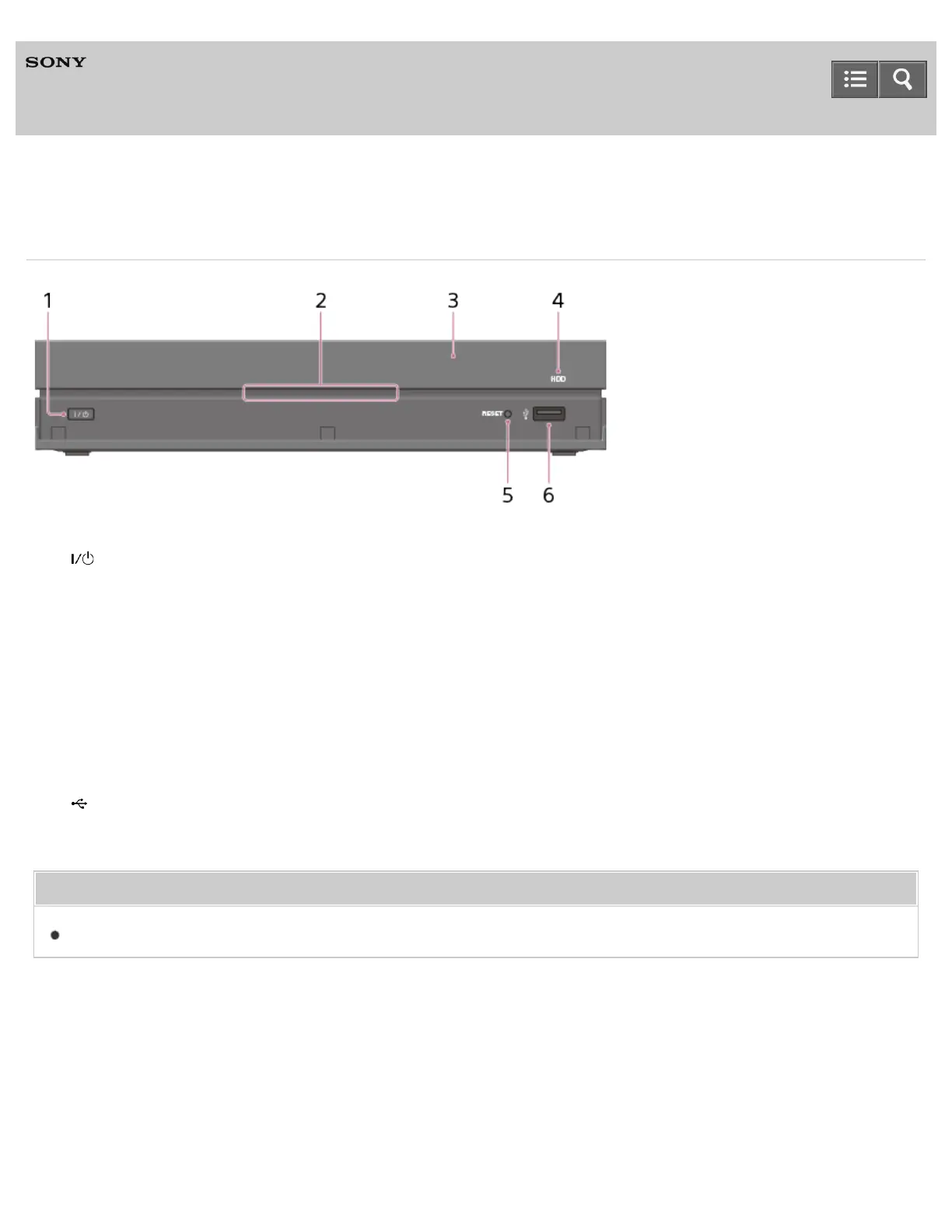
Front panel
1. (on/standby) button
Turns on the 4K Media Player or sets it to standby mode.
2. Power indicator
Lights up when the 4K Media Player is turned on.
3. Remote control sensor
Receives signals from remote control.
4. HDD indicator
Lights up in orange or red depending on the status of the 4K Media Player.
5. RESET button
Restart the 4K Media Player by pressing this button with a thin, sharp object such as the point of a pen.
6. (USB) port
Connect a 4K camcorder or a USB flash drive. You can only play non-copyrighted content via this port.
Related Topic
Indicators
4-541-609-11(1)
Copyright 2014 Sony Corporation
Help Guide



 To Next Page