4K Media Player
FMP-X5
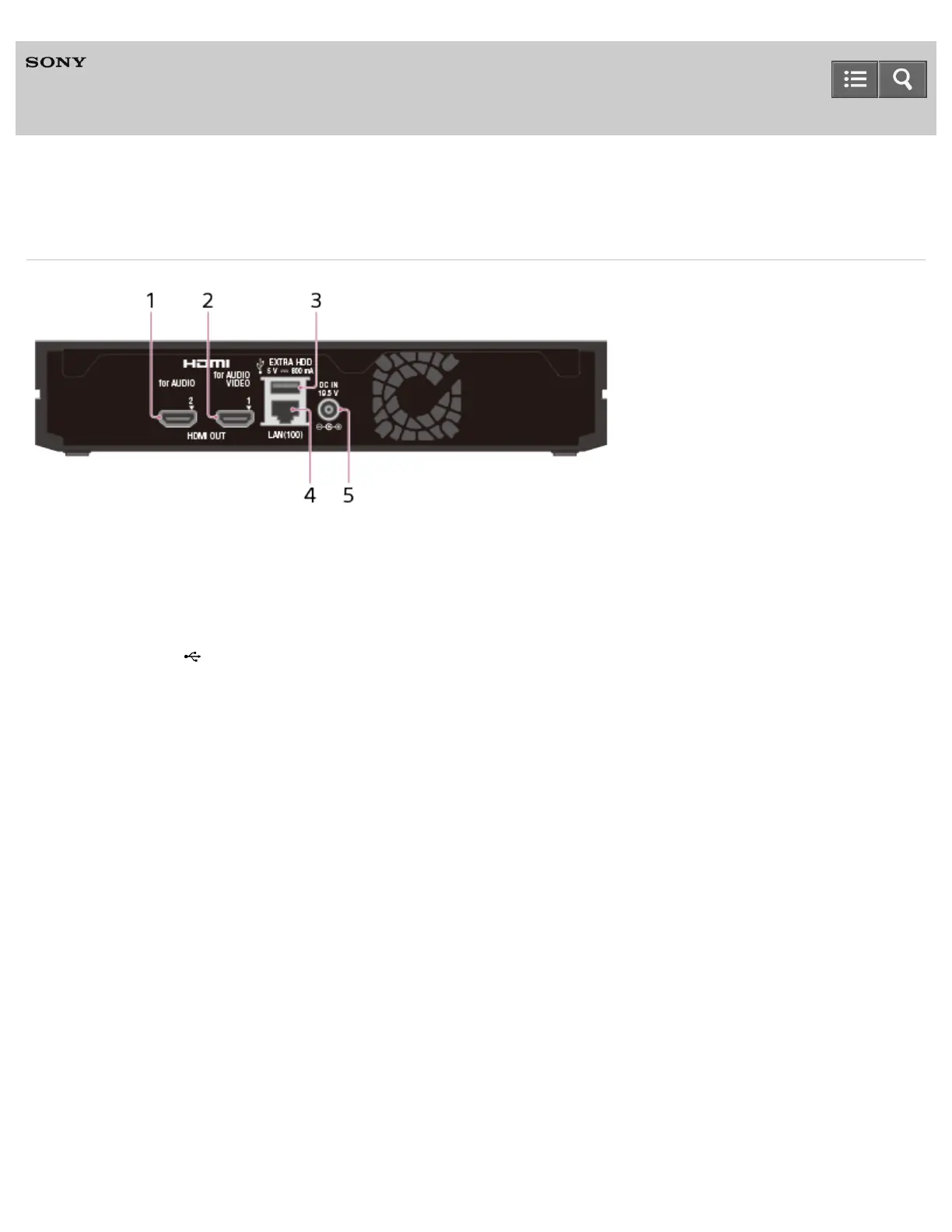
Rear panel
1. HDMI OUT 2 (for AUDIO) jack
Connect digital audio equipment such as an AV receiver or home theater system using an HDMI cable.
2. HDMI OUT 1 (for AUDIO VIDEO) jack
Connect a TV using an HDMI cable.
3. EXTRA HDD (USB) port
This function is not available in some countries/regions.
4. LAN (100) port
Connect a LAN cable to use a wired LAN connection.
5. DC IN jack
Connect the supplied AC adapter.
4-541-609-11(1)
Copyright 2014 Sony Corporation
Help Guide



 To Next Page