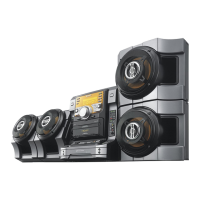
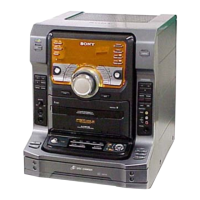
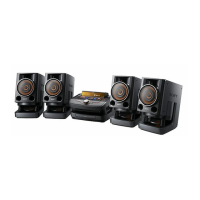
model name [FST-SH2000/LBT-SH2000]
[4-273-674-11(2)] GB
23
GB
filename[D:\NORM'S JOB\SONY HA\SO0159\FST_LBT-SH2000_PMRF
01\4273674112_GB\GB080ADD.fm]
masterpage:Right
Additional Information
Note
The elapsed playing time of an audio file
encoded using a VBR (variable bit rate) is not
displayed correctly.
Using optional
equipment
1
Connect an optional equipment
(page 8).
2 Turn VOLUME counterclockwise
to reduce the volume.
3 Press FUNCTION repeatedly to
select the function which
corresponds to the connected
equipment.
4 Start playing the connected
equipment.
Deactivating the
buttons on the unit
(Child Lock)
You can deactivate the buttons on the unit
(except "/1) for preventing
misoperation, such as child mischief.
Hold down x for more than 5
seconds.
“CHILD LOCK” and “ON” appear in the
display panel.
You can only operate the system using the
buttons on the remote control.
To cancel, hold down x for more than 5
seconds until “CHILD LOCK” and
“OFF” appear in the display panel.
Playable discs
• AUDIO CD
• CD-R/CD-RW
– audio data
– MP3 files that conforms to ISO9660
Level 1/Level 2, or Joliet (expansion
format).
Notes
• MP3 (MPEG 1 Audio Layer 3) is a standard
format defined by ISO (International
Organization for Standardization) which
compresses audio data. MP3 files must be in
MPEG 1 Audio Layer 3 format.
• The system can only play back MP3 files that
have a file extension of “.mp3”.
Discs that cannot be played back
•CD-ROM
• CD-R/CD-RW which has the following
conditions:
– Recorded in MP3 PRO format.
– Recorded in multisession that have not
ended by “closing the session”
– Recorded with an incompatible
recording device
– Poor recording quality
– Scratches or dirty
– Finalized incorrectly
• Discs of non-standard shape (for
example, heart, square, star)
• Discs that have adhesive tape, paper, or
sticker attached to them
• Rental or used discs with attached seals
where the glue extends beyond the seal
• Discs that have labels printed using ink
that feels tacky when touched
Additional Information
Continued
l


 To Next Page