15 (GB)
Connections
1
2
Cable management
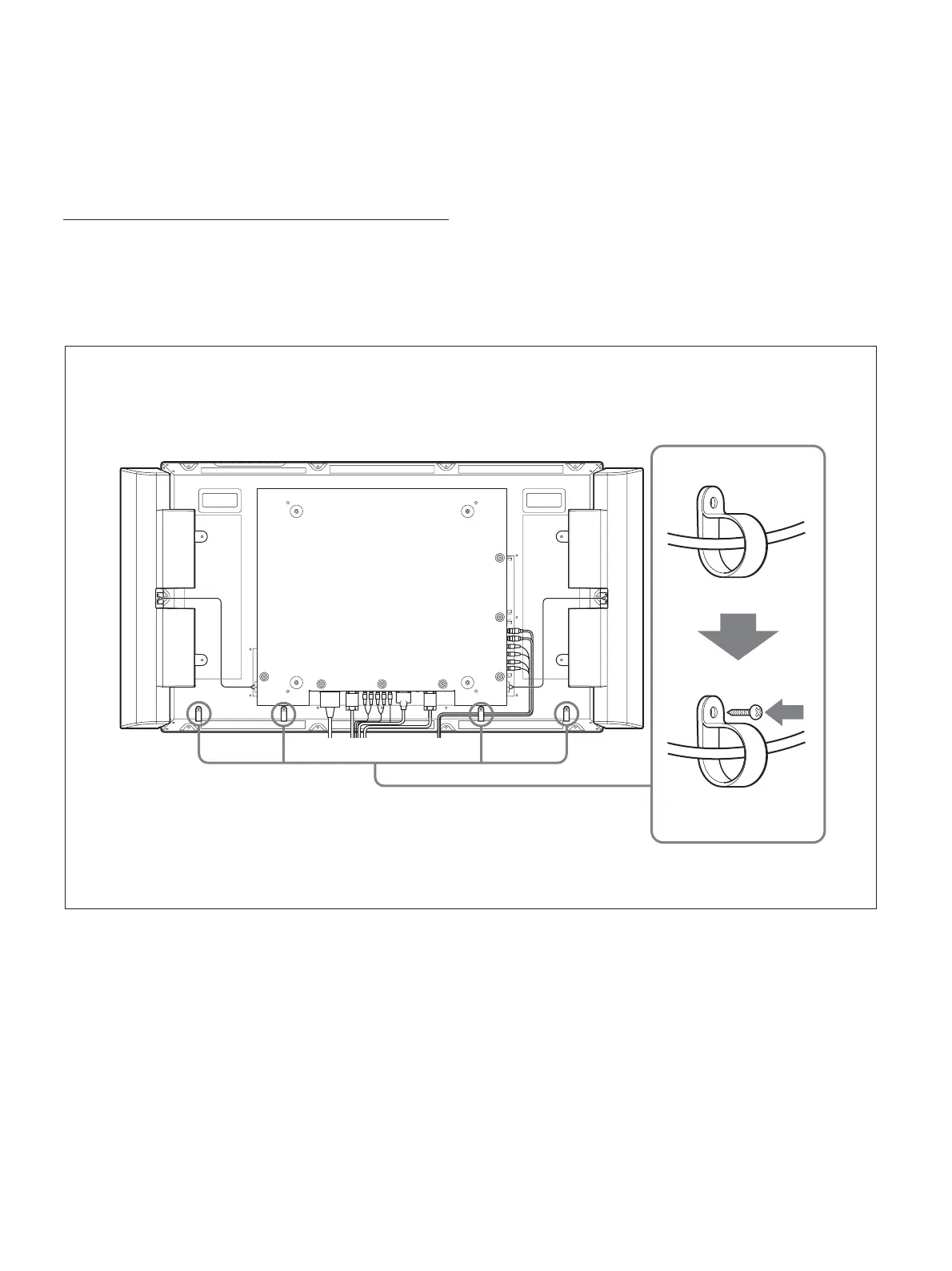
Using the cable holders
You can neatly bundle the cables with the cable
holders (×4) provided. Attach the cable holders as
shown in the illustration below.
Rear
To remove the AC power cord
After squeezing the AC plug holder and freeing it,
grasp the plug and pull out the AC power cord.





 To Next Page