EasyManua.ls Logo

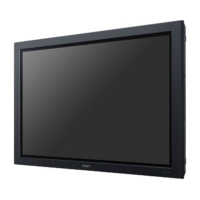
Sony FWD-50PX2 - User Manual

Sony FWD-50PX2
50 pages
Print Icon
To Next Page IconTo Next Page
Loading...
FWD-50PX2/50PX2A
2-651-871-02 (1)
2005 Sony Corporation
Operating Instructions
Mode d’emploi
Bedienungsanleitung
Manual de instrucciones
Istruzioni per l’uso
GB
FR
DE
ES
IT
取扱説明書
FWD-50PX2/50PX2A
Flat Panel Display
JP
この取扱説明書には、事故を防ぐための重要な注意事項と製品の取り扱
いかたを示してあります。この取扱説明書をよくお読みのうえ、製品を
安全にお使いください。お読みになったあとは、いつでも見られるとこ
ろに必ず保管してください。
お買い上げいただきありがとうございます。
電気製品は安全のための注意事項を守らないと、
火災や人身事故になることがあります。
CS

Table of Contents

Other manuals for Sony FWD-50PX2

Questions and Answers

  • P
    Paige SimmonsAug 18, 2025
    How to fix no picture on my Sony Flat Panel TV but the power light is on?
    • C
      charlesrandolphAug 18, 2025
      If your Sony Flat Panel TV has no picture but the power indicator is lit, it could be due to a few reasons. First, a different input might be selected. Try pressing one of the input selection buttons (INPUT1, INPUT2, OPTION1, or OPTION2) on the remote control, or switch between the input signals by pressing the INPUT button on the top of the display. Second, a protective shutdown may have activated due to internal heat buildup. In this case, the power indicator flashes red four times in a row. Turn off the power, ensure the air vents are not blocked, there's ample space for airflow, and the room ventilation is working. The display should operate properly again when the internal temperature returns to normal.
  • J
    Jesus HuangAug 25, 2025
    Why does my Sony FWD-50PX2 Flat Panel TV turn off after a short time?
    • M
      Mrs. Dawn HammondAug 26, 2025
      If your Sony Flat Panel TV's display power or screen turns off after a short time, the “Auto Shut Off” function may be set to “On”; to make the display power stay on indefinitely, set this function to “Off”. Alternatively, the “On/Off Timer” function may have been set; check the On/Off Timer setting in the TIMER/CLOCK menu. Finally, a protective shutdown may have activated due to internal heat buildup; in this case, the power indicator flashes red four times in a row. Turn off the power, ensure the air vents are not blocked, there's ample space for airflow, and the room ventilation is working. The display should operate properly again when the internal temperature returns to normal.
  • L
    Lawrence RobinsonAug 28, 2025
    How to prevent Sony FWD-50PX2 screen from going dark?
    • S
      Shelly JonesAug 28, 2025
      If your Sony Flat Panel TV screen goes dark after a short time, the “Auto Dimmer” screen saver might be set to “On”. To prevent this, set the screen saver to “Off”.
  • A
    Alexandria LopezAug 31, 2025
    Why are there horizontal lines on my Sony FWD-50PX2?
    • A
      Andrea SchneiderAug 31, 2025
      Horizontal lines of static disturbing the picture on your Sony Flat Panel TV can be caused by the internal temperature of the display getting too high. Turn off the power, and make sure that the air vents are not blocked, that there is ample space for air to flow around the display, and that the ventilation in the room is working properly. When the internal temperature returns to normal, the picture will display properly again.
  • C
    Carlos ParkerSep 4, 2025
    Why does the picture jump on my Sony FWD-50PX2 Flat Panel TV?
    • A
      Aaron RiveraSep 4, 2025
      If the picture on your Sony Flat Panel TV occasionally jumps to a different position, the “Pic. Orbit” screen saver might be set to “On”. To prevent the picture from moving, set the screen saver to “Off”.
  • M
    Mr. Patrick Faulkner MDSep 7, 2025
    Why don't the buttons on my Sony FWD-50PX2 work?
    • E
      eweaverSep 7, 2025
      If the power button and control buttons on your Sony Flat Panel TV do not work, the “Control Mode” in the remote control settings might be set to “Remote Only”. Check the setting by opening the main menu with the remote control and then selecting “CUSTOM SETUP” then “Remote” then “Control Mode”.
  • A
    Angelica HarringtonSep 12, 2025
    How to toggle between RGB and YUV on Sony Flat Panel TV?
    • J
      Joseph TownsendSep 12, 2025
      If neither the remote control nor a Control S connection can be used to toggle between RGB and YUV (component), or between VIDEO (component video) and S-VIDEO (Y/C) on your Sony Flat Panel TV, the “Input Setting” for the selected input might be set to “Fix”. If you want the input signal to toggle with each press of the button, set the “Input Setting” to “Selectable”.
  • H
    hansonwilliamNov 14, 2025
    Why doesn't my Sony FWD-50PX2 Flat Panel TV remote control work?
    • K
      katherinewilliamsNov 14, 2025
      There could be several reasons why your Sony Flat Panel TV remote control isn't working. First, the 'Control Mode' might be set to 'Display Unit Only'; in this case, use the control buttons on the top of the display to check the setting in the main menu under 'CUSTOM SETUP' then 'Remote' then 'Control Mode'. Second, a cable might be connected to the CONTROL S IN connector, preventing remote control use. Third, the remote's batteries might be drained, so try replacing them or operating the display with the buttons on top. Fourth, something might be blocking the remote control signal detector on the display. Finally, if the input signal doesn't toggle after pressing the INPUT2, OPTION1, or OPTION2 button at least two times, the 'Input Setting' for the selected input is set to 'Fix'; set the ...
  • W
    westtoddNov 20, 2025
    What to do if colors do not display properly on Sony Flat Panel TV?
    • J
      Jermaine YoderNov 20, 2025
      If the colors on your Sony Flat Panel TV aren't displaying correctly, it could be due to several factors. It's possible that the display input is set to COMPONENT (YUV) but the input signal is RGB, or vice versa; try pressing one of the input selection buttons (INPUT2, OPTION1, or OPTION2) on the remote control, or switch between the input signals by pressing the INPUT button on the top of the display. Another reason might be that the “Pic. Inversion” screen saver is set to “Auto” or “On”; to return to the normal picture, set the screen saver to “Off”. Also, check that the cable connected to VIDEO OUT or S-VIDEO OUT on the display is securely connected to the device at the other end; if not, check the connection or disconnect the cable. Lastly, the signal cable might not be connected prope...

Sony FWD-50PX2 Specifications

General IconGeneral
Screen Size50 inches
Display TypePlasma
Aspect Ratio16:9
Contrast Ratio10000:1
Speakers2 x 10W
Weight42 kg
Resolution1366 x 768
Viewing Angle160°
InputsComponent, Composite, S-Video

Related product manuals