ILME-FX30
5-045-568-41(1)
EN
5
\\Win-473\camera\CX96700(LAX)B_SG\Multi\04_Compose\5045568411_14lang\5045568411ILMEFX30CEC\01EN-ILMEFX30CEC\01EN.indd
DTP data saved: 2022/05/16 15:40
PDF file created: 2022/05/16 15:40
EN
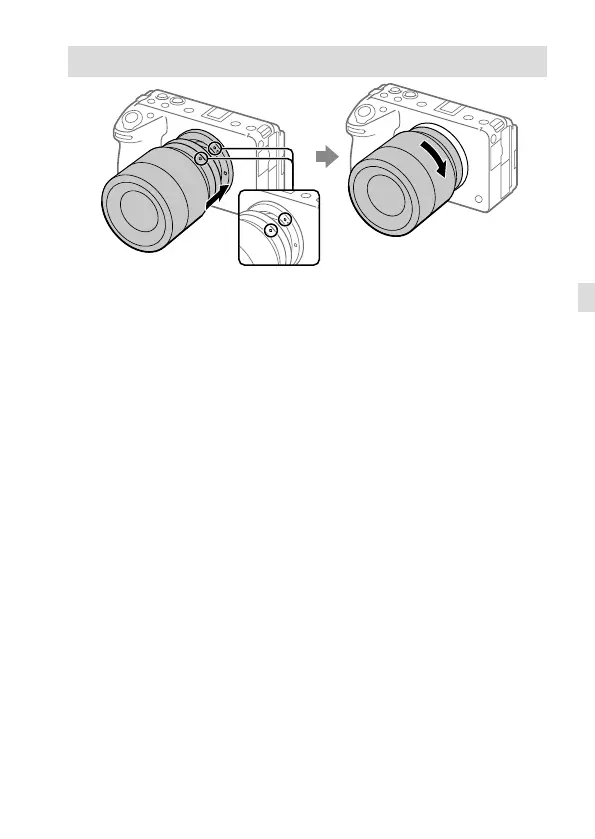
Attaching a lens
Mounting indexes
1 Remove the body cap from the camera and the rear lens cap from the
rear of the lens.
2 Mount the lens by aligning the two white index marks (mounting
indexes) on the lens and camera.
3 While pushing the lens lightly toward the camera, turn the lens slowly
in the direction of the arrow until it clicks into the locked position.



 To Next Page