ILME-FX30
5-045-568-41(1)
EN
7
\\Win-473\camera\CX96700(LAX)B_SG\Multi\04_Compose\5045568411_14lang\5045568411ILMEFX30CEC\01EN-ILMEFX30CEC\01EN.indd
DTP data saved: 2022/05/16 15:40
PDF file created: 2022/05/16 15:40
EN
Setting the date and time
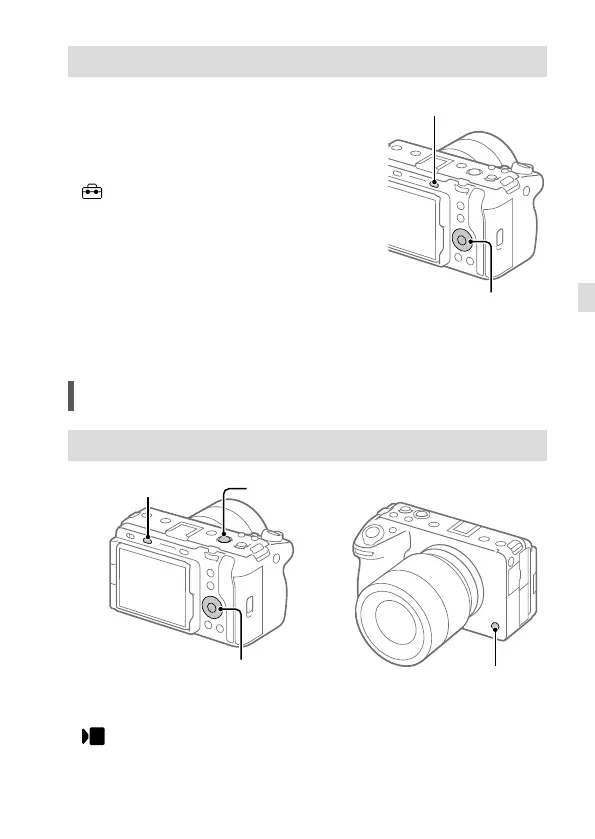
1 Press the MENU button to display the
menu screen.
MENU button
Control wheel
2 Press the top/bottom/left/right
side of the control wheel to select
(Setup) [Area/Date]
[Area/Date/Time Setting]
[Date/Time], and then press the center
of the control wheel.
3 Set the date and time, and then press
the center.
Shooting
Shooting movies
MODE (Mode) button
REC (Recording) button
Control wheel
6/REC (Custom 6/Recording) button
1 Press the MODE (Mode) button, use the control wheel to select
(Movie), and then press the center.



 To Next Page