NAS-E300HD.GB.4-115-698-11(1)
45
GB
You can search for a track in the HDD by artist
name.
1
Press HDD to select the HDD
function.
2
Press SEARCH.
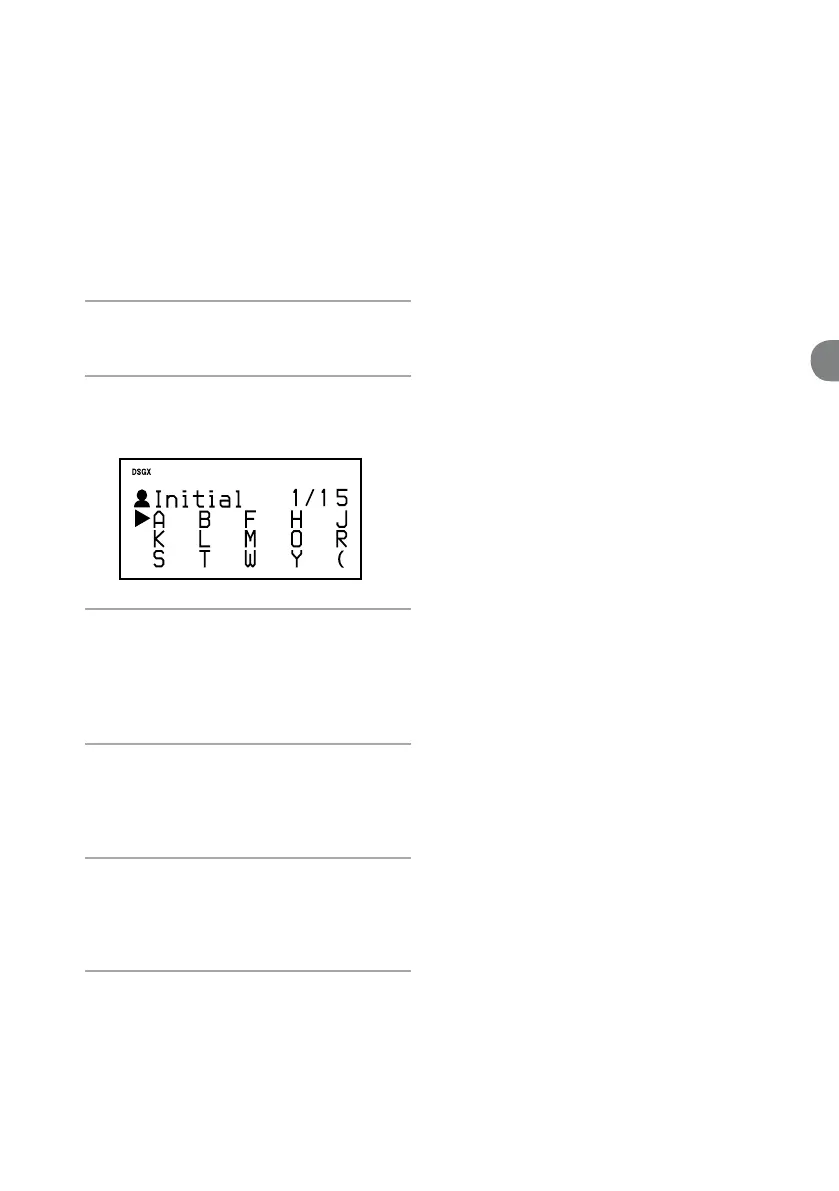
The initial letters of all the artist names in the
HDD appears.
3
Press /// to select the initial
letter of the desired artist, and then
press ENTER.
A list of all the artists whose name starts with
the selected letter appears.
4
Press / to select the desired artist,
and then press ENTER.
Albums of the selected artist appears (Album
directory).
5
Press / to select the desired
album, and then press ENTER.
Tracks in the selected album appears (Track
directory).
6
Press / to select the desired track,
and then press ENTER.
Playback starts.
To cancel searching
Press .
To switch back to the previous
directory
Press BACK.
To search for a track on a CD
When you press SEARCH or BACK while the unit
is in the CD function, a list of the tracks on the
disc appears. Press
/
to select a track and press
ENTER to start playback.
To search for a track on an MP3 disc,
a “WALKMAN”, or a USB device
If the CD function (for using an MP3 disc)
or the WM-PORT/USB function (for using a
“WALKMAN” or a USB device) is selected, press
SEARCH so that a list of folders in the disc, the
“WALKMAN”, or the USB device appears, and
then do the procedure from step 5.
Searching for a track


 To Next Page