48
Inserting a scene from the other
(playback) VCR – Insert Editing
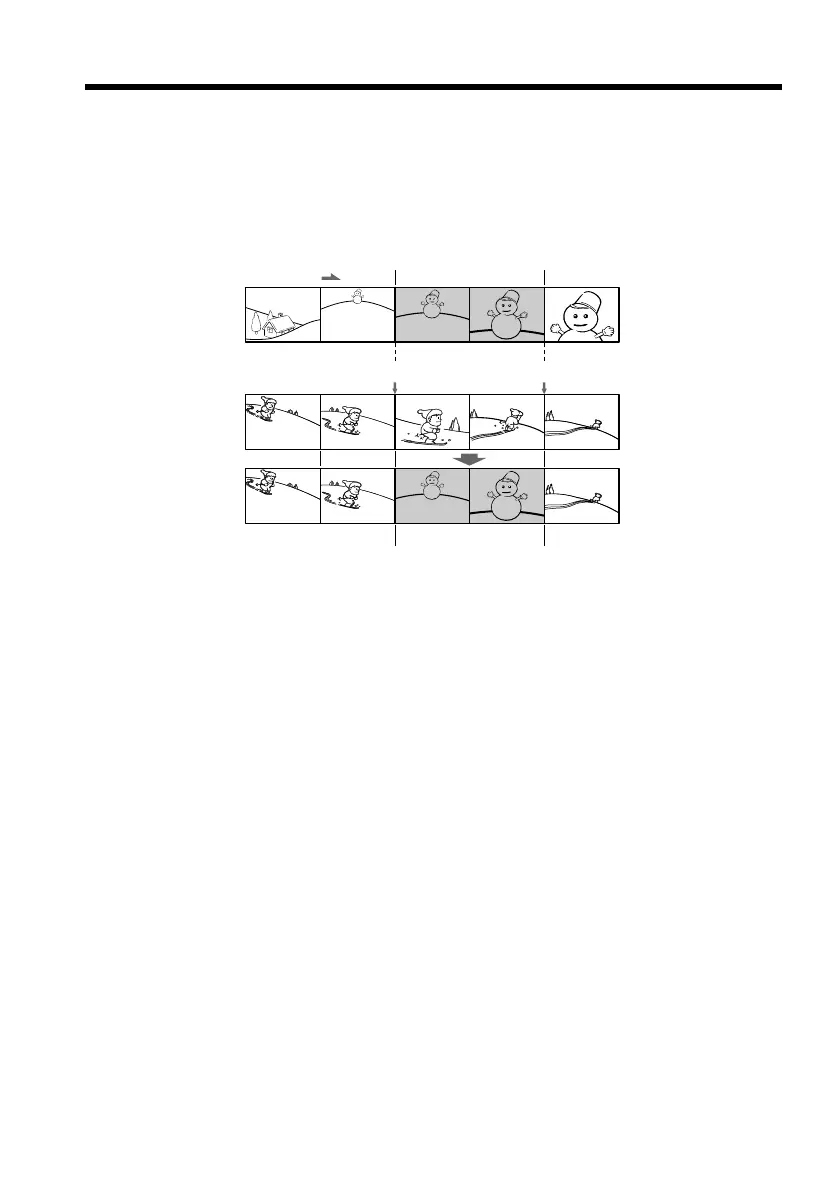
You can insert a new scene and sound from the other (playback) VCR onto your
originally recorded tape by specifying the insert start and end points. Use the Remote
Commander supplied with a Sony digital camera recorder for this operation.
Connections are the same as in “Recording from the other VCR or TV” on page 18, 19.
Insert a cassette containing the desired scene in the other (playback) VCR to insert into
your (recording) VCR.
[a]
[b]
[c]



 To Next Page