EasyManua.ls Logo

Sony Handycam HDR-TG1 - User Manual

Sony Handycam HDR-TG1
76 pages
Print Icon
To Next Page IconTo Next Page
Loading...
3-288-522-12(1)
© 2008 Sony Corporation
US
ES
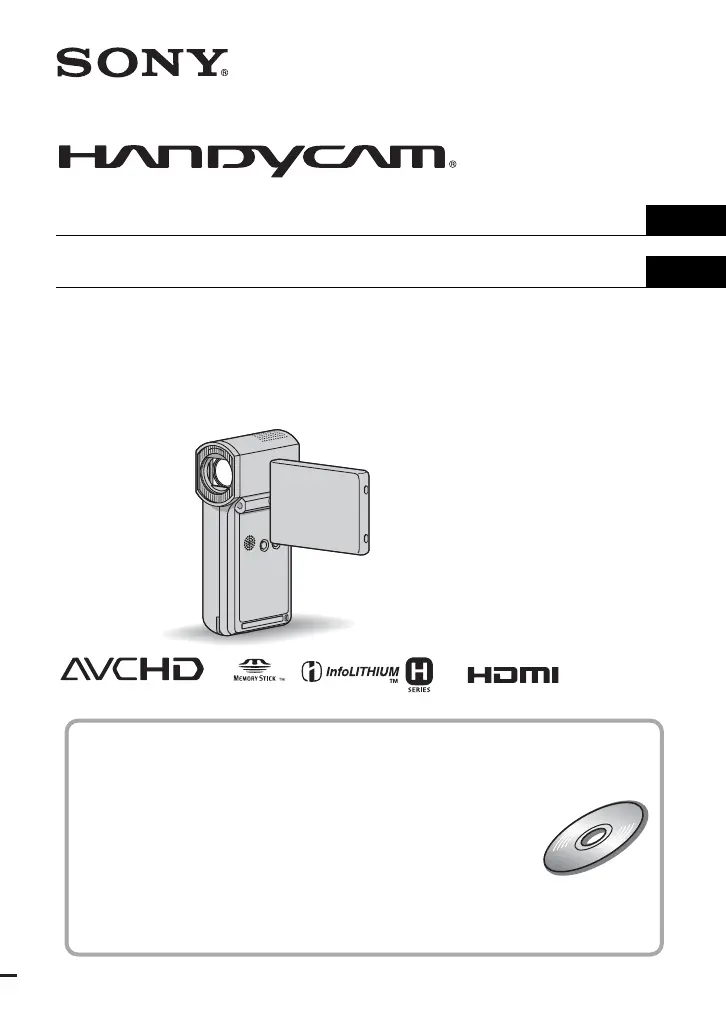
Digital HD Video Camera Recorder
Operating Guide
Guía de operaciones
HDR-TG1
For details on the advanced operations, please refer to
“Handycam Handbook” (PDF).
Para obtener más información acerca de las funciones
avanzadas, consulte la “Guía práctica de Handycam”
(PDF).

Table of Contents

Other manuals for Sony Handycam HDR-TG1

Questions and Answers

  • B
    Bradley RaymondAug 13, 2025
    How to fix Sony Camcorder error code C:04:ss?
    • M
      Mr. Marvin PadillaAug 13, 2025
      If your Sony Camcorder displays 'C:04:ss', use an “InfoLITHIUM” battery pack NP-FH50. Also, ensure the DC plug of the AC Adapter is securely connected to the DC IN jack of the Handycam Station or your camcorder.
  • E
    Emily GonzalezAug 16, 2025
    How to troubleshoot Sony Camcorder error C:13:ss/C:32:ss?
    • S
      Shelby PorterAug 17, 2025
      If your Sony Camcorder displays 'C:13:ss/C:32:ss', remove the power source, reconnect it, and operate your camcorder again.
  • C
    Carol PerryAug 19, 2025
    What to do if Sony Handycam HDR-TG1 Camcorder still images cannot be recorded during processing?
    • O
      Olivia CraneAug 20, 2025
      Wait for a while, then record.
  • J
    johnsonericAug 25, 2025
    Why won't my Sony Camcorder record when I press start/stop?
    • K
      Kelli ThompsonAug 25, 2025
      If pressing START/STOP or PHOTO on your Sony Camcorder does not record images, make sure the (Movie)/(Still) select switch is properly set to turn on the (Movie) lamp or (Still) lamp. Also, recording is not possible in sleep mode, so open the LCD panel. Additionally, if the camcorder is still processing a previously shot image on the “Memory Stick PRO Duo”, you'll need to wait. If the “Memory Stick PRO Duo” is full, use a new one, format the current one, or delete unnecessary images. Finally, if the total number of movie scenes or still images exceeds the camcorder's recordable capacity, delete unnecessary images.
  • J
    Jonathan ReidAug 28, 2025
    What does error code E:20:ss mean on Sony Camcorder?
    • D
      darlenethorntonAug 28, 2025
      If your Sony Camcorder displays 'E:20:ss/E:31:ss/E:61:ss/E:62:ss/E:91:ss/E:94:ss', a malfunction that you cannot service has occurred. Contact your Sony dealer or local authorized Sony service facility and inform them of the 5-digit code, which starts from “E.”
  • K
    Kelly WhiteAug 31, 2025
    What to do if Picture Motion Browser is not working on Sony Handycam HDR-TG1?
    • E
      Elizabeth FlowersAug 31, 2025
      If the “Picture Motion Browser” does not work correctly with your Sony Camcorder, finish “Picture Motion Browser” and restart your computer.
  • J
    John DyerSep 3, 2025
    Why does my Sony Handycam HDR-TG1 get warm?
    • C
      Cynthia WilliamsSep 4, 2025
      It's normal for your Sony Camcorder to get warm when the power has been on for a long time. This is not a malfunction.
  • R
    rachel88Sep 8, 2025
    How to fix damaged Memory Stick PRO Duo on Sony Handycam HDR-TG1 Camcorder?
    • C
      Christopher RodriguezSep 8, 2025
      Format the “Memory Stick PRO Duo” with your camcorder.

Summary

IMPORTANT SAFEGUARDS

Use

Safety guidelines for power sources, polarization, and general usage.

Service and Repair

Information on damage requiring service, servicing procedures, and replacement parts.

Read This First

Camcorder Operations

Camcorder Handling Basics

Basic operation and handling instructions for the camcorder.

Recording Guidelines

Guidelines and tips for recording video and still images.

Getting Started

Initial Setup Steps

Charging battery, turning on, setting date/time, and language.

Battery and Memory Stick Management

Removing battery, charging with AC adaptor, and inserting Memory Stick.

Recording and Playback

Recording Movies and Still Images

How to start and stop recording movies and capture still images.

Part Identification

Advanced Functions

Saving Images

Methods to save images using a computer or creating discs.

Deleting Images

How to delete individual or multiple movie and still image files.

Enjoying with a Computer

Troubleshooting

Common Problems and Solutions

Solutions for issues like power, recording failures, and computer recognition.

Sony Handycam HDR-TG1 Specifications

Display IconDisplay
lcd_screen_size2.7 inches
video_actual_pixels1430K Pixels (16:9), 1080K Pixels (4:3)
still_actual_pixels1490K Pixels (16:9), 1990K Pixels (4:3)
Power IconPower
power_consumption3.4 W
battery_typeInfoLITHIUM® with AccuPower™ (NP-FH50)
power_requirements7.2V (battery pack); 8.4V (AC Adaptor)
Optics and Lens IconOptics and Lens
optical_zoom10x
digital_zoom20x
focal_distance3.2 - 32.0 mm
Imaging IconImaging
imaging_device1/5" ClearVid™ CMOS sensor (with Exmor™ technology)
pixel_gross2360K
still_picture_resolution4 megapixel
Weight and Dimensions IconWeight and Dimensions
weight300 g
measurements32 x 119 x 63 mm

Related product manuals