46
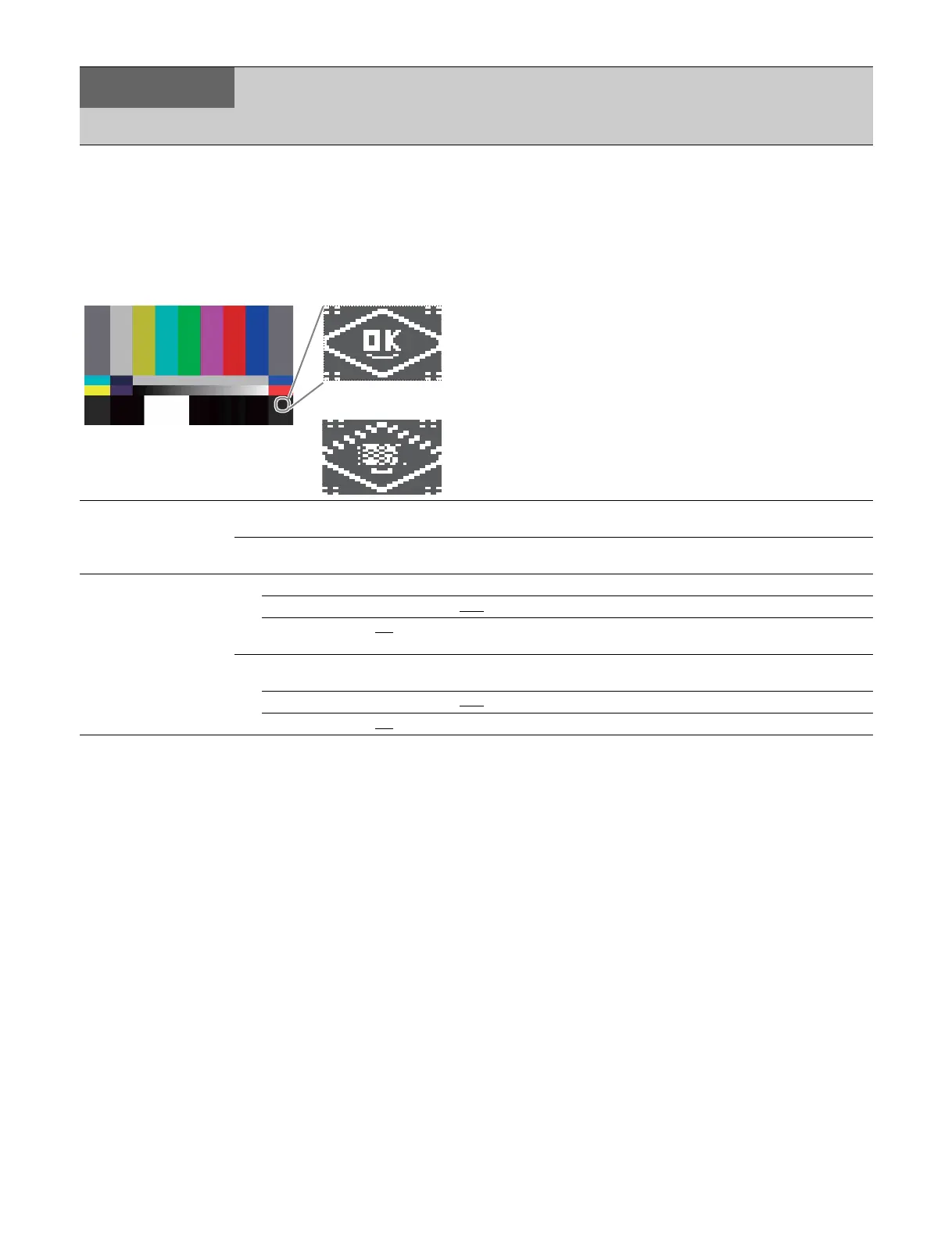
4K 2SI diamond marks
This function is for displaying a test pattern like the following in
the area at the bottom right of the 4K color bar when 4K 2
sample interleave output. OK is displayed if the connections
for Links 1 to 4 are correct, and OK is not displayed if they are
incorrect. This function can be used to check the connections.
<BAR CHARACTER>
C02
BAR CHARACTER Sets strings 1 to 12 that are superimposed on the
color bar signal.
ALL CLEAR Execute to clear all character strings. (Execute via
ENTER.)
<MONITOR 1>
C03
CHARACTER Sets the MONITOR output bar character.
WHITE-LEVEL 0.0 to 107.0%, 71.5
Sets the MONITOR output bar character level.
BLACK-LEVEL 0.0
to 107.0% Sets the MONITOR output bar character border
black level.
PIX CHARACTER Sets the PIX output bar character. (Displayed only
when HKCU1001/1003 is installed.)
WHITE-LEVEL 0.0 to 107.0%, 75.0
Sets the PIX output bar character level.
BLACK-LEVEL 0.0
to 107.0% Sets the PIX output bar character border black level.
CCU
CONFIGURATION
Page name
Page No.
Item Settings Description
Correct connections
When Link 1 and Link
2 have been swapped



 To Next Page