30
Setup Menu
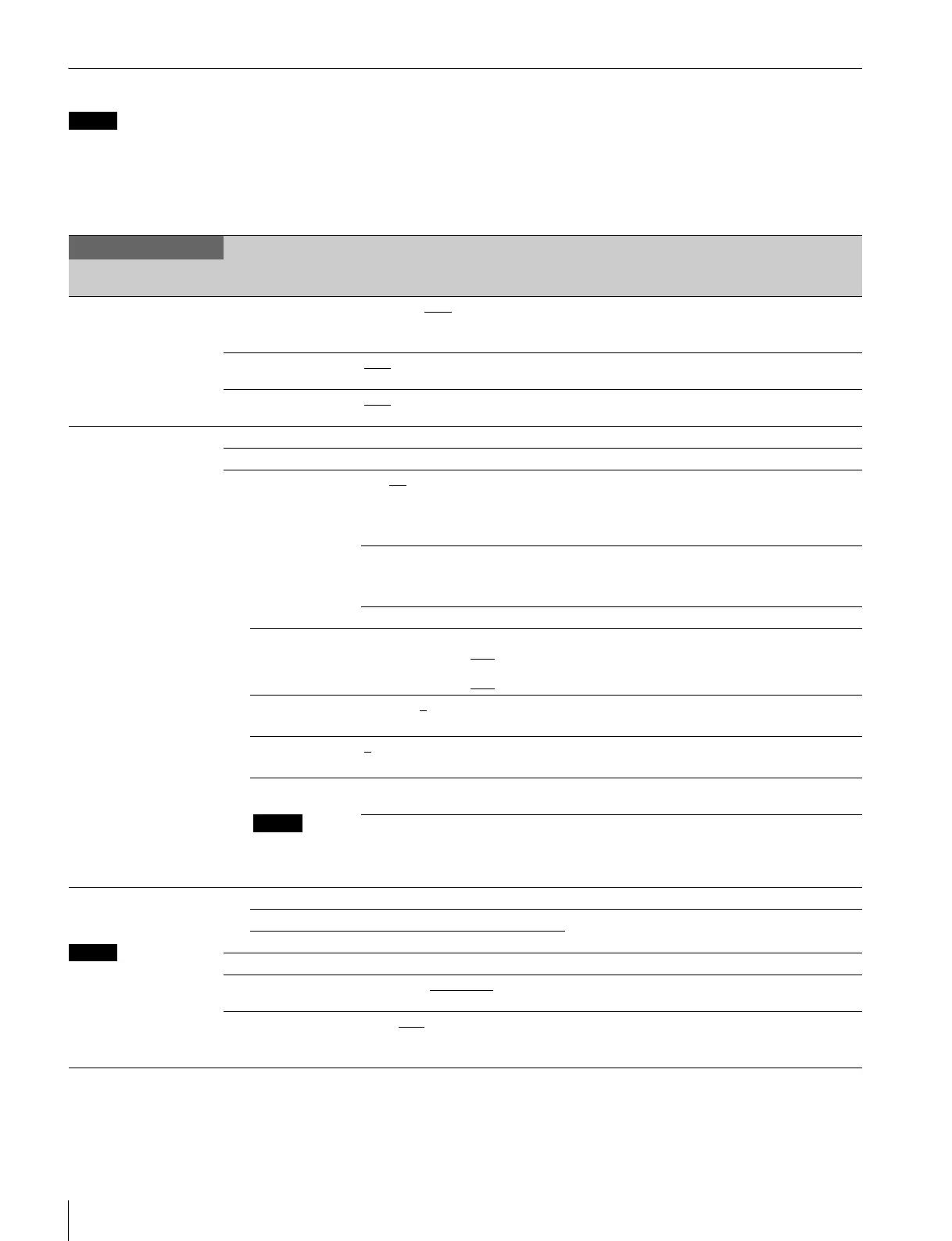
Menu List
Note
The following conventions are used in the menu list table.
Settings column values (e.g. ON, OFF, 0): Default settings
Execute via ENTER: Press the CONTROL knob or move the CANCEL/ENTER lever to the ENTER position to execute.
SYSTEM OPERATION menu
SYSTEM OPERATION
Page name
Page No.
Item Settings Description
<OUTPUT SELECT>
S01
OUTPUT CAMERA, BAR
, TEST1, TEST2 Selects the output signal.
TEST1 and TEST2 are not selectable if there is no
communication with the camera.
PIX ENC
, R, G, B, R&G, G&B, R&B,
RGB
Selects the PIX connector output signal.
WFM ENC
, R, G, B, SEQ, R&G, G&B,
R&B, RGB
Selects the WFM connector output signal.
<GENLOCK PHASE>
S02
CONTROL (REMOTE), (LOCAL)
REFERENCE (NONE), (EXT IN) Displays the status of the reference signal input.
GENLOCK HD, SD This unit’s GEN LOCK mode: displays the lock
status and format.
HD: HD
SD: SD
(OK), (NG) Sets the lock status of the external reference signal.
(OK): Locked
(NG): Unlocked
External reference signal format Displayed only when a reference signal is present.
H STEP When GENLOCK mode is HD:
–3.01 to 3.45 µsec 0.00
When GENLOCK mode is SD:
–8.29 to 9.48 µsec 0.00
Horizontal phase (STEP)
Displays the sub-reference signal format.
COARSE –99 to 99 0
Horizontal phase
Displays the sub-reference signal format.
V PHASE 0
to 7 Vertical phase (line)
Displays the sub-reference signal format.
SUB-REF
Note
Displayed only
when HKCU1003
is connected
(NONE), (EXT IN) Displayed only when a sub-reference signal is
present.
(UNKNOWN), (Frame Gate), (HD),
(SD)
Sub-reference signal format display
<MULTI FORMAT>
S03
FREQUENCY or
CAMERA FORMAT mode
setting changes take effect
only after the CCU power
supply is turned off and
then on again.
FREQUENCY
HD 1.000 Displays the operating frequency.
SD (625PAL)
CAMERA FORMAT 1080/50I Displays the transmission format.
HD-SD DELAY Line (90H), Frame (1F)
, 0-Delay Sets the phase output for SD signals down
converted from this unit’s HD signals.
COMPONENT RGB, YCD
Selects the component signal connector’s output
format.
(Displayed only when HKCU1003 is installed.)
Note


 To Next Page