32
Setup Menu
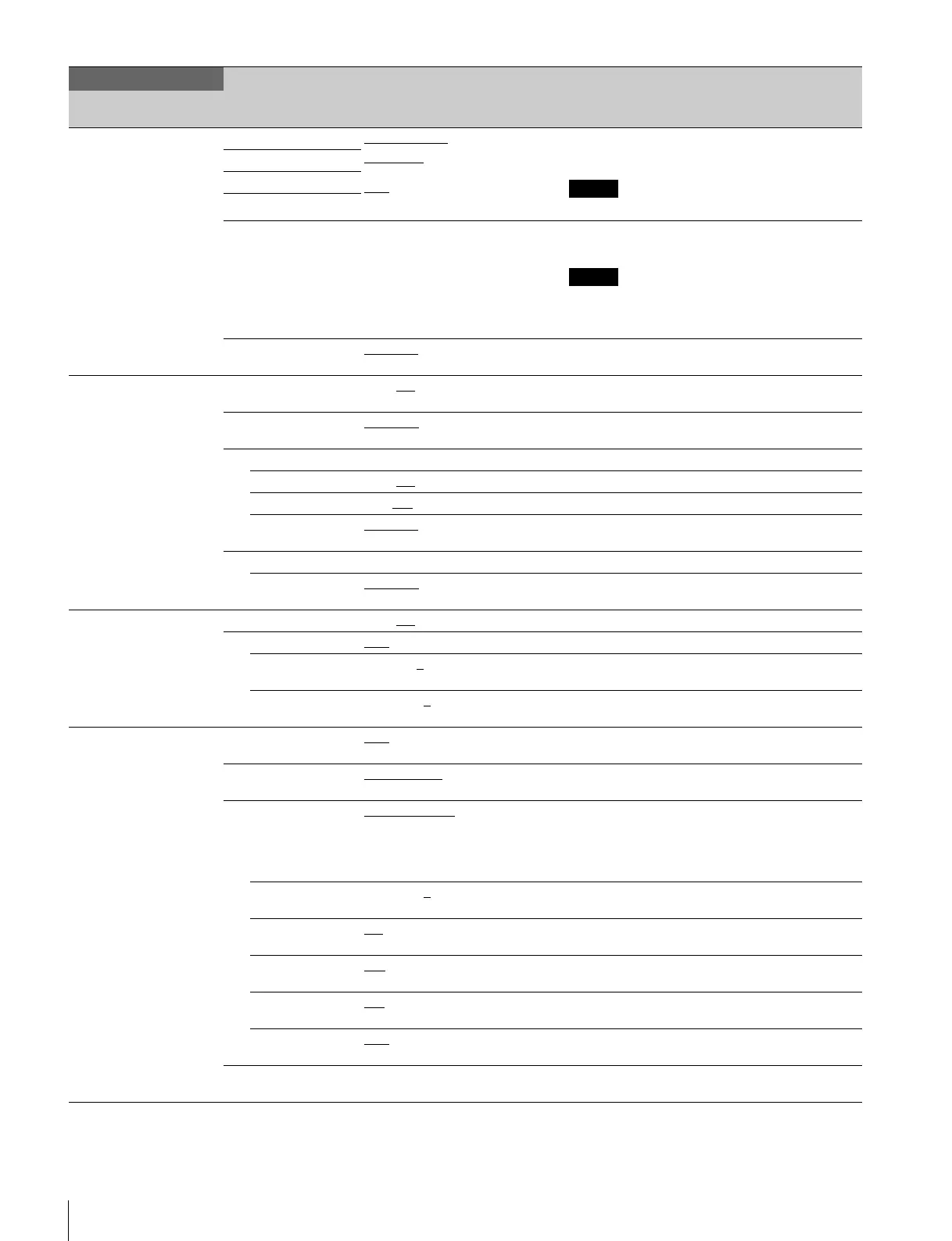
<RETURN FORMAT>
S06
RET1 1080/50I (PsF), 625/50I (PsF), PAL
SQUEEZE
, EDGE CROP, LETTER
BOX,
16:9
, 15:9, 14:9, 13:9
Sets the return signal input format.
Sets input format, aspect ratio, and letterbox mode.
RET4 for HDCU2580 is locked to PAL.
RET2
RET3
RET4
AUTO SCAN Execute via EXEC. Automatically detects the return signal input format,
and then executes.
If the automatically detected result is invalid, the
previous setting flashes for 5 seconds, and then the
previous setting is maintained.
LINK TO MAIN MANUAL
/AUTO Sets the mode for linking the return signal to this
signal.
<RETURN SETUP>
S07
FRAME SYNCHRO OFF, ON
Set the FRAME SYNCHRO function for the return
signal to on/off.
RETURN BUFFER NORMAL
, EXTEND Set the buffer extension function for the return signal
to on/off.
SD-RETURN
MATRIX OFF, ON
Turn the HD matrix to the SD return signal on/off.
LB LINE 360, 364
Set the effective line setting for letterbox.
ASPECT MANUAL
, AUTO Sets the auto-linking function for this unit’s aspect
setting.
RETURN-TO-RETURN
MODE NORMAL
, SMOOTH “SMOOTH” is available when the return signal is HD-
SDI.
<CCU VIDEO>
S08
VBS-CHROMA OFF, ON
Turns the VBS output signal’s cross signal on/off.
MONO-COLOR OFF
, ON Sets the MONO COLOR function on/off.
PHASE 0 to 358, 0
Adjusts the color phase for the MONO COLOR
function.
SATURATION –99 to 99, 0
Adjusts the color saturation for the MONO COLOR
function.
<3D SETTINGS>
S09
3D MODE OFF
, ON Turns the 3D Mode setting ON/OFF. (Available only
with the HDFA-200 expansion.)
3D OUTPUT 3D MONITOR
, RIGHT ONLY,
LEFT ONLY
Sets 3D Monitor output.
3D MONITOR SPLIT SCREEN
, SIDE BY SIDE,
ANAGLYPH, 50% MIX,
DIFFERENCE, DIFF Y ONLY,
MIRROR, CROP SPLIT, V SPLIT,
CHECKER BOARD, LINE BY LINE
Displays the format.
POSITION –99 to 99, 0
Sets the WIPE division ratio and MIX mix ratio.
(Displayed when 3D MODE is set to ON.)
MIX CHROMA ON
, OFF Selects whether to display chroma information when
MIX is activated.
DIFF MODE L-R
, R-L Switches to the difference image calculation
operation.
V SPLIT MODE L/R
, R/L Switches the left and right sides when splitting the
display.
BORDER LINE OFF
, ON Selects whether or not to display the boundary line
when splitting the display.
CHANNEL ID (OFF), (ON) Selects whether to display the Channel ID with this
line’s output.
SYSTEM OPERATION
Page name
Page No.
Item Settings Description
Note
Note


 To Next Page