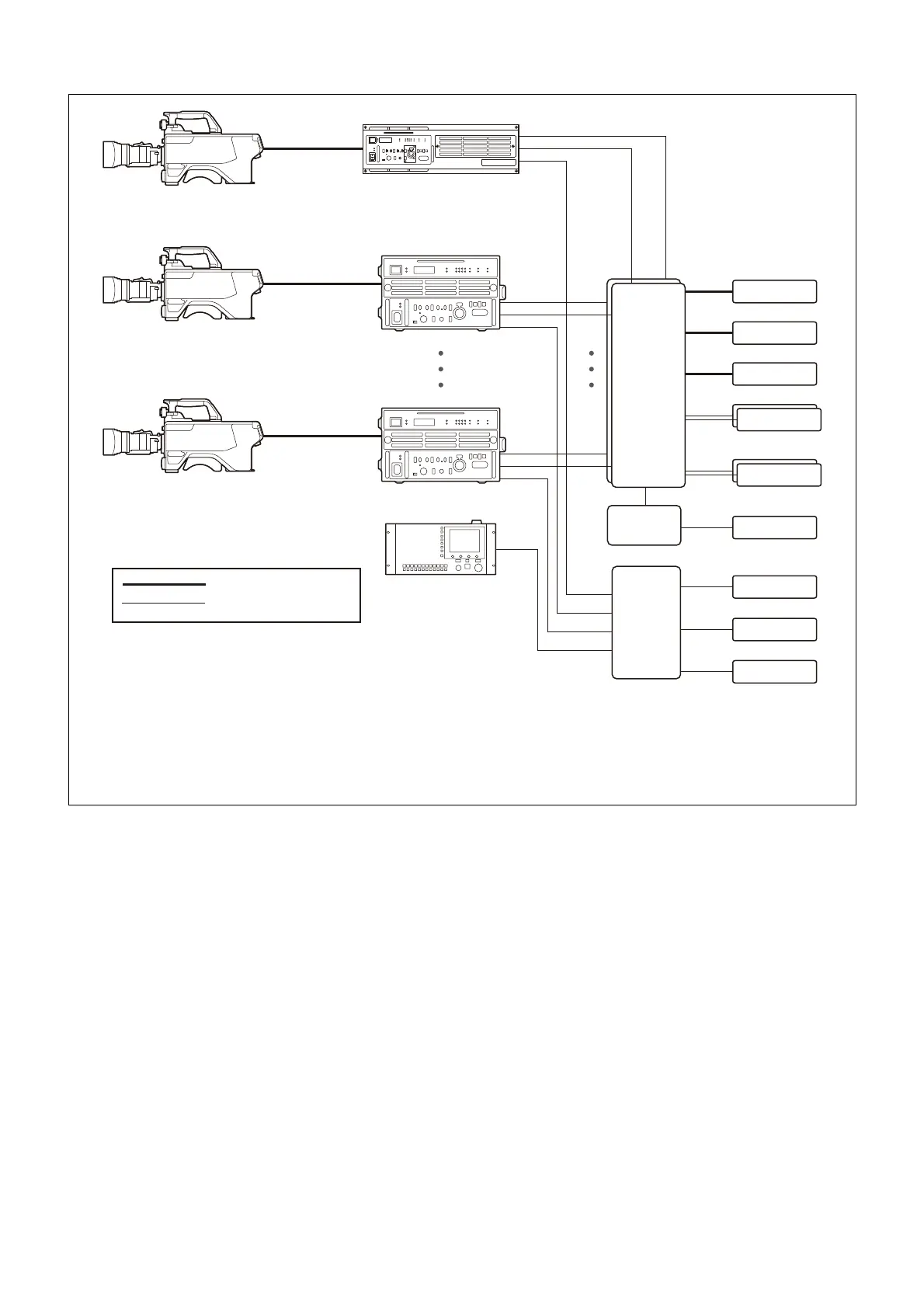
a) Signal transfer up to a maximum of 4 km is possible when using the HDCU5000, or 2 km when using the HDCU5500/3500. However, the actual transfer
distance may vary depending on the system configuration of the cameras and the type of optical fiber cables used.
b) HDC2000 series (HDC2000/2580/2500/2400/1700) support optical fiber connection.
c) Install the HKCU-SFP50 ST 2110 Interface Kit.
d) Connect to the LAN 1 and LAN 2 connectors of the HKCU-SFP50 ST 2110 Interface Kit.
e) Connect to the LAN COM connector of the HDCU5000/5500/3500.
f) To support SNMP monitoring, install HZCU-SNMP50 SNMP Agent Software (option).
g) To support Ember+ control, install HZCU-CNFG50 Config Control Software (option).
HDCU3500
c)
MSU-1000 series
Master Setup Unit
HDCU5500
c)
Optical fiber cable
LAN cable
d)
d)
e)
d)
d)
e)
Supported cameras
a)
HDC3500/3100, HDC2000 series
b)
Audio Mixer
Multi Viewer
Video Server
PTP Master × 2
IP Live System
Manager × 2
IP Intercom
IP Tally System
SNMP Manager
f)
Ember+ software
g)
IP switch
10G/25G
× 2
IP switch
1G
IP switch
10G/1G
Supported cameras
a)
HDC5500
HDC3500 with HKC-FB50 installed
HDCU5000
c)
Supported cameras
a)
HDC5500
HDC3500 with HKC-FB50 installed
d)
d)
e)



 To Next Page