13
HT-ST3 4-467-146-11(1)
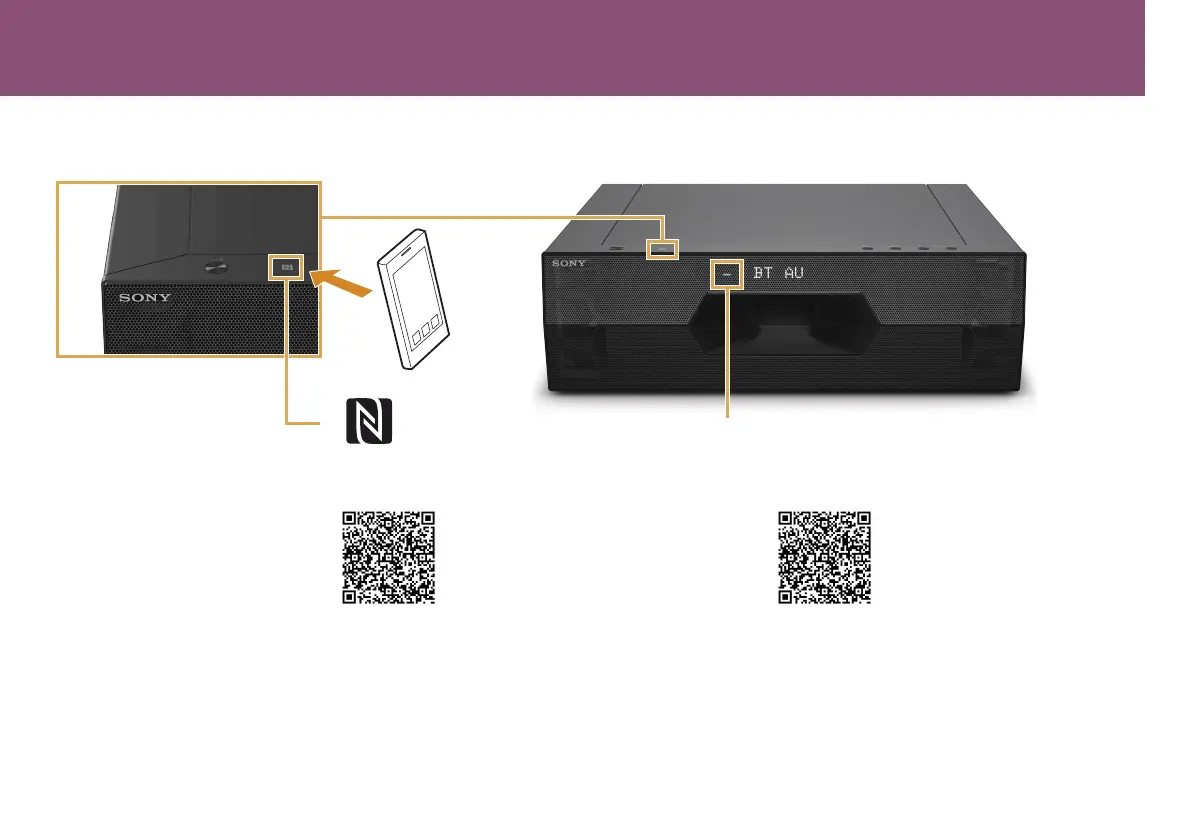
BLUETOOTH indicator / Indicador BLUETOOTH
When using one-touch connection (NFC) / Cuando se utiliza el sistema Conéctate con un solo toque (NFC)
1 Download, install, and start the
“NFCEasyConnect”apponyour
smartphone.
2 Touch the subwoofer with the smartphone.
3 Confirm the BLUETOOTH indicator is lit in
blue, indicating that the connection has been
established.
1 Descargue, instale e inicie la
aplicación“ConexiónfácilNFC”en
su smartphone.
2 Toque el altavoz potenciador de graves con el
smartphone.
3 Confirme que el indicador BLUETOOTH esté
iluminado en azul, lo cual indica que la conexión se
ha establecido.
•Compatiblesmartphones
SmartphoneswiththeNFCfunctionbuilt-in
(OS:Android2.3.3orlater,excludingAndroid3.x)
•Smartphonescompatibles
SmartphonesconlafunciónNFCintegrada
(SO:Android2.3.3oposterior,exceptoAndroid3.x)



 To Next Page