12
HT-ST3 4-467-146-11(1)
Listening to the audio from BLUETOOTH devices /
Escuchar el audio de dispositivos BLUETOOTH
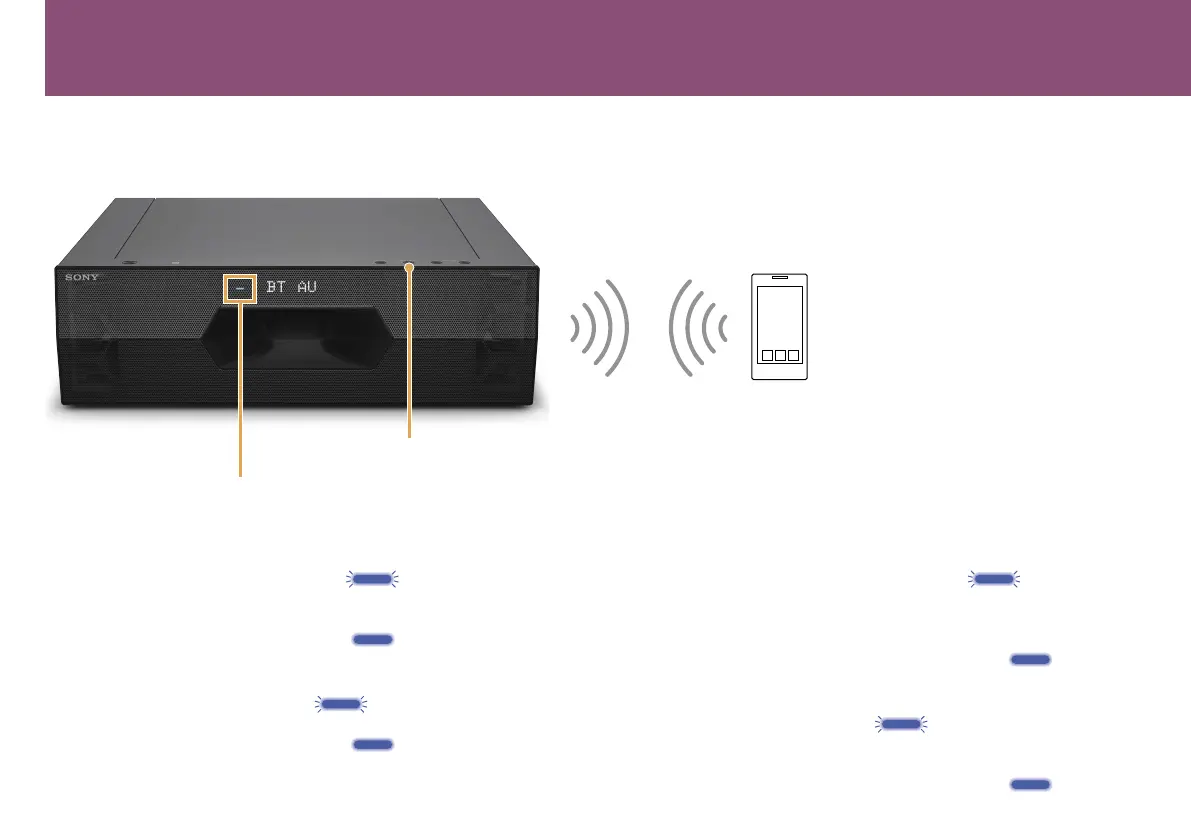
BLUETOOTH indicator / Indicador BLUETOOTH
BLUETOOTH PAIRING button / Botón BLUETOOTH PAIRING
When registering BLUETOOTH devices (pairing) / Cuando se registran dispositivos BLUETOOTH
(emparejamiento)
To pair with a device and listen to it for the first time
1 PresstheBLUETOOTHPAIRINGbutton.
The BLUETOOTH indicator flashes fast (during pairing).
2 Set your BLUETOOTH device to pairing mode and select “HT-ST3.” If a
Passkey is requested, enter “0000.”
3 Confirm the BLUETOOTH indicator is lit (connected).
To listen to a paired device
1 PresstheINPUTbuttonrepeatedlytodisplay“BTAU.”
The BLUETOOTH indicator flashes
(attempting pairing).
2 Select “HT-ST3” on the BLUETOOTH device.
3 Confirm the BLUETOOTH indicator is lit (connected).
Para emparejar con un dispositivo y escucharlo por primera vez
1 PulseelbotónBLUETOOTHPAIRING.
El indicador BLUETOOTH parpadea rápidamente (durante el
emparejamiento).
2 Ajuste su dispositivo BLUETOOTH en el modo de emparejamiento y
seleccione “HT-ST3”. Si se le solicita una clave de paso, introduzca “0000”.
3 Confirme que el indicador BLUETOOTH esté iluminado (conectado).
Para escuchar un dispositivo emparejado
1 PulseelbotónINPUTrepetidamenteparavisualizar“BTAU”.
El indicador BLUETOOTH parpadea
(intentando establecer el
emparejamiento).
2 Seleccione “HT-ST3” en el dispositivo BLUETOOTH.
3 Confirme que el indicador BLUETOOTH esté iluminado (conectado).



 To Next Page