Deactivating
Buttons
on
the
Bar
Speaker
(Child
Lock)
You
can
deactivate buttons on the
Bar
Speaker (except
for
1/CJ)
for
preventing misoperation, such
as
child mischief.
Be
sure
to
use buttons on the
Bar
Speaker
to
perform this operation.
Press
and
hold INPUT followed
by
VOLUME-, VOLUME+,
VOLUME
-on
the Bar Speaker.
"LOCK"
appears in the
front
panel display.
You can
only
operate the system by using the remote
control.
To
cancel, press and
hold
INPUT
followed
by
VOLUME-, VOLUME+,
VOLUME- on the
Bar
Speaker.
"UNLCK"
appears in the front panel display.
Saving
Power
in
Standby
Mode
Check
that
you have made the
following
settings:
- [Biuetooth Standby]
is
set
to
[Off] (page 24).
-[Standby
Through]
is
set
to
[Off]
(page
25).
-[Quick
Start Mode]
is
set
to
[Off]
(page 26).
-[Remote
Start]
is
set
to
[Off]
(page
27).
Enabling
theIR
Repeater
Function
(when
you
cannot
control
the
TV)
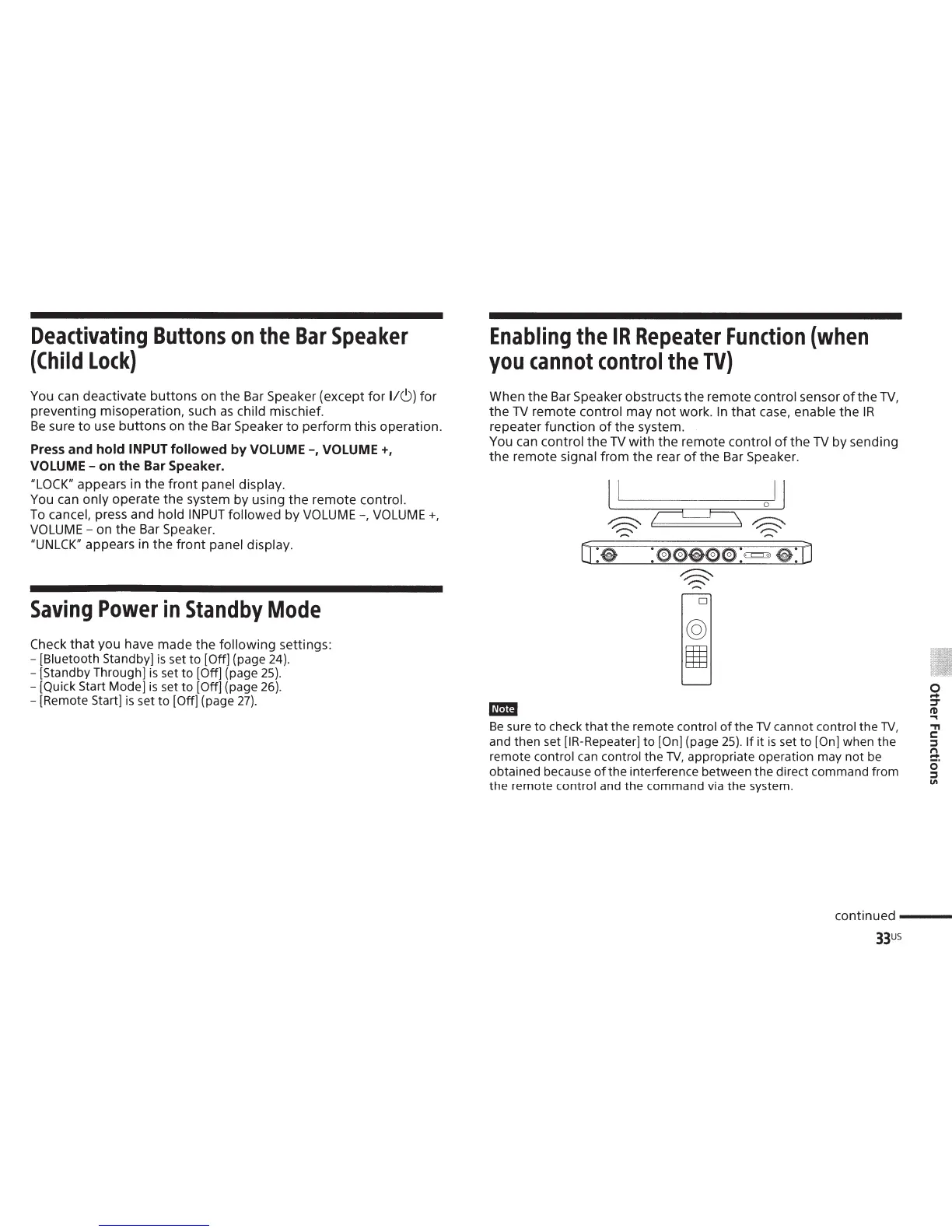
When the
Bar
Speaker obstructs the remote control sensor
of
the
TV,
the
TV
remote
control
may
not
work.
In
that
case,
enable
the
IR
repeater function
of
the system.
You
can
control
the
TV
with the remote
control
of
the
TV
by sending
the remote
signal
from the rear
of
the Bar Speaker.
O:e
D
-
Be
sure
to
check
that
the
remote
control
of
the
TV
cannot
control
the
TV,
and then set [IR-Repeater]
to
[On]
(page
25).
If
it
is
set
to
[On]
when the
remote
control can
control
the
TV,
appropriate operation may
not
be
obtained because
of
the
interference between
the
direct command from
the remote
control
and the command via the system.
0
...
=r
t1)
....
.,
r::::
:::s
n
~.
0
:::s
"'
continued
---
33us



 To Next Page