EasyManua.ls Logo

Sony HT-ST9 - Wireless System Setup (Subwoofer)

Sony HT-ST9
80 pages
Print Icon
To Next Page IconTo Next Page

To Previous Page IconTo Previous Page
Loading...
1 Press
HOME.
The
home
menu appears on
the
TV
screen.
2 Select
;I;
[Setup]-
~[System
Settings]
from
the
home
3
4
5
menu.
Select [IR-Repeater].
Select [On].
Press
HOME.
The menu goes off.
-
On
some
TVs,
this
function
may
not
work
correctly. In
this case,
place
the
Bar Speaker
slightly
further
away
from
the
TV.
34US
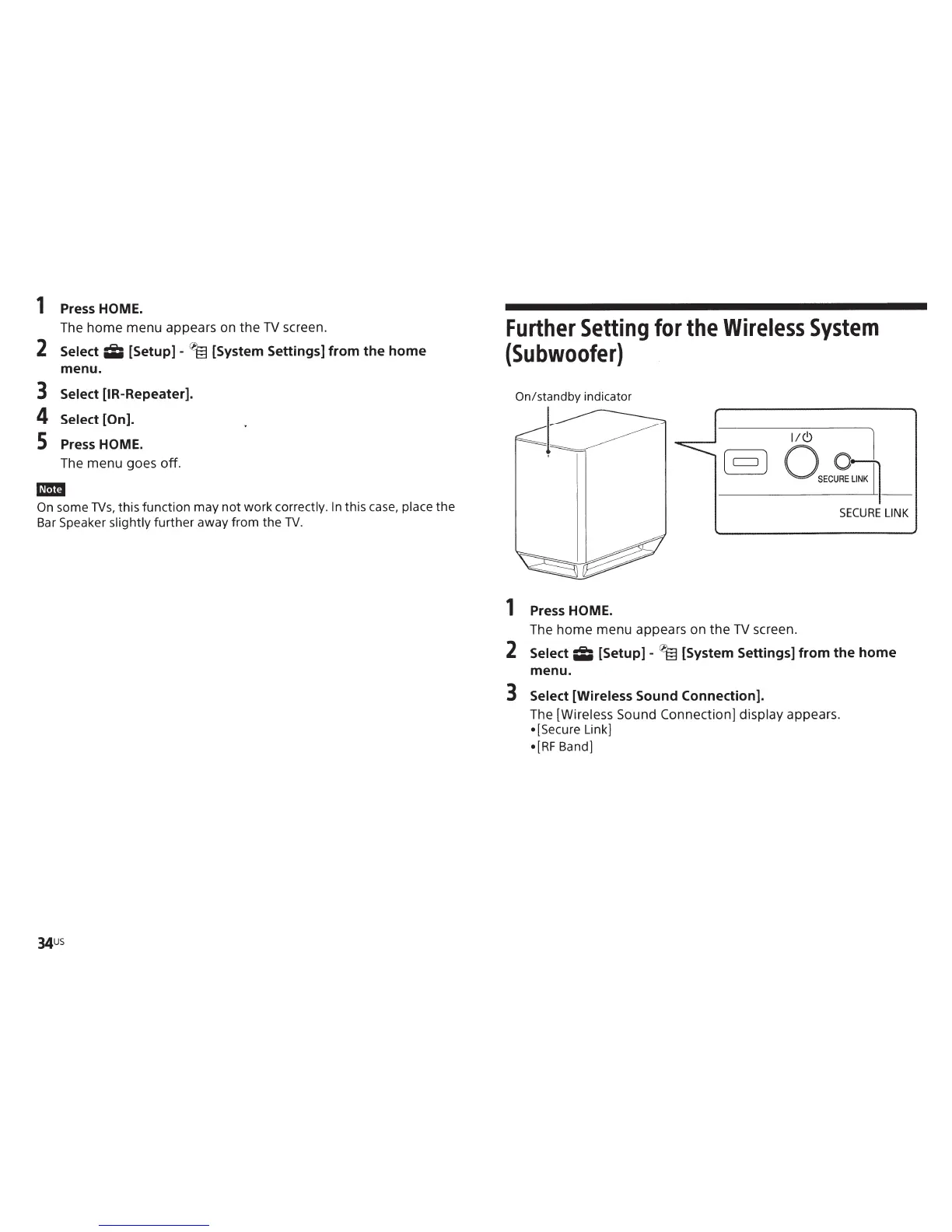
Further
Setting
for the
Wireless
System
(Subwoofer)
I!<!)
1
§]
OSEC5:~_
SECURE
LINK
1 Press
HOME.
The
home
menu appears on
the
TV
screen.
2
Select
;I;
[Setup]-~
[System Settings]
from
the
home
menu.
3
Select [Wireless
Sound Connection].
The [Wireless
Sound Connection] display
appears.
[Secure Link)
•[RF
Band)

Other manuals for Sony HT-ST9

Related product manuals