19
GB
Miscellaneous
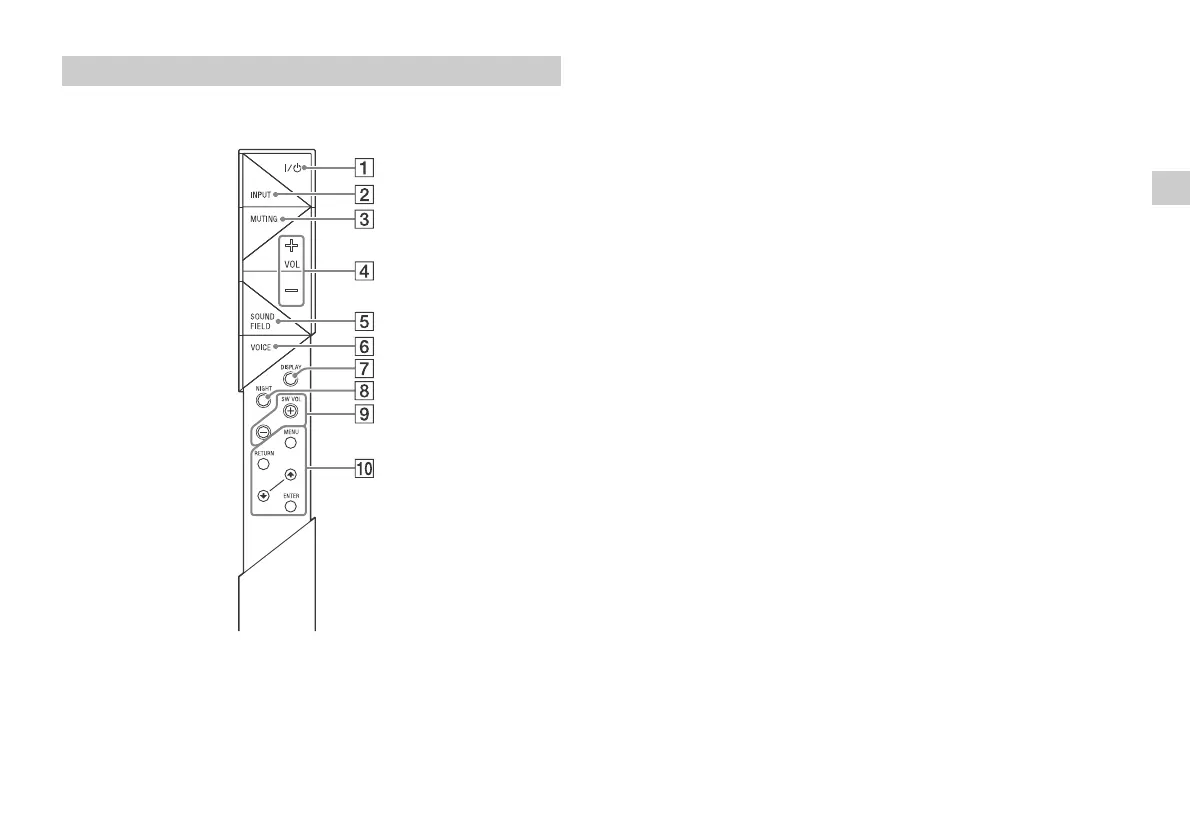
(on/standby) button
INPUT button
MUTING button
VOL (volume) +/– button
SOUND FIELD button*
VOICE button*
DISPLAY button
The display brightness can be switched.
Bright Dark Off
When the display brightness is set to “Off,” the display is turned off
after the display shows operation status for several seconds.
When the setting is changed to “Bright” from “Off,” the display
shows the audio stream information.
NIGHT (night mode) button*
SW VOL (subwoofer volume) +/ buttons
Adjusts the volume of the bass sound.
MENU/ (select)/ENTER/RETURN buttons
Select the desired setting by pressing the (select) button
then register it by pressing the ENTER button.
* Refer to “Enjoying the sound effects” in the supplied Startup Guide.
Remote control



 To Next Page