EasyManua.ls Logo

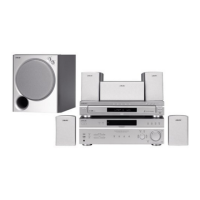
Sony HT-M7 - User Manual

Sony HT-M7
64 pages
Print Icon
To Next Page IconTo Next Page
Loading...
4-415-789-11(2)
HT-M7/HT-M5/HT-M3
Home Theatre
System
Operating Instructions

Table of Contents

Questions and Answers

  • K
    Karen PorterSep 16, 2025
    What to do if recording cannot be carried out on my Sony HT-M7?
    • J
      Jennifer SalazarSep 16, 2025
      If you cannot record with your Sony Home Theater System, please check the following: * Verify that the equipment is connected correctly. * Select the source equipment using the input buttons. * Note that audio input signals via HDMI IN and DIGITAL IN jacks cannot be recorded. * The source may contain copyright protection to prevent recording.
  • C
    Christine RhodesAug 25, 2025
    Why is there no sound, or very low sound, from specific speakers on my Sony HT-M7 Home Theater System?
    • D
      darrellmosleyAug 25, 2025
      To resolve this, ensure all cords are fully inserted into the jacks on both the receiver and the equipment. If using analog equipment, connect to both the L and R jacks. Adjust the speaker level. Verify that the speaker cords and the subwoofer are connected correctly and securely.
  • H
    hillphilipAug 25, 2025
    How to fix severe hum or noise in my Sony Home Theater System?
    • V
      Vincent NovakAug 26, 2025
      To address hum or noise, ensure speakers and equipment are securely connected. Keep connecting cords away from transformers, motors, TVs, and fluorescent lights (at least 3 meters/10 feet). Move audio equipment away from the TV. If plugs and jacks are dirty, clean them with a cloth slightly moistened with alcohol.
  • K
    Kim MeyersAug 26, 2025
    How to fix unbalanced or reversed left and right sounds on Sony Home Theater System?
    • K
      Kathy ScottAug 27, 2025
      Make sure the speakers and equipment are connected correctly and securely. Adjust the level parameters using the LEVEL menu.
  • B
    Brandon PenningtonSep 18, 2025
    Why is the FM reception poor on my Sony HT-M7?
    • A
      Alexa FriedmanSep 18, 2025
      To improve poor FM reception on your Sony Home Theater System, use a 75-ohm coaxial cable to connect the receiver to an outdoor FM antenna.
  • T
    Travis RandallSep 23, 2025
    What to do if when the Sony Home Theater System receiver is in standby mode, there is no image output from the TV?
    • B
      briancruzSep 23, 2025
      When your Sony Home Theater System receiver is in standby mode and there is no image output from the TV: * Images are from the last HDMI equipment selection before you turned off the receiver. * Make sure “PASS.THRU” is set to “ON”. * Try pressing the input button on the remote control or turning INPUT SELECTOR on the receiver to select the equipment of your choice. * When you want to listen to the sound from the TV speaker, set the “AUDIO.OUT” to “TV+AMP” in the HDMI menu. * Sound may be interrupted when the equipment not compatible with the “BRAVIA” Sync is connected to the receiver.
  • M
    Michael HenrySep 8, 2025
    Why radio stations cannot be tuned in on my Sony HT-M7 Home Theater System?
    • V
      Victoria StewartSep 8, 2025
      To address this, check that the antennas are securely connected. Adjust the antennas and connect an external antenna if needed. If automatic tuning has weak signal strength, use direct tuning. Ensure you set the tuning scale correctly when tuning in AM stations with direct tuning. If no stations have been preset or have been cleared, preset the stations. Press DISPLAY repeatedly so that the frequency appears on the display panel.
  • L
    Luis JohnsonSep 9, 2025
    Why no 3D image appears on the TV with my Sony Home Theater System?
    • A
      Antonio BlairSep 10, 2025
      Depending on the TV or the video equipment, 3D images may not be displayed.
  • C
    Carmen DavisSep 3, 2025
    What to do if the remote control does not function with my Sony HT-M7?
    • E
      Eric MathisSep 3, 2025
      To resolve this, point the remote control directly at the remote control sensor on the receiver. Ensure there are no obstructions between the remote and the receiver. If the batteries are weak, replace them with new ones. Also, verify that you have selected the correct input on the remote control.
  • A
    Angela SmithSep 1, 2025
    What to do if there is no sound from a specific equipment connected to my Sony HT-M7 Home Theater System?
    • D
      duane59Sep 1, 2025
      If there is no sound from a specific equipment connected to your Sony Home Theater System, check the following: * Ensure the equipment is correctly connected to the audio input jacks for that equipment. * Verify the connecting cord(s) are fully inserted into the jacks on both the receiver and the equipment. * Check the INPUT MODE. * Check the setting of “AUDIO.OUT” in the HDMI menu. * Confirm the equipment is correctly connected to the HDMI jack for that equipment. * Note that you cannot listen to Super Audio CD by connecting HDMI.

Summary

Supplied Accessories

Accessory List

Lists all included items and their quantities, such as manuals, antennas, and cables.

Remote Control Battery Installation

Provides step-by-step instructions for inserting batteries into the remote control.

Component Identification

Front Panel Layout and Controls

Describes the layout of buttons, indicators, and ports on the receiver's front panel.

Display Panel Indicators

Playback, Signal, and USB Indicators

Explains indicators for channel playback, signal formats (DTS, LPCM), and USB device status.

Input, Status, and System Indicators

Explains indicators for input sources (HDMI, COAX), system status (Dolby, Tuning), and special functions (D.RANGE, SLEEP).

Rear Panel Connectivity

HT-M7 and HT-M5 Rear Panel Diagrams

Visual guides illustrating the rear panel connections for the HT-M7 and HT-M5 models.

HT-M3 Rear Panel and Terminal Descriptions

Visual guides for the HT-M3 rear panel and descriptions of antenna and speaker terminals.

Remote Control Functions

Receiver Operation Buttons

Detailed description of remote buttons used for controlling the receiver's functions.

TV Operation Buttons

Detailed description of remote buttons used for controlling a Sony TV's functions.

Getting Started Guide

Initial Setup Procedures

Step-by-step instructions for initial receiver setup, including connecting speakers and preparing the receiver.

Connecting External Equipment

Guidance on connecting TV, video, and audio devices to the receiver.

Speaker Setup and Placement

Speaker Configuration for HT-M7;HT-M5;HT-M3

Recommended placement diagrams for front, surround, and subwoofer speakers based on model.

Speaker Placement Tips and Foot Pads

Advice on optimal speaker angles, subwoofer placement, and attaching foot pads.

Speaker Connection Guide

Connecting Speakers to HT-M7

Diagram and instructions for connecting speakers to the HT-M7 receiver's terminals.

Connecting Speakers to HT-M5 and HT-M3

Diagrams and instructions for connecting speakers to the HT-M5 and HT-M3 receivers.

Speaker Cord Identification

Explains speaker cord color coding and how to match them to the receiver's terminals.

Connecting External Devices

Connecting Your Television

Guidance on connecting the TV via HDMI, Component, or Video signals, including ARC function.

Connecting Video Equipment via HDMI

Details on using HDMI for video sources, its features, and important notes.

Cable Connection Best Practices

General tips for connecting various cables, including digital audio, and avoiding damage.

HDMI and Non-HDMI Device Connectivity

Connecting Devices via HDMI

Illustrates HDMI connections for Blu-ray players, PS3, tuners, and TVs.

Connecting Devices via Other Jacks

Illustrates non-HDMI connections (Optical, Coaxial, Component, Video) for various sources.

HT-M3 Specific Connections

Details specific optical and coaxial connections for the HT-M3 model.

Connecting Recording and Audio Equipment

Connecting VCRs and DVD Recorders

Instructions for connecting devices used for recording audio/video.

Connecting Audio Sources

Instructions for connecting CD players and portable audio devices for playback.

USB and Antenna Connections

Connecting a USB Device

Guide to connecting a USB device to the receiver's USB port.

Connecting FM and AM Antennas

Instructions for connecting the supplied FM wire and AM loop antennas.

Receiver Preparation and Initial Setup

Setting Voltage and Connecting Power

Instructions for setting the voltage selector and connecting the AC power cord.

Initializing the Receiver

Procedure for resetting the receiver to factory default settings.

Speaker Configuration and Level Adjustment

Selecting Surround Speaker Position

Guide to setting speaker positions (FRONT/REAR) according to your setup.

Adjusting Speaker Levels with Test Tone

Using the test tone feature to balance speaker output levels.

Basic Operations and Input Management

Playing Sources and Adjusting Volume

Selecting input sources, starting playback, and controlling volume.

Input Naming and Muting Function

Customizing input names for easier identification and using the mute function.

USB Device Playback

Supported File Formats and Devices

Lists compatible music file formats (MP3, AAC, WMA) and compatible Sony USB devices.

USB Device Usage Notes

Important considerations for using USB devices, including format compatibility and device recognition.

Operating the USB Device

USB Playback Controls and Functions

Explains buttons for USB playback, fast forward/rewind, repeat modes, and folder navigation.

USB Device Limitations and Notes

Further notes on USB device operation, including connection through hubs and file/folder limits.

Display Information and USB Messages

Viewing Receiver Status on Display

How to check information like input name, sound field, and volume levels on the display panel.

USB Device Message Explanations

Explains common messages displayed when using a USB device, such as READING, DEVICE ERROR, NO SUPPORT.

Recording Operations

Preparing and Executing Recordings

Steps for setting up the source and recording equipment to start recording.

Recording Notes and Restrictions

Information on copyright protection, recording limitations, and auto standby settings.

Tuner Operations

Tuning FM;AM Radio Stations

Instructions for automatic tuning (scanning) and direct tuning (frequency entry).

Preset Radio Station Management

How to store, recall, and name preset radio stations, and change AM tuning scale.

Surround Sound Enjoyment

Selecting Sound Fields

Guide to choosing different sound modes (MOVIE A, MOVIE B, MUSIC, GAMING) for optimized audio.

Sound Field Notes and Management

Notes on sound field limitations and how to turn off surround effects.

BRAVIA Sync Features and Configuration

Introduction to BRAVIA Sync

Explanation of BRAVIA Sync, its benefits, and the Control for HDMI function.

Configuring BRAVIA Sync Settings

Steps for setting up BRAVIA Sync with compatible and non-compatible TVs for simplified operation.

BRAVIA Sync Operations

One-Touch Playback Functionality

Simplified playback of connected equipment with a single touch.

System Audio Control for TV Sound

How to enjoy TV sound through the receiver's speakers and control volume.

System Power-Off and Scene Select

Features for turning off connected devices simultaneously and optimizing sound for selected TV scenes.

Advanced Audio and System Settings

Switching Audio Input Modes

Setting audio input priority (AUTO, COAX, OPT, ANALOG) for different sources.

Using the Setting Menu

Navigating and adjusting various receiver settings via the menu system.

Detailed Menu Settings

Speaker, Tone, and Tuner Menu Options

Detailed explanations for adjusting speaker levels, distance, tone (EQ), and tuner presets.

Audio, HDMI, and System Menu Options

Detailed explanations for audio sync, digital formats, HDMI control, and system preferences like display and standby.

Important Precautions

Safety, Power, and Heat Precautions

General safety advice, handling of power sources, and precautions regarding heat buildup.

Placement, Ventilation, and TV Interference

Guidelines for proper receiver placement, ventilation, and addressing potential TV interference from speakers.

Troubleshooting Common Issues

Power, Image, and Standby Problems

Solutions for receiver power failure, no image on TV, and no output in standby mode.

Audio, Recording, and Speaker Issues

Troubleshooting no sound, low sound, recording failures, unbalanced speakers, and surround effect problems.

Tuner and USB Device Problems

Solutions for poor FM reception, tuning errors, and common USB device errors or playback issues.

Advanced USB and System Troubleshooting

USB Device Compatibility and Playback Issues

Troubleshooting USB device recognition, playback errors, file format limitations, and corrupted data.

Remote Control and Error Message Handling

Solutions for remote control malfunctions and how to interpret system error messages.

Technical Specifications

Amplifier, Input, and Output Specifications

Details on power output, impedance, requirements, and input/output signal levels.

Tuner, USB, General, and Speaker Specifications

Details on tuner ranges, USB bit rates, power consumption, dimensions, mass, and speaker characteristics.

Sony HT-M7 Specifications

General IconGeneral
BrandSony
ModelHT-M7
CategoryHome Theater System
LanguageEnglish

Related product manuals