To Next Page
M
max16Sep 12, 2025
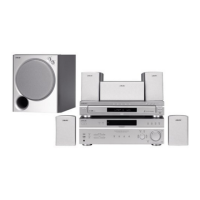
How to fix color irregularity observed on my Sony HT-M7 Home Theater System?
- GGina WagnerSep 12, 2025
Turn off the TV set, then turn it on again after 15 to 30 minutes.

How to fix color irregularity observed on my Sony HT-M7 Home Theater System?
Turn off the TV set, then turn it on again after 15 to 30 minutes.
Why does my Sony Home Theater System receiver turn off automatically?
“AUTO.STBY” is set to “STBY ON” or The Sleep Timer function is working.
Why does “READING” display for an extended time, or why does playback take a long time to start on my Sony HT-M7?
The reading process can take a long time if there are many folders or files on the USB device, the file structure is extremely complex, the memory capacity is excessive, or the internal memory is fragmented. It is recommended to have 100 or fewer total folders (including the “ROOT” folder) and 100 or fewer files per folder.
Why no 3D image appears on the TV with my Sony Home Theater System?
Depending on the TV or the video equipment, 3D images may not be displayed.
Why radio stations cannot be tuned in on my Sony HT-M7 Home Theater System?
To address this, check that the antennas are securely connected. Adjust the antennas and connect an external antenna if needed. If automatic tuning has weak signal strength, use direct tuning. Ensure you set the tuning scale correctly when tuning in AM stations with direct tuning. If no stations have been preset or have been cleared, preset the stations. Press DISPLAY repeatedly so that the frequency appears on the display panel.
Why the USB device cannot be connected into the (USB) port of Sony Home Theater System?
The USB device is being connected upside down. Connect the USB device in the correct orientation.
Why is there no sound from my Sony HT-M7 Home Theater System, or is the sound very low?
First, ensure that all connecting cords are correctly inserted into the input/output jacks of the receiver, speakers, and equipment. Then, verify that both the receiver and all connected equipment are powered on. Check that the MASTER VOLUME is not set to “VOL MIN”. Also, press MUTING on the remote to deactivate the muting function. Try selecting your equipment by pressing the input button on the remote or turning the INPUT SELECTOR on the receiver. If you want to listen to the sound from the TV speaker, set the “AUDIO.OUT” to “TV+AMP” in the HDMI menu; otherwise, set it to “AMP”.
How to improve poor FM reception on my Sony HT-M7 Home Theater System?
To fix this, use a 75-ohm coaxial cable (not supplied) to connect the receiver to an outdoor FM antenna.
Why is the Control for HDMI function not working on my Sony HT-M7?
To resolve this, check the HDMI connection. Ensure “CTRL.HDMI” is set to “CTRL ON” in the HDMI menu. Confirm that the connected equipment is compatible with the Control for HDMI function and check its Control for HDMI settings. If you unplugged the HDMI cable or changed the connection, repeat the procedures of “Preparing for the “BRAVIA” Sync”.
Why no image appears on the TV with my Sony HT-M7 Home Theater System?
To fix this, select the appropriate input using the input buttons. Set your TV to the correct input mode. Also, move your audio equipment away from the TV.
Lists all included items and their quantities, such as manuals, antennas, and cables.
Provides step-by-step instructions for inserting batteries into the remote control.
Describes the layout of buttons, indicators, and ports on the receiver's front panel.
Explains indicators for channel playback, signal formats (DTS, LPCM), and USB device status.
Explains indicators for input sources (HDMI, COAX), system status (Dolby, Tuning), and special functions (D.RANGE, SLEEP).
Visual guides illustrating the rear panel connections for the HT-M7 and HT-M5 models.
Visual guides for the HT-M3 rear panel and descriptions of antenna and speaker terminals.
Detailed description of remote buttons used for controlling the receiver's functions.
Detailed description of remote buttons used for controlling a Sony TV's functions.
Step-by-step instructions for initial receiver setup, including connecting speakers and preparing the receiver.
Guidance on connecting TV, video, and audio devices to the receiver.
Recommended placement diagrams for front, surround, and subwoofer speakers based on model.
Advice on optimal speaker angles, subwoofer placement, and attaching foot pads.
Diagram and instructions for connecting speakers to the HT-M7 receiver's terminals.
Diagrams and instructions for connecting speakers to the HT-M5 and HT-M3 receivers.
Explains speaker cord color coding and how to match them to the receiver's terminals.
Guidance on connecting the TV via HDMI, Component, or Video signals, including ARC function.
Details on using HDMI for video sources, its features, and important notes.
General tips for connecting various cables, including digital audio, and avoiding damage.
Illustrates HDMI connections for Blu-ray players, PS3, tuners, and TVs.
Illustrates non-HDMI connections (Optical, Coaxial, Component, Video) for various sources.
Details specific optical and coaxial connections for the HT-M3 model.
Instructions for connecting devices used for recording audio/video.
Instructions for connecting CD players and portable audio devices for playback.
Guide to connecting a USB device to the receiver's USB port.
Instructions for connecting the supplied FM wire and AM loop antennas.
Instructions for setting the voltage selector and connecting the AC power cord.
Procedure for resetting the receiver to factory default settings.
Guide to setting speaker positions (FRONT/REAR) according to your setup.
Using the test tone feature to balance speaker output levels.
Selecting input sources, starting playback, and controlling volume.
Customizing input names for easier identification and using the mute function.
Lists compatible music file formats (MP3, AAC, WMA) and compatible Sony USB devices.
Important considerations for using USB devices, including format compatibility and device recognition.
Explains buttons for USB playback, fast forward/rewind, repeat modes, and folder navigation.
Further notes on USB device operation, including connection through hubs and file/folder limits.
How to check information like input name, sound field, and volume levels on the display panel.
Explains common messages displayed when using a USB device, such as READING, DEVICE ERROR, NO SUPPORT.
Steps for setting up the source and recording equipment to start recording.
Information on copyright protection, recording limitations, and auto standby settings.
Instructions for automatic tuning (scanning) and direct tuning (frequency entry).
How to store, recall, and name preset radio stations, and change AM tuning scale.
Guide to choosing different sound modes (MOVIE A, MOVIE B, MUSIC, GAMING) for optimized audio.
Notes on sound field limitations and how to turn off surround effects.
Explanation of BRAVIA Sync, its benefits, and the Control for HDMI function.
Steps for setting up BRAVIA Sync with compatible and non-compatible TVs for simplified operation.
Simplified playback of connected equipment with a single touch.
How to enjoy TV sound through the receiver's speakers and control volume.
Features for turning off connected devices simultaneously and optimizing sound for selected TV scenes.
Setting audio input priority (AUTO, COAX, OPT, ANALOG) for different sources.
Navigating and adjusting various receiver settings via the menu system.
Detailed explanations for adjusting speaker levels, distance, tone (EQ), and tuner presets.
Detailed explanations for audio sync, digital formats, HDMI control, and system preferences like display and standby.
General safety advice, handling of power sources, and precautions regarding heat buildup.
Guidelines for proper receiver placement, ventilation, and addressing potential TV interference from speakers.
Solutions for receiver power failure, no image on TV, and no output in standby mode.
Troubleshooting no sound, low sound, recording failures, unbalanced speakers, and surround effect problems.
Solutions for poor FM reception, tuning errors, and common USB device errors or playback issues.
Troubleshooting USB device recognition, playback errors, file format limitations, and corrupted data.
Solutions for remote control malfunctions and how to interpret system error messages.
Details on power output, impedance, requirements, and input/output signal levels.
Details on tuner ranges, USB bit rates, power consumption, dimensions, mass, and speaker characteristics.
 General
| Brand | Sony |
|---|---|
| Model | HT-M7 |
| Category | Home Theater System |
| Language | English |