21
GB
Connections
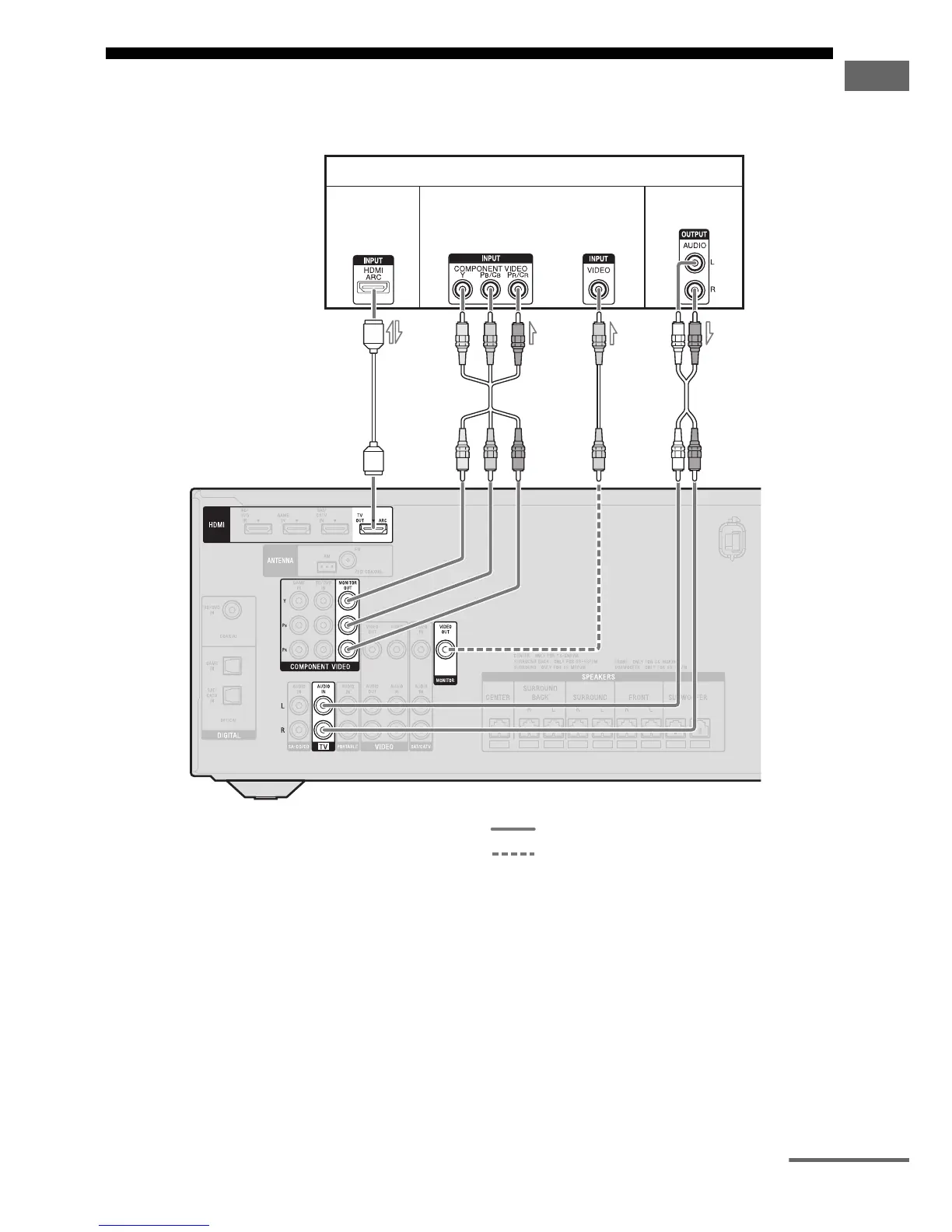
3: Connecting the TV
Before connecting cords, be sure to disconnect the AC power cord (mains lead).
A HDMI cable (not supplied)
Sony recommends that you use an HDMI-
authorized cable or Sony HDMI cable.
B Component video cord (not supplied)
C Video cord (not supplied)
D Audio cord (not supplied)
Recommended connection
Alternative connection
TV
A
2)
Audio/Video
signals
Audio signals
Video signals
1)
BC
D
4)
or
3)
continued



 To Next Page