30
GB
Selecting surround
speaker position
Select the surround speaker position according
to the speaker configuration.
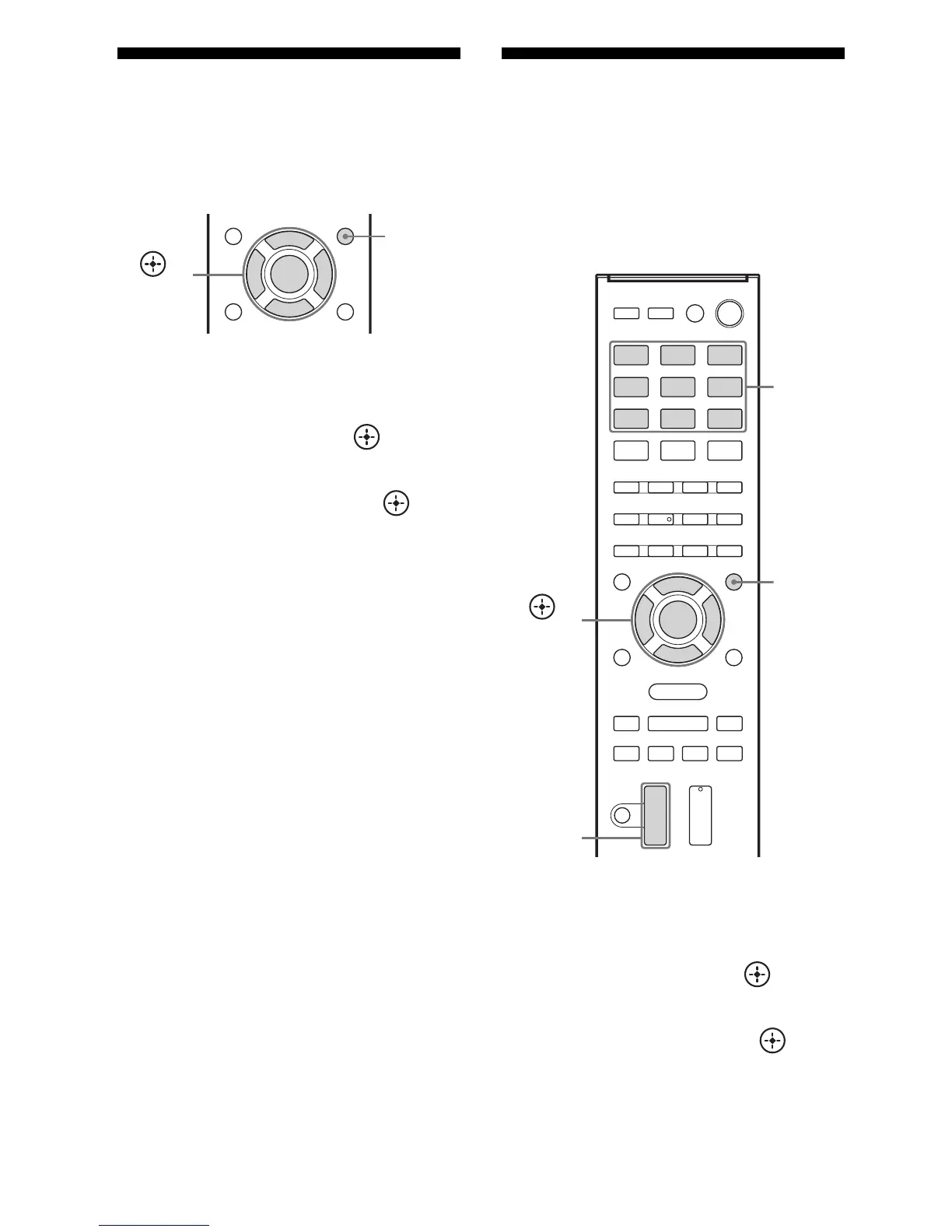
1 Press AMP MENU.
2 Press V/v repeatedly to select
“SPKR”, then press or b.
3 Press V/v repeatedly to select
“SUR SPK”, then press or b.
4 Press V/v repeatedly to select
the speaker position you want.
•FRONT: If you install all the speakers
in front position, select “FRONT”.
• REAR: If you install the surround/
surround back speakers at rear position,
select “REAR” to enjoy multi channel
surround sound.
Tip
You can also press SURROUND SPEAKER
repeatedly on the receiver to select the surround
speaker position.
Adjusting the speaker
levels and balance
(TEST TONE)
You can adjust the speaker levels and balance
while listening to the test tone from your
seating position.
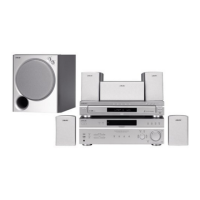
1 Press AMP MENU.
2 Press V/v repeatedly to select
“LEVEL”, then press or b.
3 Press V/v repeatedly to select
“T. TONE”, then press or b.
AMP
MENU
,
V/v/B/b
AMP
MENU
,
V/v/B/b
Input
buttons
MASTER
VOL +/–



 To Next Page