27
GB
Connections
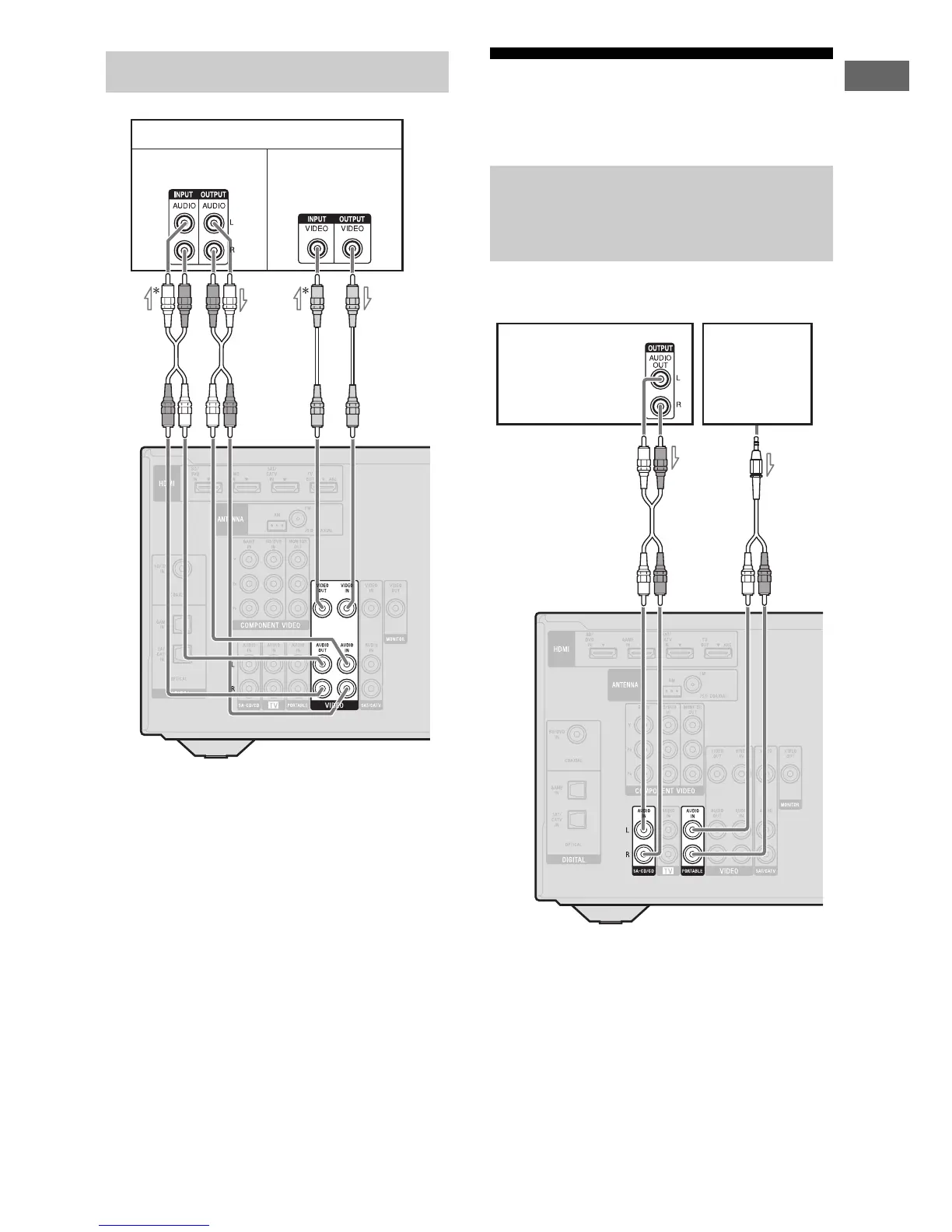
A Audio cord (not supplied)
B Video cord (not supplied)
*If you want to record, you must make this
connection (page 36).
** HT-M7/HT-M5 only.
Note
(HT-M3 only)
Be sure to connect the video output of the VCR or
DVD recorder to the TV, so that the image is
displayed on the TV. For details, refer to the
operating instructions of the connecting equipment.
4b: Connecting the audio
equipment
Before connecting cords, be sure to disconnect the
AC power cord (mains lead).
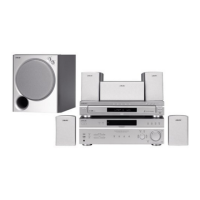
A Audio cord (not supplied)
B Audio cord with stereo mini-plug
(supplied for Australia model only)
Connecting a VCR, DVD recorder
VCR, DVD recorder
Audio signals
Video signals
**
A
B
Connecting a Super Audio CD
player, CD player, portable
audio
Super Audio
CD player,
CD player
AB
Portable
audio



 To Next Page