31
GB
Basic Operations
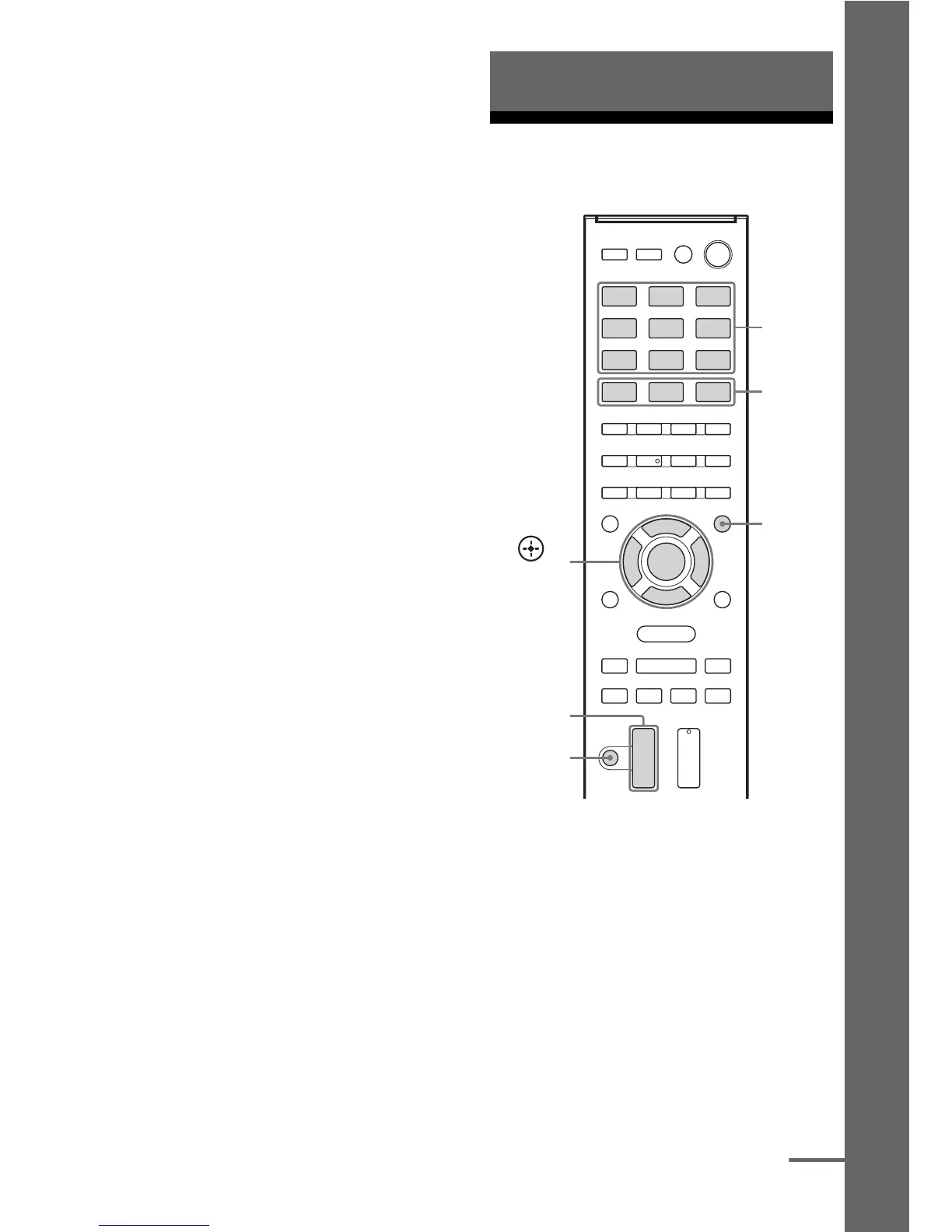
4 Press V/v repeatedly to select
“AUTO xxx
*”.
The test tone is output from each speaker
in sequence.
* xxx represent a speaker channel.
5 Adjust the speaker levels and
balance.
Use the LEVEL menu (page 50) to adjust
the speakers to have the same sounding
test tone level for each speaker.
Tips
•
To adjust the level of all speakers at the same
time, press MASTER VOL +/–. You can also
use MASTER VOLUME on the receiver.
•The adjusted value are shown on the display
panel during adjustment.
6 Exit test tone.
Press any input buttons or select “OFF”
under step 4.
When a test tone is not output
from the speakers
•The speaker cords may not be connected
securely.
•The speaker cords may have the short-circuit
problem.
•The MASTER VOLUME may has set to
“VOL MIN”.
Playing an input source
equipment
1
Press the input button which
corresponds to the equipment
you want.
You can also use INPUT SELECTOR on
the receiver.
The selected input appears on the display
panel.
2 Turn on the equipment and
start playback.
Basic Operations
Input
buttons
,
V/v/B/b
AMP
MENU
MASTER
VOL +/–
MOVIE,
MUSIC,
GAMING
MUTING
continued



 To Next Page