18
GB
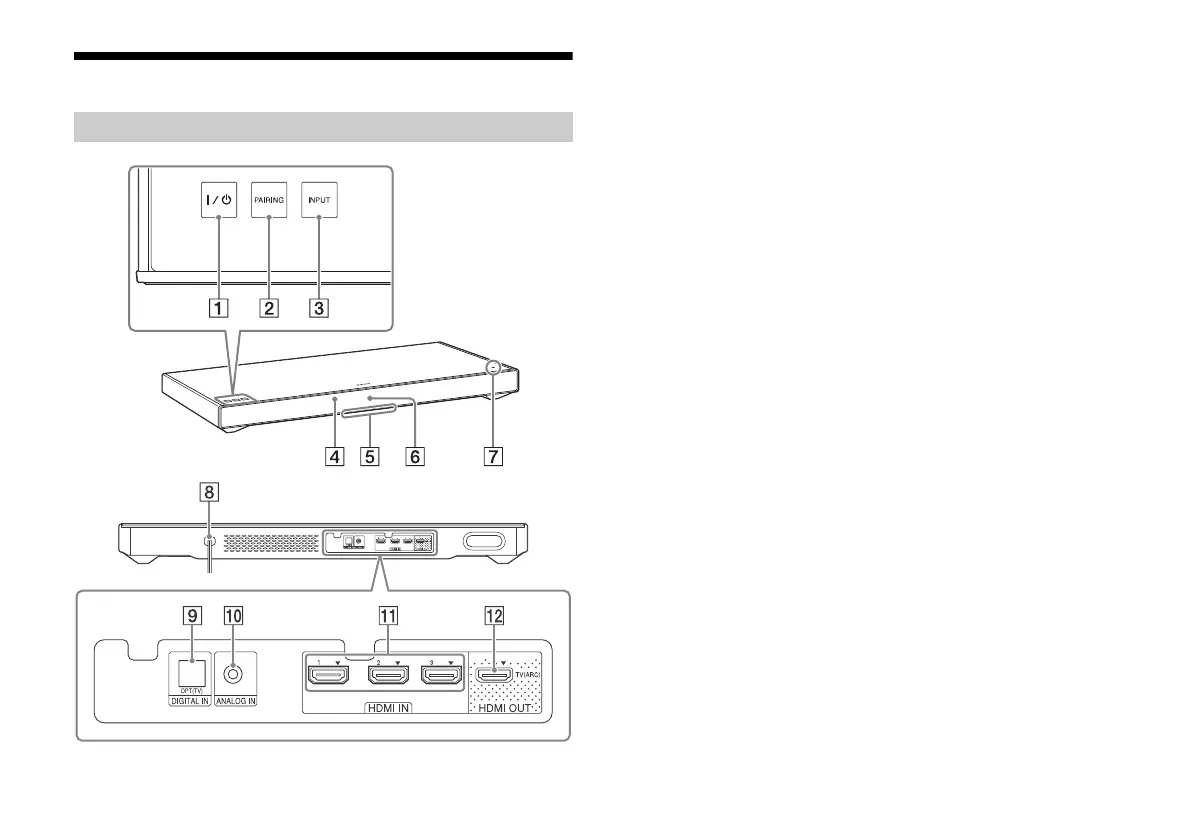
Parts and controls
Front/Top
(on/standby) touch key
PAIRING touch key
INPUT touch key
Remote control sensor
Illumination LED
White: When the display brightness is set to “Off,” the
illumination LED turns off.
Blue: BLUETOOTH mode (page 16)
Display
N mark
To use an NFC function, touch your NFC device to the mark.
Back
AC power cord (mains lead)
DIGITAL IN (OPT (TV)) jack
ANALOG IN jack
HDMI IN 1/2/3 jacks
HDMI OUT (TV (ARC)) jack
* Touch a touch key lightly with a fingertip. If you touch two or more
keys simultaneously or touch with a thumb, appropriate operation
may not be obtained.
Main unit



 To Next Page