masterpage:Left
lename[D:\Sony SEM
5\Revision_HTR210SS\J9050956_2599618112HTR210SS_GB\2599618112\GB03CON_HTR-
10SS-CEL.fm]
6
GB
model name1[HTR-210SS]
[2-599-618-11(2)]
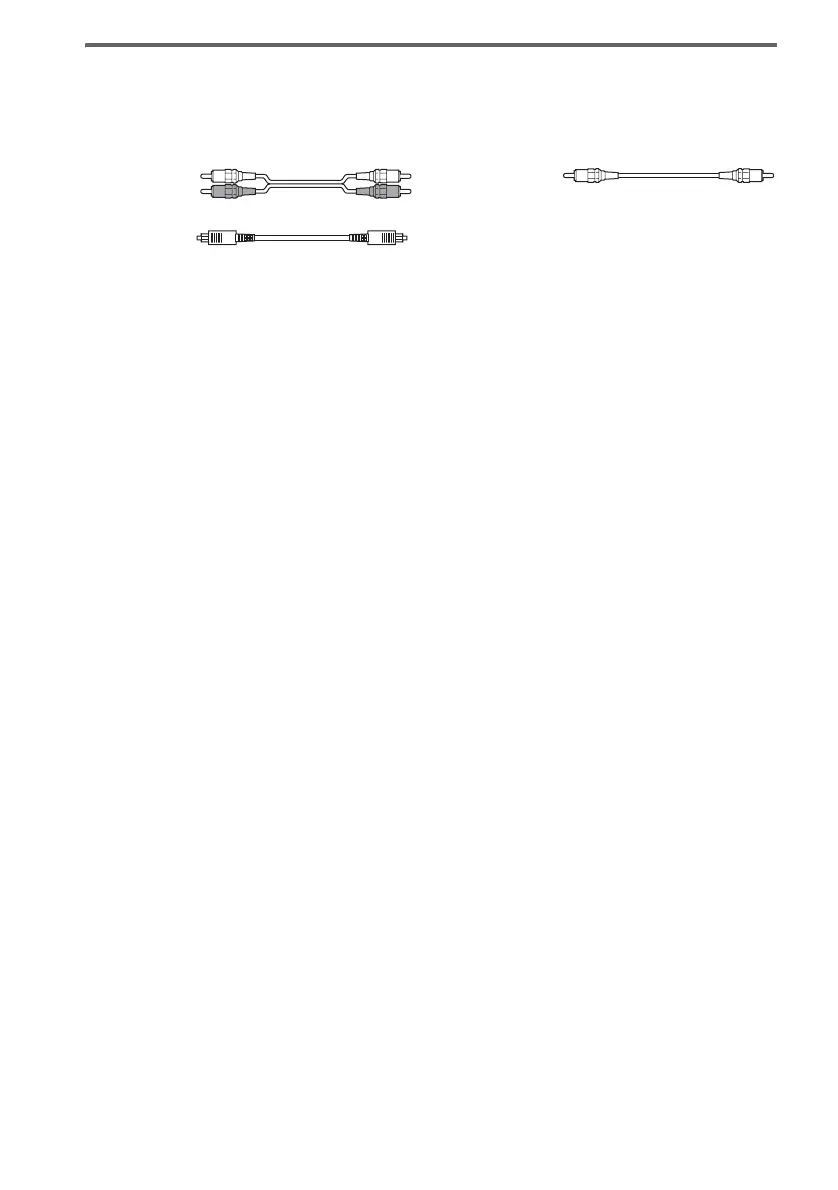
Required cords
The hookup diagrams on the subsequent pages assume the use of the following optional connection
cords (A to C) (not supplied unless indicated).
A Audio cord
White (L)
Red (R)
B Optical digital cord
C Coaxial digital cord (supplied)
Orange
Notes
• Turn off the power to all components before making any connections.
• Be sure to make connections firmly to avoid hum and noise.
• When connecting an audio cord, be sure to match the color-coded pins to the appropriate jacks on the components:
white (left, audio) to white; and red (right, audio) to red.
• When connecting optical digital cords, insert the cord plugs straight in until they click into place.
• Do not bend or tie optical digital cords.
GB01COV_HTR-210SS-CEL.book Page 6 Wednesday, May 18, 2005 10:15 AM



 To Next Page