14 Chapter 1 Overview
Chapter 1 Overview
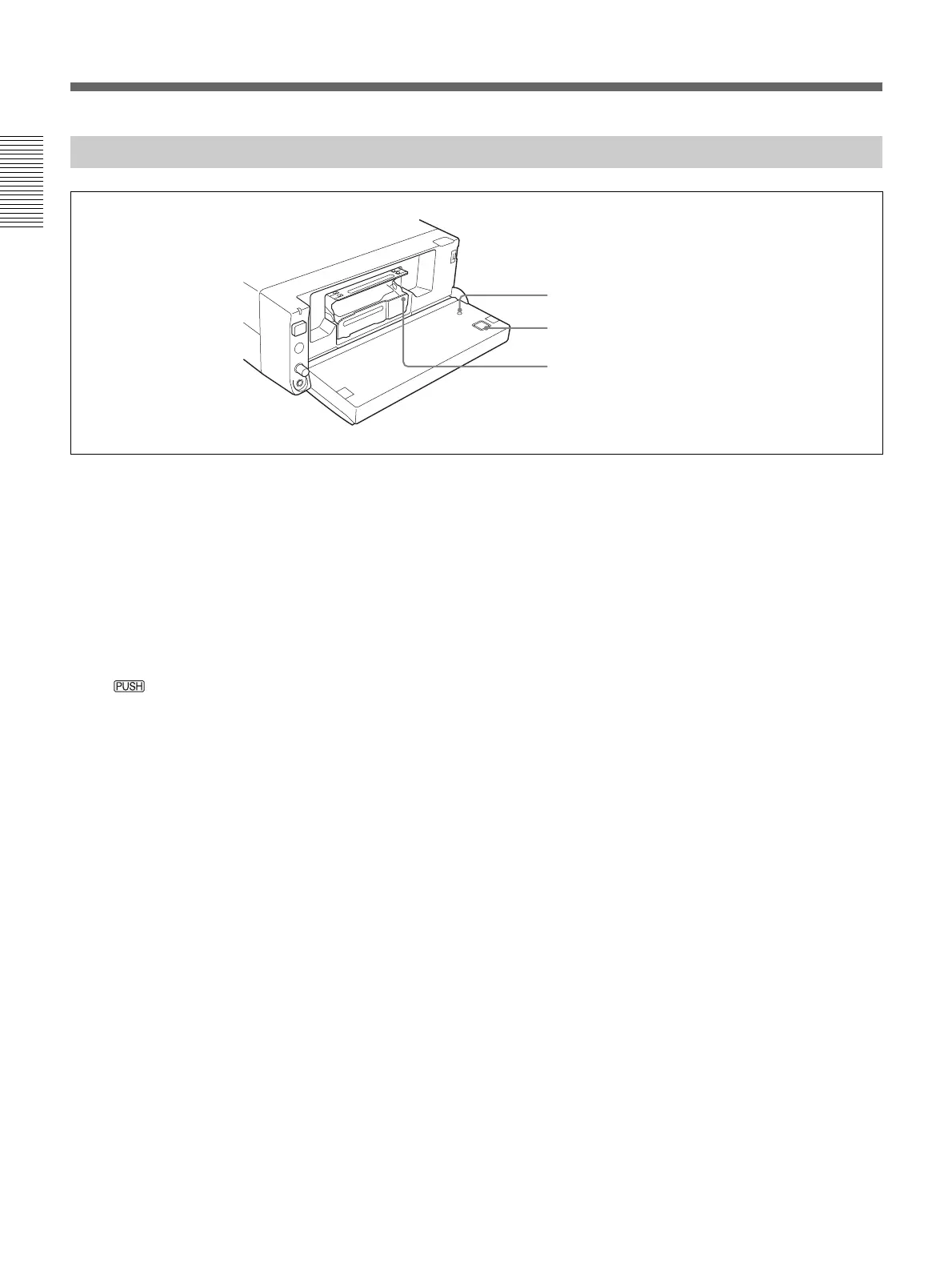
Inside of the Front Panel
1 RESET button
Press this button to clear all settings including the date
and time. Use the tip of a ball-point pen or similar tool
to press this button.
2 EJECT (cassette eject) button
Press this button to insert or remove a cassette. When
you press this button, the cassette tray comes up
automatically. Place the cassette in this tray and press
down
. After the cassette tray is retracted
automatically, close the front panel.
3 Cassette compartment
Insert a cassette.
For details of cassettes that can be used, see “Notes on
Power Supply and Video Cassettes” on page 21.
1 RESET button
2 EJECT button
3 Cassette compartment
Location and Function of Parts





 To Next Page