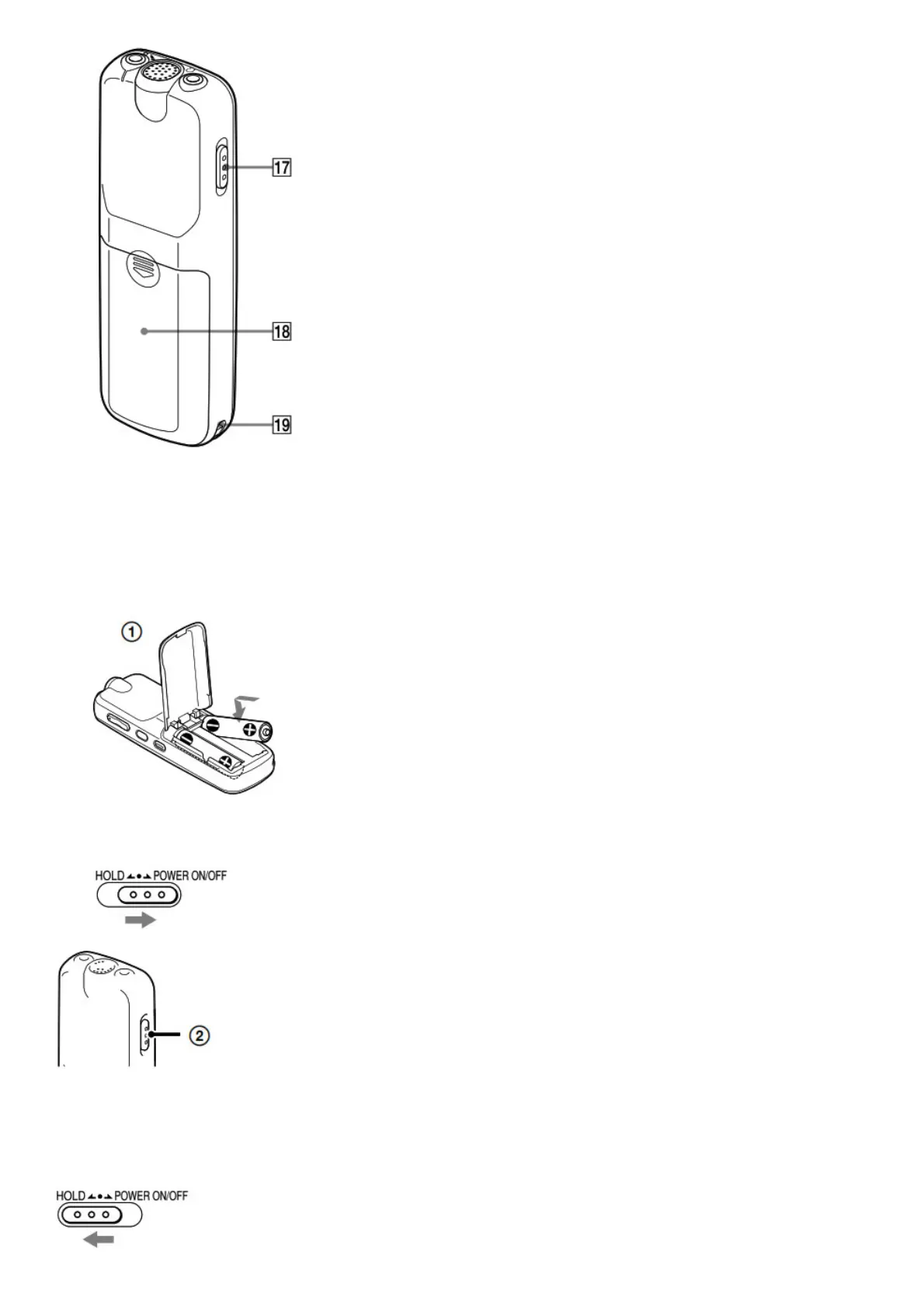
17. HOLD•POWER ON/OFF switch
18. Battery compartment
19. Strap hole (A strap is not supplied.)
Power on.
1. Slide and lift the battery compartment lid, then insert
batteries with the correct polarity.
2. Turn the power on.
Slide and hold the HOLD•POWER ON/OFF switch in the direction of “POWER ON/OFF” until the window
display appears.
To turn the power off, slide and hold the HOLD•POWER ON/ OFF switch in the direction of “POWER ON/OFF” until
“OFF” is
displayed.
To prevent unintentional operations (HOLD)
Set the date and time.



 To Next Page