7
ICD-P320
To change the sensitivity again, press the x STOP button and change
the [HOLD] switch.
In a DSP Test mode, changing the mode and changing the sensitivity
require the x STOP button be pressed.
5-5. USB Test
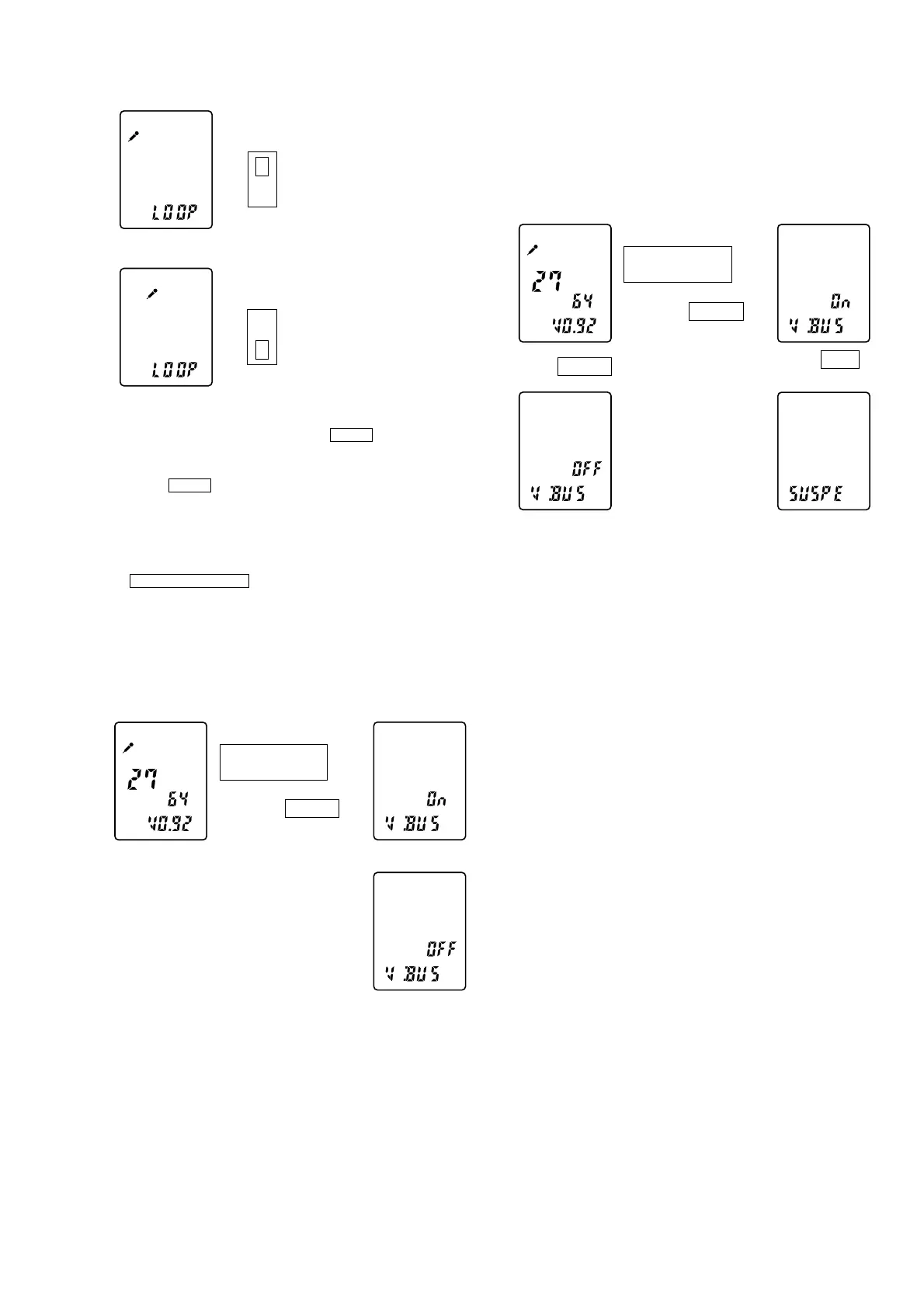
In this test, the ON/OFF status of VBUS is displayed and the
SUSPEND test is performed.
The Nx PLAY/STOP(ENTER) button is pressed to display the status of
VBUS by “On” or “OFF” indication.
With the VBUS ON, the [HOLD] switch is operated (ON) to perform
the SUSPEND test.
• VBUS Test
with VBUS
Nx PLAY/STOP
(ENTER)
without VBUS
k
K
x STOP
H
with VBUS
Nx PLAY/STOP
(ENTER)
SUSPEND mode
VBUS OFF
k
K
K
j
x STOP
x STOP
HOLD
ON
J
H
Sensitivity H
HOLD
ON
OFF
H
Sensitivity L
HOLD
L
5-6. RESET MENU
To enter the RESET MENU test, press the [DIVIDE] button.
When all of the buttons or controls located on the set are operated,
the system shows “Ok” if all of them are normally operated.
An operation of a switch is indicated by the number for verification
in order to make a simple indication.
Note 1: When 10 different operations of the switches are normally
made in any order (regardless of the order that pushbuttons
are pressed and the slide switch is set to ON and OFF),
the system shows “Ok”.
Note 2: Clear memory when “ACCESS” is blinking on the display.
(Do this before “Ok” is shown.) To exit from this menu,
the power has to be turned off (battery to be removed).
• SUSPEND Test
With the VBUS ON, turn the [HOLD] switch ON to enter the
SUSPEND mode.
When this mode is cancelled, the VBUS is turned OFF.



 To Next Page