4
GB
2Perform the following operation on your
computer.
On a Windows screen, left-click the icon at
the bottom of the desktop of the computer.
t Left-click “Eject IC RECORDER.”
The icon and menu displayed can be different on
different operating systems.
On a Macintosh screen, drag “IC
RECORDER” on the desktop to “Trash” and
drop it there.
For details on disconnecting the IC recorder
from your computer, refer to the operating
instructions supplied with your computer.
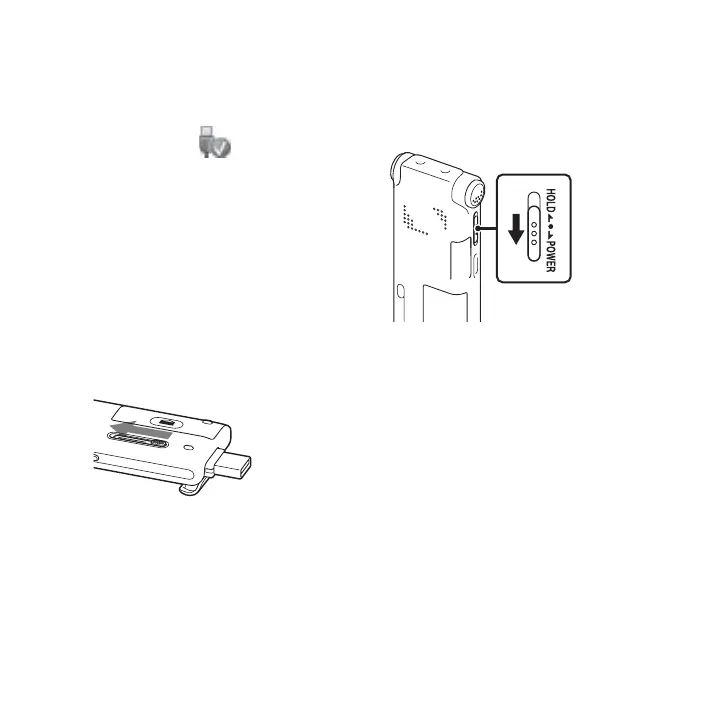
3 Disconnect the IC recorder from the USB
port of the computer, and slide the USB
slide lever in the direction of the arrow to
retract the USB DIRECT connector.
Step 3: Turning the IC
Recorder On
Turning the power on
Slide the HOLD/POWER switch in the direction
of “POWER” for more than 1 second. The IC
recorder is turned on, and the “Accessing...”
animation is displayed.
Turning the power off
Slide the HOLD/POWER switch in the direction
of “POWER” for more than 2 seconds, and the
“Power Off” animation is displayed.



 To Next Page
 Loading...





