9
GB
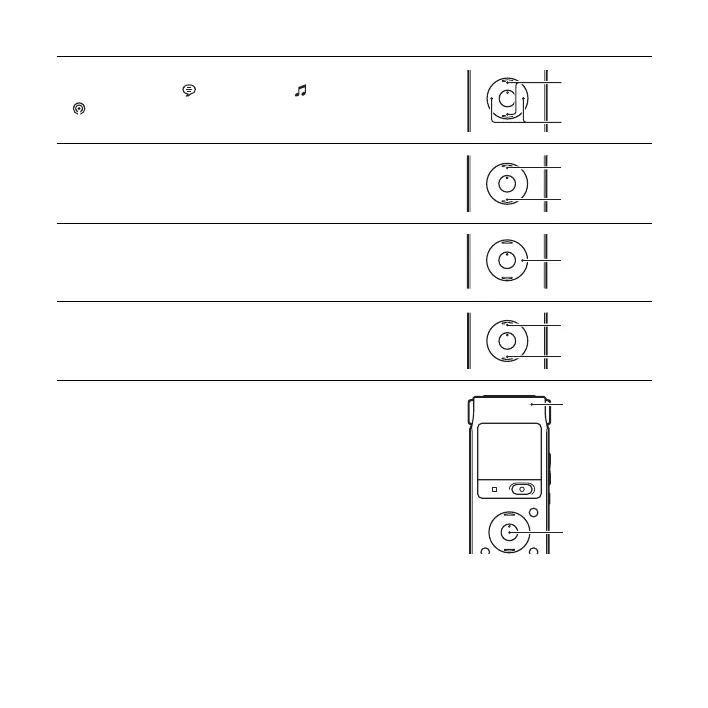
3 Press . on the control button, press v or V on the control
button to select the (Voice) tab, the (Music) tab, or the
(Podcast) tab, and then press
> on the control button.
4 Press v or V on the control button to select the folder.
5 Press > on the control button.
6 Press v or V on the control button to select the file you want to
play.
7 Press N/ENT.
Playback will start soon, and the operation indicator will light in
green. (When “LED” is set to “OFF” in the menu, the operation
indicator does not light.)
., >
v
, V
v
V
>
v
V
Operation
indicator
N/ENT



 To Next Page