EasyManua.ls Logo

Sony ICF-C103 - Using the Sleep Timer; Using the Countdown Timer

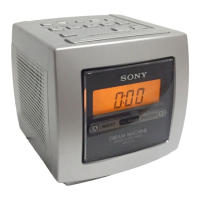
Sony ICF-C103
9 pages
Print Icon
To Next Page IconTo Next Page
To Previous Page IconTo Previous Page
Loading...
Using
the
Sleep
Timer
Using
the
Count
Down
Timer
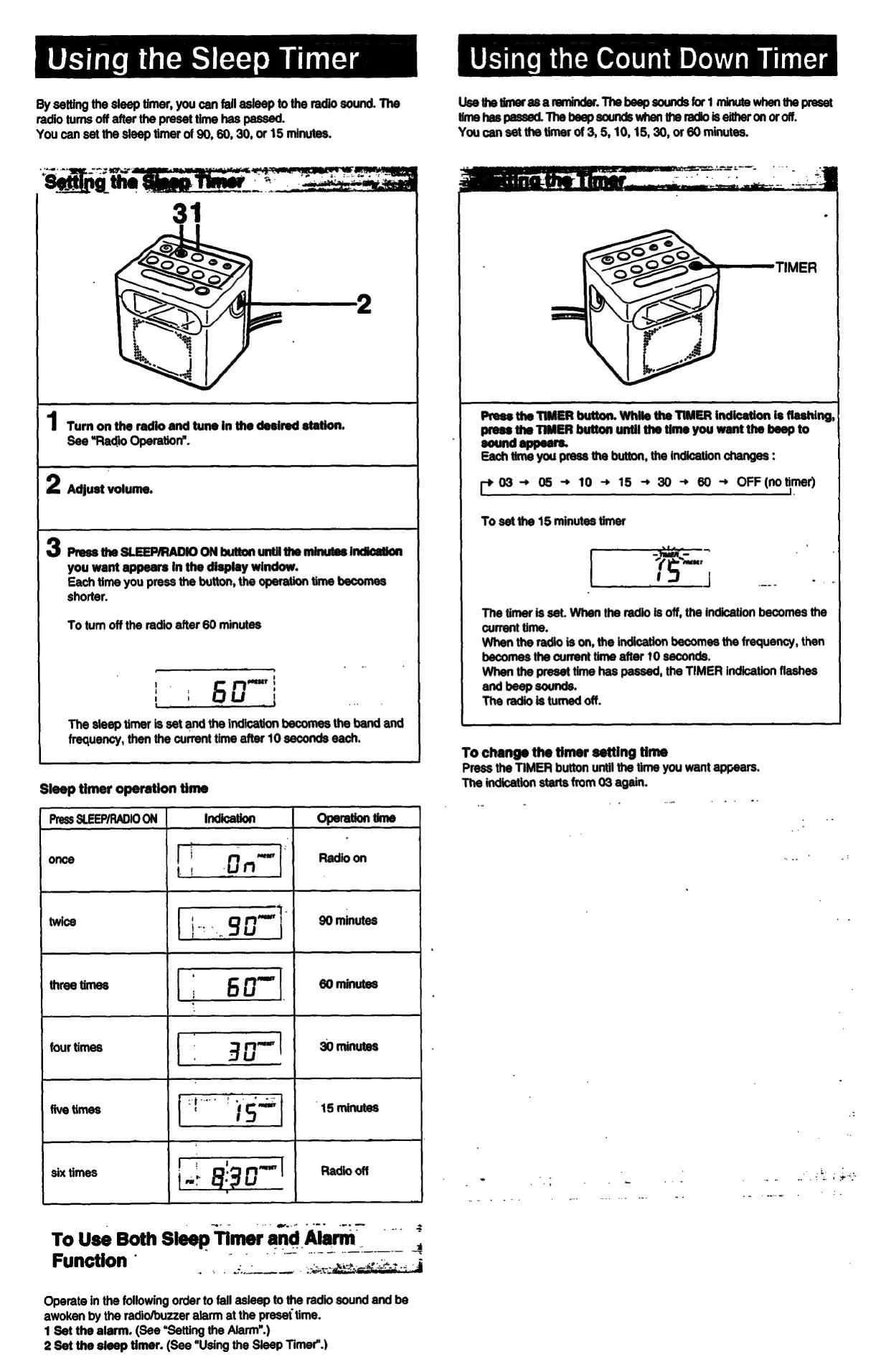
By
setting
the
sleep
timer,
you
can
fail
asleep
to
the
radio
sound.
The
Use
the
timer
as
a
reminder.
The
beep
sounds
for
1
minute
when
the
preset
radio
turns
off
after
the
preset
time
has
passed.
time
has
passed.
The
beep
sounds
when
the
radio
is
either
on or
off.
You
can
set
the
sleep
timer
of
90,
60, 30,
or
15
minutes.
You
can
set
the
timer
of
3,
5,
10,
15,
30,
or
60
minutes.
Press
the
TIMER
button.
While
the
TIMER
indication
is
flashing,
press
the
TIMER
button
until
the
time
you
want
the
beep
to
sound
appears.
1
Turn
on
the
radio
and
tune
in
the
desired
station.
See
“Radio
Operation”.
Each
time
you
press
the
button,
the
indication
changes
:
aden
05
~
10
+
15
+
30
+
60
-
OFF
(no
timer)
2
Adjust
volume.
To
set
the
15
minutes
timer
The
timer
is
set.
When
the
radio
is
off,
the
indication
becomes
the
current
time.
When
the
radio
is
on,
the
indication
becomes
the
frequency,
then
becomes
the
current
time
after
10
seconds.
When
the
preset
time
has
passed,
the
TIMER
indication
flashes
and
beep
sounds.
The
radio
is
turned
off.
3
Press
the
SLEEP/RADIO
ON
button
until
the
minutes
indication
you
want
appears
in
the
display
window.
Each
time
you
press
the
button,
the
operation
time
becomes
shorter.
To
turn
off
the
radio
after
60
minutes
to
6a:
Cn
eet)
The
sleep
timer
is
set
and
the
indication
becomes
the
band
and
frequency,
then
the
current
time
after
10
seconds
each.
To
change
the
timer
setting
time
Press
the
TIMER
button
until
the
time
you
want
appears.
Sleep
timer
operation
time
The
indication
starts
from
03
again.
Lz
.
cs
:
Fatie
To
Use
Both
Sleep
Timer
and
Alarm
Function
°
ean
Operate
in
the
following
order
to
fall
asleep
to
the
radio
sound
and
be
awoken
by
the
radio/buzzer
alarm
at
the
preset
time.
1
Set
the
alarm.
(See
“Setting
the
Alarm”.)
2
Set
the
sleep
timer.
(See
“Using
the
Sleep
Timer’.)

Related product manuals