Help Guide
Gaming Headset
INZONE H3
Connecting the headset to a computer or PlayStation®5
Before starting the operation, make sure of the following:
The operating instructions of the computer or PS5™ is in hand.
Note
Connection is not guaranteed with a PS5 through the USB audio box. Follow the procedures described above to connect to the
PS5.
Connect the USB audio box directly to the computer, and not via a USB hub.
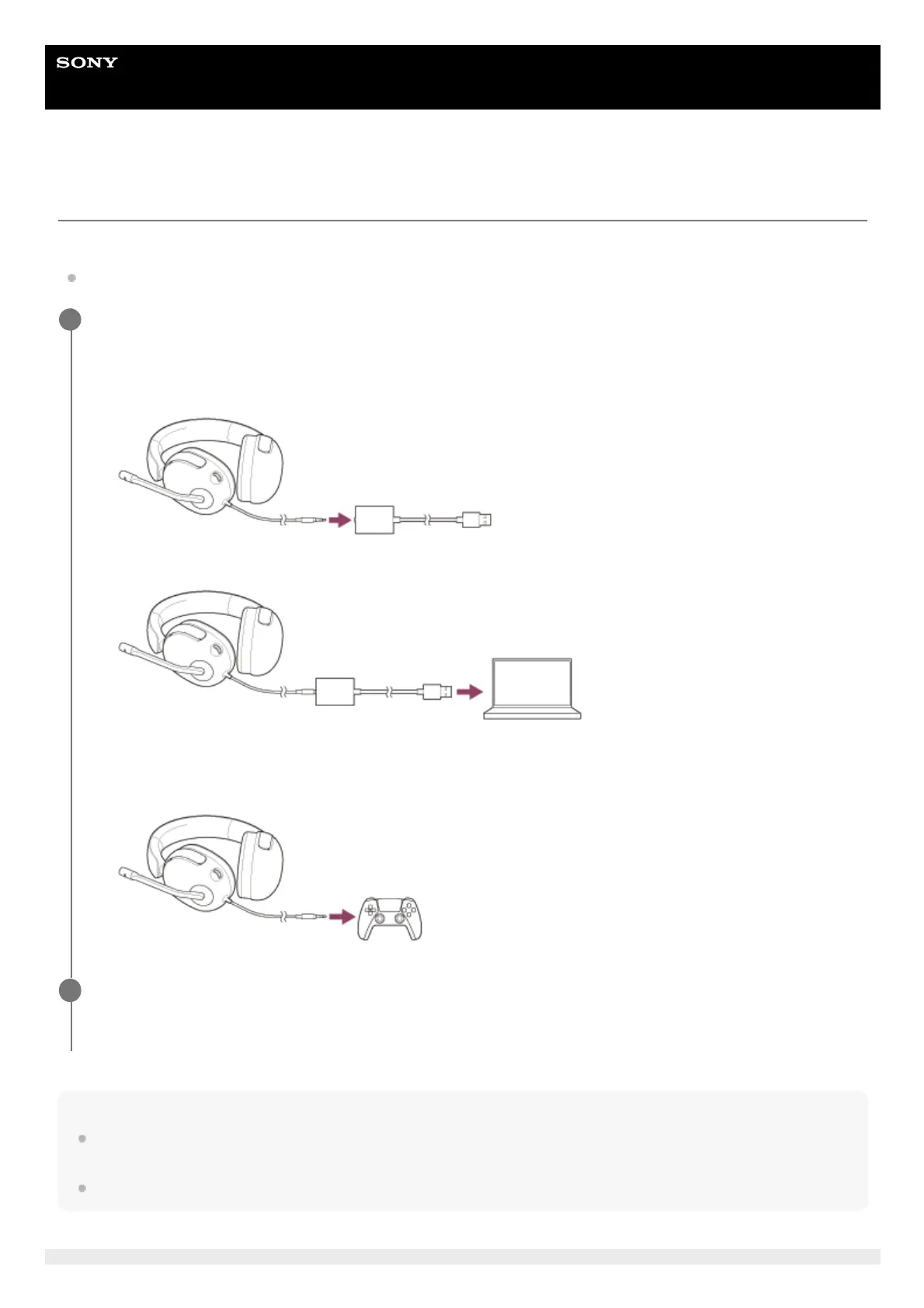
Connect the headset to a computer or PS5 controller.
When connecting to a computer
When connecting to a PS5
1
Connect the headset to the USB audio box.
1.
Connect the USB audio box to a USB port of a computer.
2.
Connect the headset to a headphone terminal on a PS5 controller.
1.
When connected to a computer, select the headset as the audio device.
Audio input/output device: [INZONE H3]
2













 To Next Page