Need help?
Do you have a question about the Sony SBH20 and is the answer not in the manual?
Before using the headset for the first time, charge it for approximately 2.5 hours. Sony chargers are recommended.
Move the switch upwards to turn the headset on. The notification light will indicate status.
Pair your headset manually or using NFC. It connects automatically when turned on and in range.
During a call or listening to music, press the Volume control key up or down.
Reset the headset if it behaves unexpectedly. This removes all information about paired devices.
Ensure your phone supports Bluetooth handsfree profile and the correct calling device is selected.
Check pairing, restart media player, and ensure the correct music source is selected for playback.
The headset battery is too low. Charge the battery to resolve automatic power-off issues.
Restart the headset to resolve unexpected behavior. Ensure the headset is charged and within range.
Ensure headset is charged, within range (10m), check phone Bluetooth settings, and re-pair if needed.
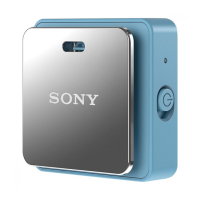
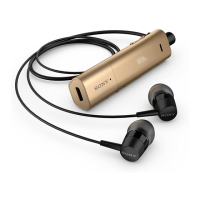
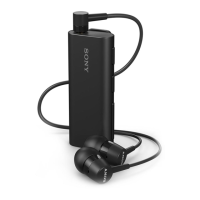
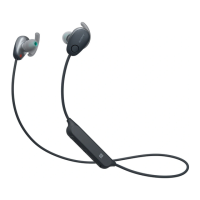
This document describes the Stereo Bluetooth™ Headset SBH20, a portable accessory designed to manage phone calls and play music wirelessly from a Bluetooth™-enabled device.
The SBH20 headset allows users to control incoming and outgoing phone calls while simultaneously listening to stereo music. It can connect to a phone, computer, or portable music player that supports Bluetooth™ technology. A key feature is its automatic music pause during a call, with playback resuming once the call ends. The headset supports both Singlepoint and Multipoint technology, allowing connection to one or two Bluetooth™ devices simultaneously. In Multipoint mode, users can receive calls from two connected phones without needing to disconnect and reconnect, though this mode consumes more battery power.
Power Management: The headset is turned on or off by moving the power switch. Before initial use, the battery needs to be charged for approximately 2.5 hours using a charger and the provided Micro USB cable. The notification light indicates the charging status when the headset is off.
Connectivity: Pairing the headset with a phone can be done manually or using Near Field Communication (NFC).
Call Handling:
Music Playback:
Volume Adjustment: The volume controls allow users to adjust the call or music volume by swiping up or down.
Wearing: The headset features a clip that can be rotated left or right for a comfortable fit. For optimal outdoor performance, it's recommended to carry the phone on the same side of the body as the headset unit.
Notification Light Indicators:
Resetting the Headset: If the headset exhibits unexpected behavior, it can be reset. This process removes all information about paired devices. To reset, turn off the headset, then turn it on again to perform a restart.
Troubleshooting: The manual provides guidance for common issues:
Multipoint/Singlepoint Mode Switching: To switch between Multipoint and Singlepoint modes:
 General
| Standby time | 200 h |
|---|---|
| Battery capacity | 110 mAh |
| Sensitivity | 100.5 dB |
| Driver diameter | 9.2 mm |
| Frequency range | 20 - 20000 Hz |
| Driver type | Dynamic |
| Product color | Blue |
| Bluetooth | Yes |
 Weight and Dimensions
| Weight | 12.3 g |
|---|


 To Next Page