Need help?
Do you have a question about the Sony SBH50 and is the answer not in the manual?
Overview of the Stereo Bluetooth™ Headset SBH50's capabilities for calls, music, notifications, and FM radio.
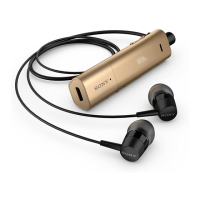
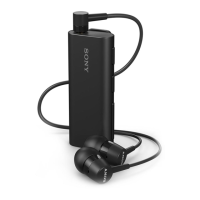
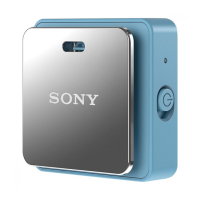
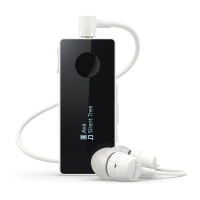
Details the physical components and buttons of the Stereo Bluetooth™ Headset SBH50.
Explains the meaning of various status icons displayed on the headset.
Instructions on how to charge the Stereo Bluetooth™ Headset SBH50 battery.
Steps to power the Stereo Bluetooth™ Headset SBH50 on and off.
Guide on how to adjust the call or music volume using the headset controls.
Explains how to navigate the headset menu and lists available options.
Procedure for resetting the headset to its factory default settings.
Install necessary applications and prepare your Android™ device for the headset.
Steps for manually and automatically pairing your headset with an Android™ device.
Instructions for pairing the headset with non-Android™ devices using manual or automatic methods.
Instructions for managing phone calls, including answering, rejecting, and muting.
Guide to playing music from a device, moving tracks, and controlling playback.
How to operate the FM radio, including tuning and frequency adjustment.
Managing connections with multiple devices using Multipoint and Singlepoint modes and pairing with a second device.
Viewing event notifications and configuring the Text to Speech feature for spoken alerts.
Statement of conformity for the SBH50 product with relevant standards and directives.
Compliance statement regarding FCC rules for radio frequency emissions.
Compliance statement regarding Industry Canada regulations for radio devices.
The Sony Stereo Bluetooth™ Headset SBH50 is a versatile accessory designed to enhance convenience and connectivity for users on the go. This headset can be paired with Android™ powered devices such as phones or tablets, as well as other Bluetooth™ compatible devices like non-Android phones, computers, or music players. Its primary function is to provide a seamless audio experience and facilitate various communication and information management tasks.
One of the core functions of the SBH50 is call handling. Users can answer or reject incoming calls directly from the headset, making it easy to manage communications without needing to reach for their phone. When paired with an Android™ device, the headset displays the caller's phone number, and if the contact is saved, the contact's name will also appear. The headset also allows users to make calls directly from its call log, provided the Stereo Bluetooth™ Headset SBH50 application is installed on the Android™ device. During an ongoing call, users can end the call or reject a second incoming call with a simple press of a button. The headset also supports managing a second incoming call by putting the ongoing call on hold or switching between calls. For privacy, the microphone can be muted during a call.
Beyond call management, the SBH50 excels in music streaming. It allows users to stream music from a music-playing device, providing a portable audio solution. The headset features volume controls to adjust the audio level during calls or music playback. Users can navigate between tracks, fast forward, or rewind music using dedicated keys. A unique feature of the SBH50 is its standalone FM radio, enabling users to listen to radio channels without needing to connect to another device. The headset provides controls to search for radio channels and manually adjust the radio frequency in increments of 100kHz.
The SBH50 also offers advanced event notification capabilities when paired with an Android™ device. It can display various event notifications such as text messages, emails, calendar event reminders, and updates from social networking services like Facebook™ and Twitter™. To fully utilize these features, relevant applications (Smart Connect and Stereo Bluetooth™ Headset SBH50 applications, along with specific text message, email, calendar, and social networking applications) must be installed on the Android™ device. A particularly useful feature is the Text to speech function, which can read out event information aloud in the headset. This allows users to stay informed without having to look at the display, enhancing convenience, especially when multitasking. The Text to speech function supports various languages, though not all.
Usage features of the SBH50 are designed for intuitive interaction. The headset has a display that shows menu options, status icons, and notifications. The display automatically turns off after a short period of inactivity to save power and protect personal information, and can be reactivated by pressing any key. Navigation through the headset's menus is done using the Next, Previous, Select, and Back keys, allowing users to browse options, select items, and go back one step.
Connectivity is a key aspect of the SBH50. It supports both manual and automatic pairing with devices using Bluetooth™ or NFC (Near Field Communication). For Android™ devices, the pairing process can be streamlined using NFC by simply touching the headset's NFC detection area with the Android™ device. The headset supports Multipoint mode, allowing it to connect to two Bluetooth™ compatible devices simultaneously. This means users can, for example, handle calls from one device while receiving text messages from another. The headset remembers previously paired devices, making reconnection easy. Users can manually switch between Multipoint and Singlepoint modes as needed. When paired with two Android™ devices, users can select one as the primary device for viewing event notifications and handling calls.
Maintenance features primarily involve charging the battery and resetting the headset. Before initial use, the headset requires approximately 2.5 hours of charging, with Sony chargers being recommended. The charging process involves connecting a USB cable to the headset's Micro USB port and a charger or computer's USB port. The headset's display shows a battery charge level indicator and a charging status icon. In case of unexpected behavior, the headset can be reset. This process involves turning off the headset, then pressing and holding the power key until a factory reset icon appears, and then confirming the reset using the navigation keys. Resetting the headset removes all information about paired devices.
Overall, the Sony Stereo Bluetooth™ Headset SBH50 is a comprehensive and user-friendly device that integrates communication, entertainment, and information management into a compact and portable form factor, making it an ideal companion for a connected lifestyle.
 General
| Standby time | 400 h |
|---|---|
| Battery capacity | 115 mAh |
| Bluetooth | Yes |
| USB connector | Micro-USB |
| Bluetooth version | 3.0+HS |
| Bluetooth profiles | A2DP, AVRCP, HFP |
| Connectivity technology | Wireless |
| Headset type | Binaural |
| Product type | Headset |
| Product color | Black |
| Wearing style | In-ear |
| Operating keys | Play/pause, Track \u003C, Track >, Volume +, Volume - |
| Quantity | 1 |
| Ear coupling | Intraaural |
 Weight and Dimensions
| Depth | 8 mm |
|---|---|
| Width | 24 mm |
| Height | 58 mm |
| Weight | 15.8 g |

 To Next Page