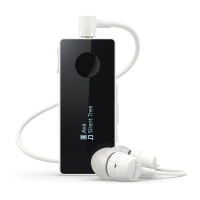
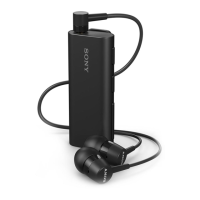
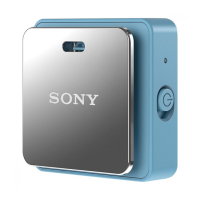
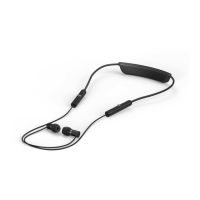
The Sony SBH54 Stereo Bluetooth® Headset is designed to enhance convenience for users on the go, offering a versatile range of functions when paired with an Android™ device or other Bluetooth®-enabled devices like smartphones or music players.
Function Description
The SBH54 primarily serves as a wireless headset for communication and entertainment. When connected to a compatible device, it allows users to:
- Handle phone calls: Answer, reject, and end incoming calls. It can also display the caller's phone number, and if paired with an Android™ device with the SBH54 application installed, it can show the caller's name from contacts. The headset supports making calls directly from its call log.
- Stream music: Play audio from a music-playing device.
- Receive notifications: Display event notifications such as text messages, emails, calendar event reminders, and updates from social networking services.
- Text-to-speech: Read out event notifications aloud, providing a hands-free way to stay informed.
- Time display: Indicate the current time.
- Standalone FM radio: Function as an FM radio when wired headphones are connected, which act as an antenna.
For advanced functions like call log access, event notifications, and text-to-speech, the SBH54 application must be installed on the paired Android™ device, and the Android™ device must support the relevant functions.
Usage Features
Hardware Overview:
The SBH54 features several physical controls and components:
- Power key: Used to turn the headset on/off and to reset it (by pressing for 15 seconds when off).
- NFC detection area: For quick pairing and connection with other NFC-enabled devices.
- Microphones (two): For clear audio input during calls.
- Volume key: To adjust the volume up or down.
- Micro USB port: For charging the battery.
- Display screen: To show information, menus, and notifications.
- Speaker: An ear speaker for calls when wired headphones are not connected.
- Headset jack (3.5 mm): For connecting wired headphones.
- Call key: To answer/end calls, view new event notifications, reject incoming calls, open the call log, and initiate voice search.
- Next key: To navigate to the next call log entry, menu item, music track, saved FM channel, or to move up the FM frequency band. Pressing and holding moves up the frequency band to search for a radio channel.
- Music key/Action key: To play/pause music or FM radio, select menu items, view new event notifications, mute the microphone during a call, and switch between FM Channel mode and FM Search mode.
- Previous key: To navigate to the previous call log entry, menu item, music track, saved FM channel, or to move down the FM frequency band. Pressing and holding moves down the frequency band to search for a channel.
- Back key/Menu key: To open/close the menu and go back one step.
Getting Started:
- Charging: The headset should be charged for approximately 1 hour using an official Sony charger before first use.
- Turning on/off: Press and hold the power key.
- Display activation: The display turns off after a short period to save power and protect privacy; press any key to activate it.
- Pairing: Can be done via NFC (by touching the NFC detection areas of the SBH54 and an Android™ device) or manually via Bluetooth® (by turning off the headset, then pressing and holding the power key until the Bluetooth® icon appears, then scanning for SBH54 on the Android™ device).
- Reconnecting: If a connection is lost, the headset attempts to reconnect automatically. Users can force reconnection by pressing any key or by using NFC.
Call Handling:
- Answering/Ending calls: Press the call key.
- Rejecting calls: Press and hold the call key.
- Making calls from call log: Press any key to activate the display, then press and hold the call key to open the call log. Use the navigation keys to select a contact/number, then press the music key to call.
- Muting microphone: Press and hold the music key during a call.
- Transferring calls: Press the call key and music key simultaneously to transfer an ongoing call to the phone or back to the headset.
- Second calls: Answer a second call by pressing the call key (puts the first call on hold), or switch between calls using the navigation keys. Reject a second call by pressing and holding the call key.
Music Playback:
- Listening to music: Open the music player on the Bluetooth® device, select a track, then turn on the SBH54. Navigate to the music menu option and press the music key to play.
- Track navigation: Use the next/previous keys to move between tracks.
- Fast forward/rewind: Press and hold the next/previous keys.
FM Radio:
- Listening: Connect headphones (as an antenna), turn on the SBH54, navigate to the FM radio menu option, and press the music key.
- Searching channels: Press and hold the next/previous keys.
- Changing frequency: Use the next/previous keys to adjust by 100kHz increments.
- Saving channels: Press and hold the next key and music key simultaneously, then use navigation keys to select a position and press the music key.
- Listening to saved channels: Press and hold the music key, then use navigation keys to select a channel and press the music key.
Notifications:
- Viewing: When a notification arrives, press the music key.
- Text-to-speech: Enable this function in the SBH54 application settings to have notifications read aloud.
- Out-of-range alert: The headset can vibrate three times to notify the user when it loses connection with the paired device due to distance. This is off by default and can be enabled in settings.
Privacy Function:
- Hiding private information: Enable the Privacy function in the SBH54 application settings to hide caller names/numbers and notification details on the headset display, showing only an icon instead.
Multipoint Mode (Two Devices Simultaneously):
- The SBH54 supports Multipoint mode, allowing it to connect to two devices simultaneously (e.g., calls from one, music from another).
- Users must manually switch to Multipoint mode after pairing with a second device.
- The headset remembers previously paired devices, allowing for easy reconnection.
- If two Android™ devices are paired, one must be selected as the primary device for notifications and call handling.
- The SBH54 can connect to a maximum of two devices in Multipoint mode; pairing a third device will remove the first paired device from memory.
- Setting up with a second device: Repeat the initial pairing steps (NFC or Bluetooth®) for the second device.
- Selecting primary device: Navigate through the headset menu to select which paired device should be primary.
Maintenance Features
- Resetting the headset: If the SBH54 behaves unexpectedly, it can be reset. This deletes all information about paired devices. To reset, open the menu, navigate to the settings icon, then the reset option, and confirm. Alternatively, press and hold the power key for 15 seconds when the SBH54 is turned off.
The SBH54 is designed for ease of use and integrates seamlessly with compatible devices to provide a comprehensive hands-free experience for communication and media consumption.

 Need help?
 General
 Weight and Dimensions

 To Next Page