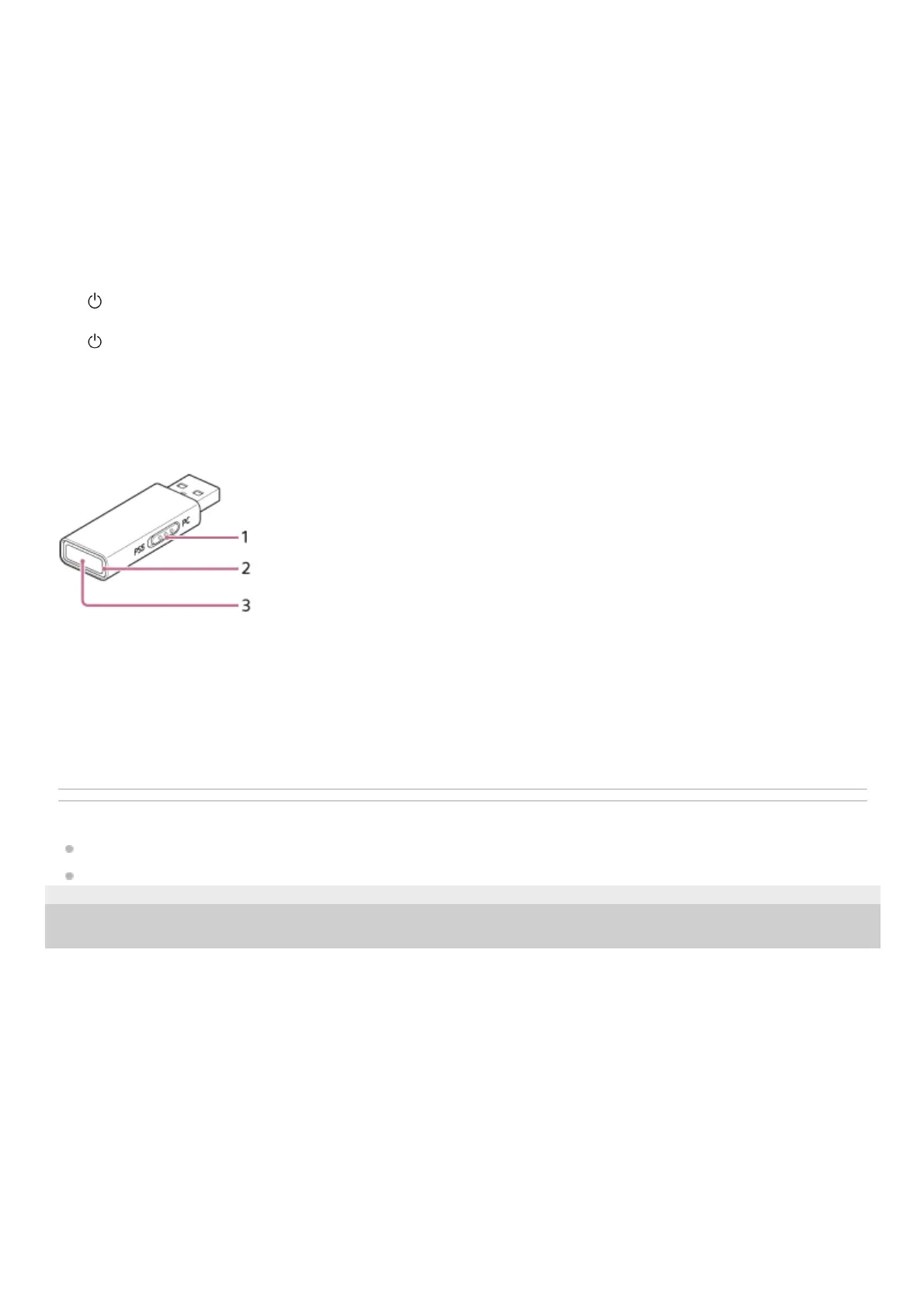
USB transceiver:
Related Topic
About the indicator
Checking the remaining battery charge
5-051-699-11(1) Copyright 2023 Sony Corporation
Connect the headset to a computer, or to an AC outlet via a commercially available USB AC adaptor, with the
supplied USB Type-C cable to charge the headset.
Charging indicator (orange)
Lights up or flashes in orange to indicate the rechargeable battery and charging status.
11.
Headphone cable input jack
Connect a computer using the supplied headphone cable. Make sure that you insert the cable until it clicks. If the
plug is not connected correctly, you may not hear the sound properly.
12.
GAME/CHAT (GAME/CHAT BALANCE) button
You can adjust the volume balance between the game sound and voice chat.
13.
(power) button14.
(power) indicator (white)
Lights up or flashes in white to indicate the power status and the connection status between the headset and the
USB transceiver.
15.
Slide switch
Switches the headset connection to a computer or PS5.
1.
Connection indicator (white)2.
Connect button3.




 To Next Page