1-3 (E)
HKJ-101
1-2-2. To install HKJ-101 in J-H3
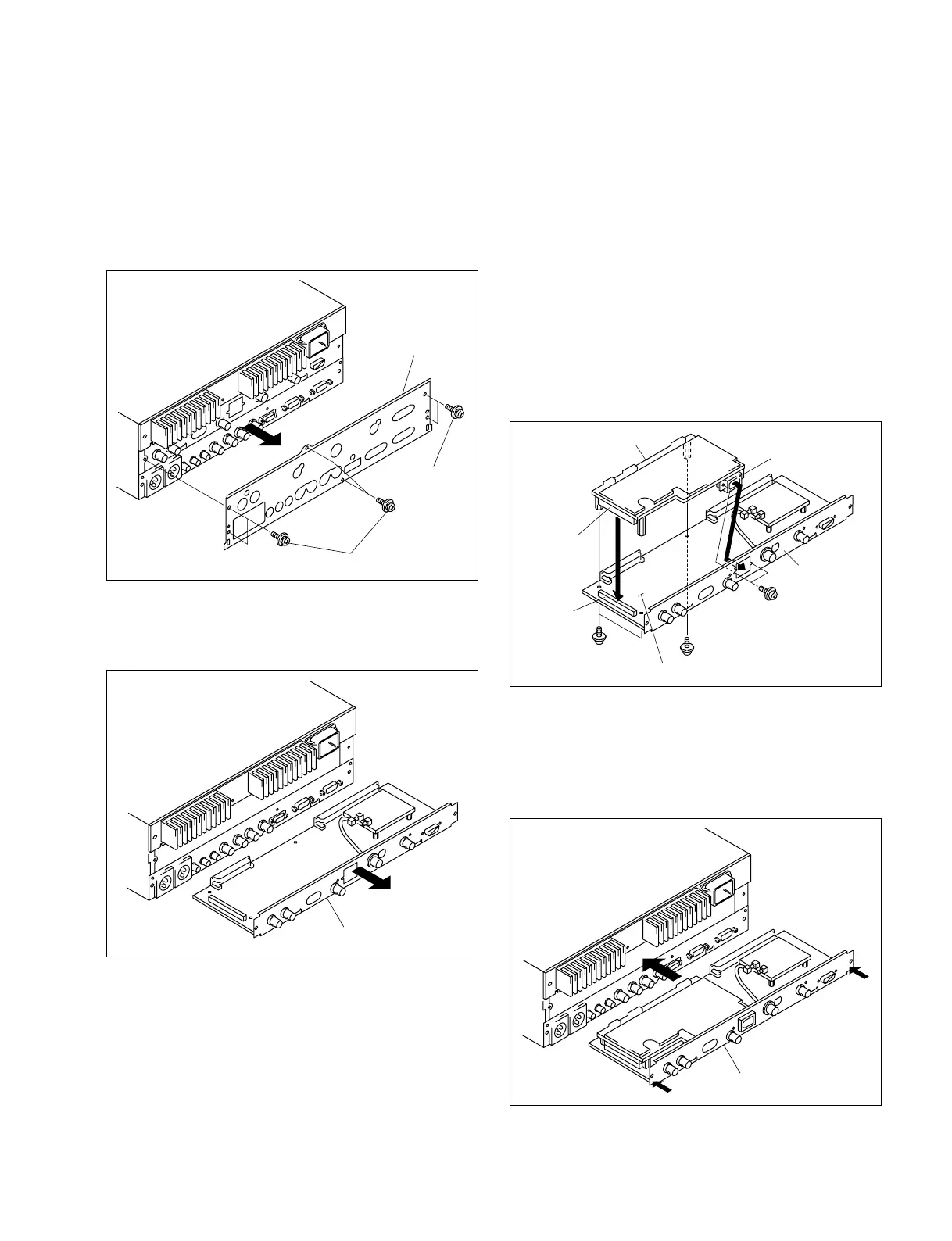
1. Remove the six M3 case stopper screws.
2. Remove the rear panel.
n
Store the removed rear panel in a safe place so as not
to lose it.
3. Pull out the SDI-80 assembly from the second slot
from the bottom of the J-H3 in the direction of the
arrow.
Rear panel
M3 case stopper screws
M3 case stopper
screws
4. Insert the connector (CN601) on the DV-29 board into
the connector (CN41) on the SDI-80 assembly.
n
First, insert the connector (CN401) on the DV-29
board to the hole for i.LINK connector on the IF panel.
Then insert connector (CN601) to the connector on the
CN-2478 board.
5. Fix the DV-29 board to the IF panel and to the SDI-80
assembly using the supplied screws (PWH2 x 5 : 2
screws, PSW2.6 x 5 : 3 screws).
n
When tightening the screws, tighten the screws PWH2
x 5 first of all screws.
6. Insert the SDI-80 assembly to the original slot.
7. Strongly push the connector panel both from the right
and the left sides of the SDI-80 assembly so that the
connector on the SDI-80 assembly is securely inserted
into the connector on the MB-993 board.
DV-29 board
SDI-80 assembly
PSW2.6 x 5
PSW2.6 x 5
PWH2 x 5
IF panel
CN601
CN41
CN401
SDI-80 assembly
SDI-80 assembly











 To Next Page